So before getting into the details of API Testing or how to perform API testing, I think it is relevant to discuss why API testing is essential.
As we all know, the main objective of API testing is to ensure that the API is working as expected under all positive and negative scenarios. API testing is not only about testing the functionality but also about testing its reliability, performance, and security.
Apart from this, there are a couple of other factors that make API testing important
API Testing has broader test coverage when compared to unit testing as it helps in identifying bugs at the unit, database, and server levels.
API Tests can run faster compared to UI tests. As the time taken for the page load and identification of web elements is not required in API testing
The core functionality testing can be started before the user interface is ready so that errors or weaknesses can be identified in the early phases of development. These errors may be costly to fix and may require a significant amount of code change if specified later.
There are many tools and libraries to automate the API calls, using which we can create an automation test suite that can be hooked to the deployment process.
One who performs API testing will get a better understanding of the application features and flow
API Testing helps in checking the performance as well as security of the APIs
There is much software available for API Testing and one of the main software is POSTMAN. In this blog, I am going to explain how to configure and execute a simple REST API request in Postman.
What is POSTMAN?
POSTMAN is an API client used to develop, test, share and document APIs.Postman is available for Windows, Linux, and Mac as a standalone application.
Click on the downloaded executable file and install it on your system.
Or else you can use the PostMan web application.
Creating a new Collection in PostMan
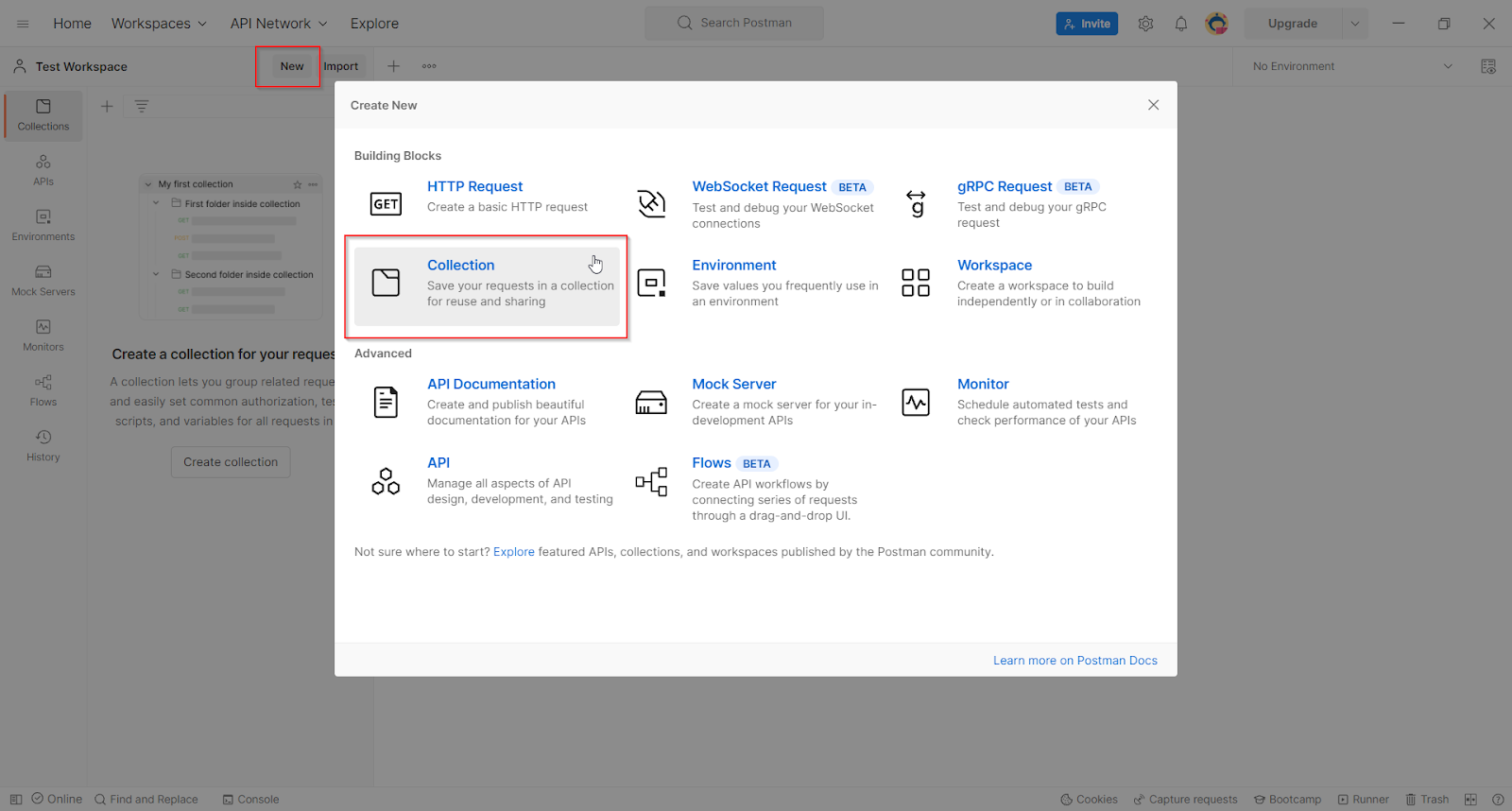
In Postman similar kinds of requests can be grouped into a collection and on opening a collection we will get all the requests under that collection. Its acts like a folder for the files in our system
Click on the New button in the header and create a new Collection
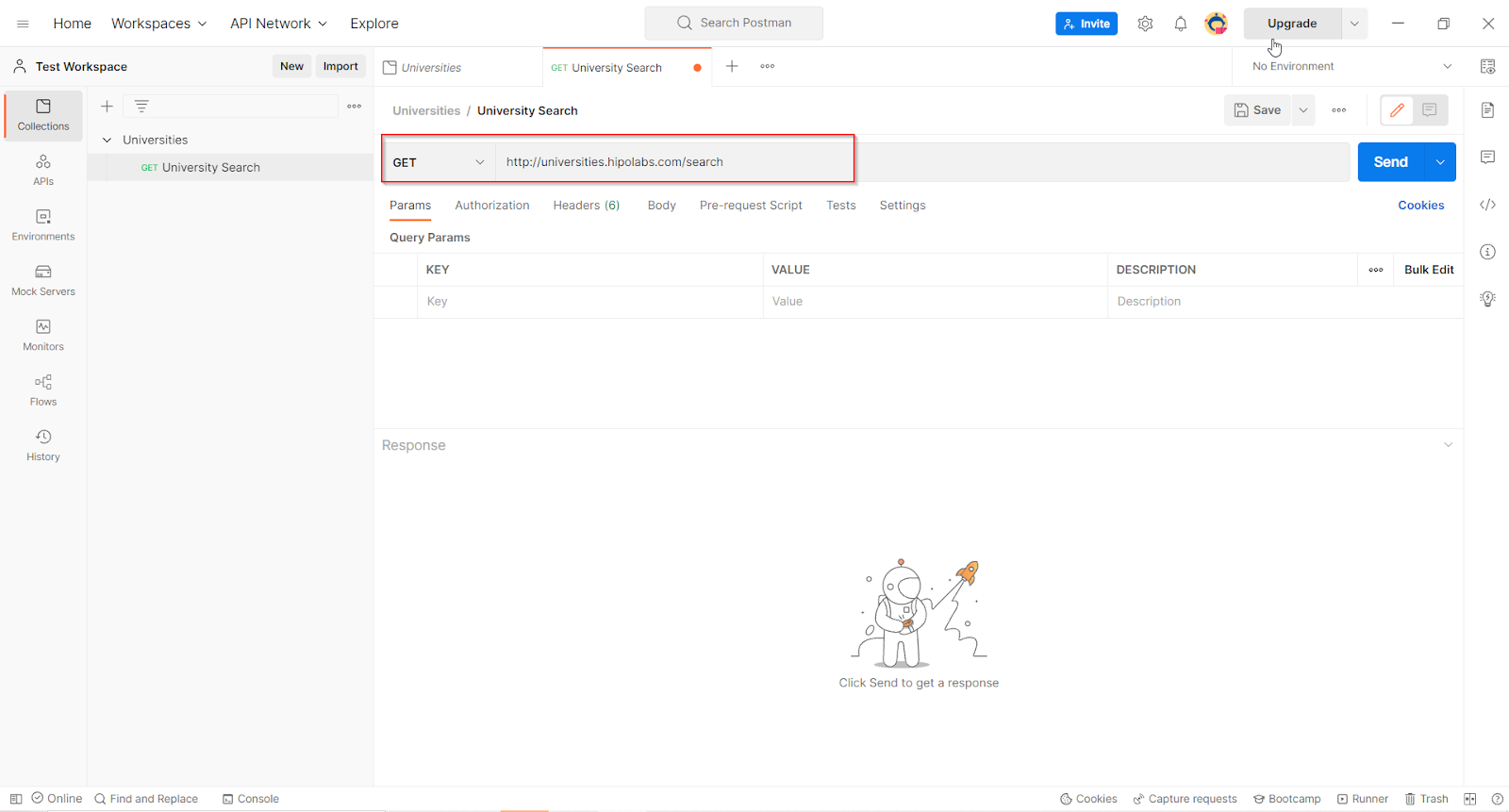
It is a GET request that accepts a parameter called ‘name’ and searches for a university whose name contains the value of ‘name’
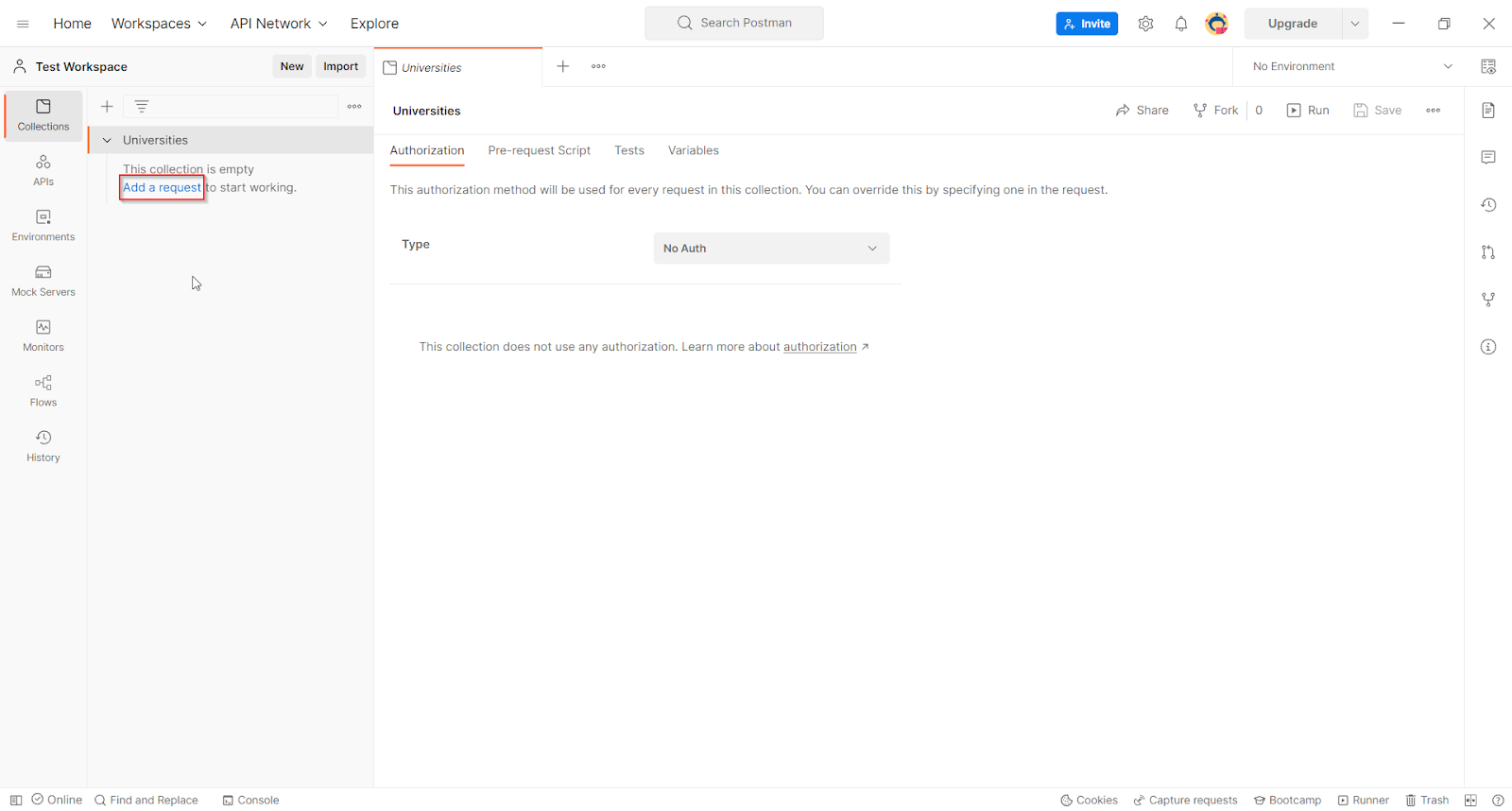
Click on ‘Add a request’ under the collection
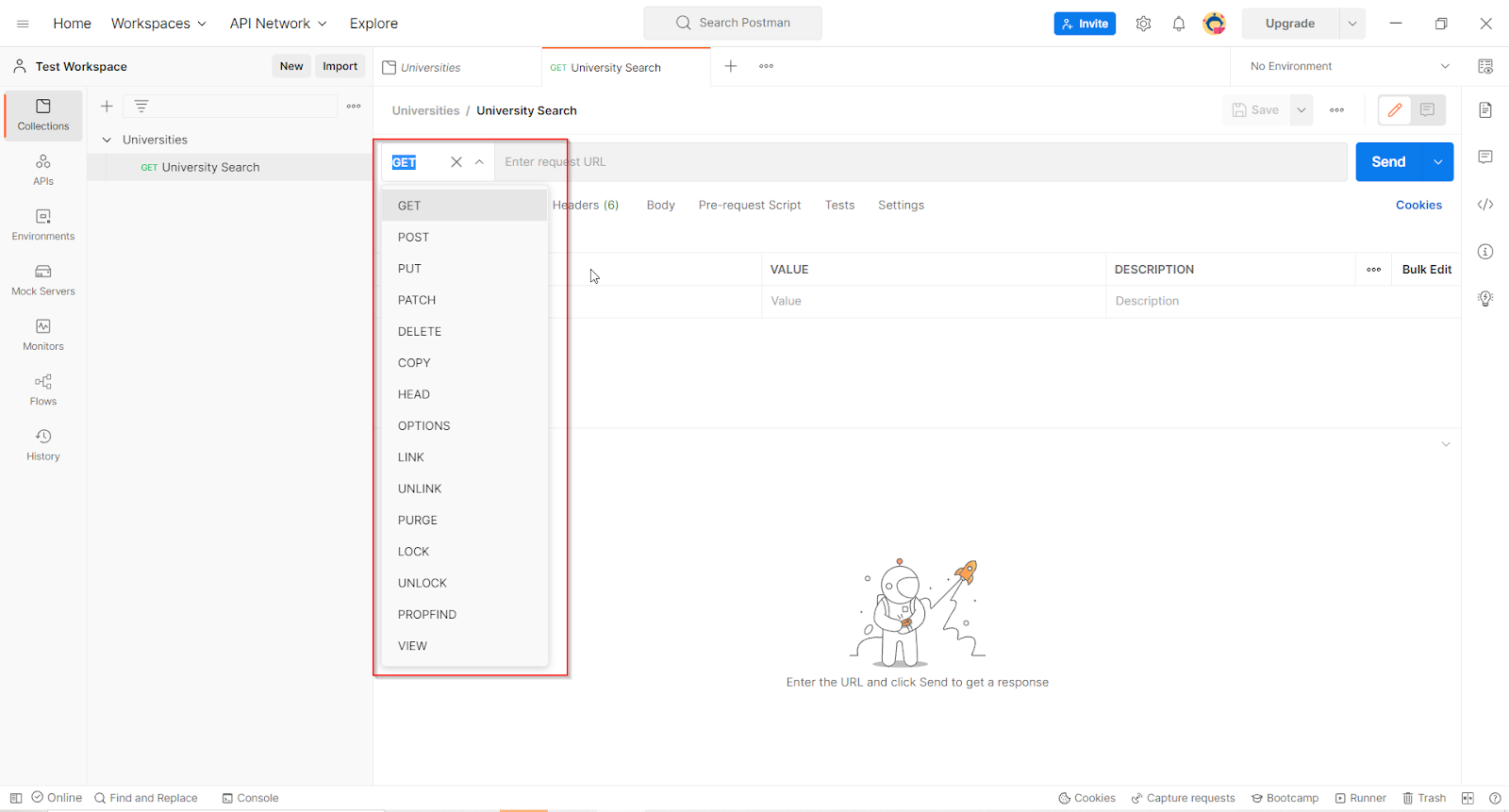
Enter a meaningful name for the request
Select the request type – whether GET, POST, PUT, or DELETE … Here it is a GET request
Enter the request URL
As this API is expecting a request parameter ‘name’ we need to specify the same while configuring the request. For that go to the ‘Params’ tab and enter the required parameters as key-value pairs.
On entering the parameters it gets automatically appended to the requested URL
Once all the details are entered, click on the Send button to send the request.
Response in Postman
Once we click on the Send button, we will get a detailed response from the API. Postman has a beautiful user-friendly interface for a response that displays the response status code, response body, response cookies, and headers.
We can view the response in 3 ways :
Pretty – The content will be more readable with colored keywords
Raw – Raw version without any colorful keywords
Preview – Shows the preview of the page as you would have seen in the browser
Likewise, you can try configuring other types of requests (POST, PUT, DELETE…) and see the response for those requests with different combinations of data and explore the wide possibilities of Postman.
Introduction: Bima Sugam API integration is becoming one of the most important technology priorities for Indian insurers in 2026. Every insurer in India has nine months to build the same API. Most Will Build It Wrong. Bima Sugam Phase 2 goes live in three waves: motor insurance in July 2026, health in August, and life […]
Introduction The importance of documentation in software development cannot be overstated. While high-quality code forms the foundation of any software project, effective documentation ensures that developers, stakeholders, and end users can understand, maintain, and efficiently use the system. Good documentation improves collaboration, simplifies onboarding, supports scalability, and helps teams maintain long-term project quality. In this […]
Introduction In today’s fast-evolving digital landscape, DevOps security and compliance is no longer optional but essential for modern organizations. The move, especially in this fast-paced digital era, seems to make alignment of DevOps and compliance a necessity rather than an option. Organizations increasingly embrace DevOps methodologies. Integrating security and compliance into DevOps increases agility while […]