Key Factors to Consider When Choosing a QA Testing Partner

QA Partner

Introduction

Product quality is the key to success in a competitive business environment. Be it software or hardware, consumer goods, flaws in the product significantly affect customer satisfaction and brand reputation and profitability. The involvement of quality assurance (QA) significantly reduces this risk. The right QA partner can make a big difference for the following reasons: their quality directly impacts the performance of your products.

8 Essential Factors to Choose the Right Testing Team

Industry-Specific Expertise: There is great value in having a QA partner who understands your industry, as there are different sets of requirements for a financial service or a manufacturer, and so forth. It is important to choose the right QA provider-one well-versed in regulatory frameworks, customer expectations, and the technological landscape your industry faces to make testing right for your business.

For instance, if your business is in the healthcare domain, it should have a QA partner that is aware of HIPAA and ISO compliances. Similarly, for the e-commerce domain, having knowledge of load testing and security is essential. The appropriate vendor can foretell the problems likely to come up in that industry and develop customized testing approaches.

Technical Competency and Tools: The other critical area is the technical capability of the QA partner. Quality assurance is not merely an exercise in defect identification but a systematic reduction of risk in producing a superior product that delivers optimal performance in overall use of the product. Ensure that your QA partner has experience working with the new testing methodologies, tools, and technologies relevant to your project.

Automated testing, for example, is one of the excellent tools in regression testing and saving time over the long term. A quality QA partner must also offer performance, security, and functional testing. All access to modern testing tools such as Selenium, JIRA, TestRail, or proprietary platforms should be provided, as they can efficiently track defect management, and continuous testing.

Flexibility and Scalability: The dynamics of project demands change in any QA engagement. Therefore, your QA partner needs to be flexible with regard to accommodating changes in the scope of a project, timelines, and resources. Whether your business is scaling up rapidly or dealing with a shorter release cycle, the partner must provide scalable services.

Scalability should sensibly be a partner of flexibility. Essentially, you’ll want to identify a QA provider who can increase their testing teams and resources aligned to fluctuating needs. They should not have to sacrifice quality for small projects or larger, more complex engagements. That becomes very important if you know your testing needs are going to spike around the time of product launches or during peak development periods.

Good Communication and Collaboration: Communication is one of the main building blocks of a successful QA partnership. You should always ensure that there is transparency and cooperation in planning, requirements gathering through all stages of reporting and feedback. Further, your QA partner should be very open to having feedback and respond promptly to any issues arising in good time.

A good QA provider should integrate into in-house development and testing teams smoothly. This way, they build a collaborative environment that yields problem-solving techniques. Clear channels of communication lead to the regular sharing of project milestones, test cases, and results for review.

Test Coverage and Methodology: Test coverage refers to the extent to which a testing process covers every aspect of your product, whereby aspects such as functionality, performance, security, and usability are tested. The QA provider is expected to expose a deep understanding of the full product development cycle so that it covers all features, such as hardware, software, databases, and user interface.

Testing methodology should also mirror your development process. So if you are embracing agile development then the QA partner should be expected to provide agile testing services with frequent loops for feedback, continuous integration and iterative cycles. If your approach to development is more conservative then they will adapt into a waterfall or V-model process.

Proven Track Record and References: To select a QA partner, experience counts. Ask for case studies, client testimonials, and references that speak to the provider’s ability to deliver on promises. Do they have experience working with businesses like yours? What types of projects have they handled? What are some results that they achieved in those engagements?

A good record of success with demonstrable output, such as defect detection rate, test efficiency, and customer satisfaction, are strong indicators of a reliable QA partner.

Data Security and Compliance: One of the areas of industry to be considered is data security. Especially in healthcare, finance, and e-commerce would generally require data security. Therefore, for your QA partner, it is also significant that at any stage of testing, they ensure how safe the data has been while undergoing the process. Data can be part of the storage while putting it up for the testing process to occur. Further significant protection for data would be data protection regulations, such as GDPR or CCPA, to be followed along with other necessary security features.

A good provider is one that adheres to secure testing best practices. Good data encryption, code security practices, and vulnerability assessments are just a few examples. Having appropriate certifications, like ISO 27001, can also be an assurance for you in their level of security.

Cost-Effectiveness: Cost will always be a factor, but quality must supersede. In the selection process of QA providers, emphasize value more than cost. A better partner will offer competitive pricing without denting the quality of services they will provide.

This calls for transparency in pricing. One should explain the methodology that a provider uses to calculate his cost whether based on time, number of test cases, or fixed milestones. He should avoid hidden charges; everything about the QA service should be clear in the scope of work.

Conclusion

Therefore, a right QA partner can make or break a product. Consider experience in the industry as well as technical competency, flexibility, communication practices, test coverage, and security protocols; then, you will find a proper QA provider. A proper partner will ensure your product is of high standard quality, and it will also help grow the company in every other respect.

More Blog: VAPT: Why Vulnerability Assessment and Penetration Testing Matter

Migrating to the Cloud: A Comprehensive Guide for Businesses

Cloud Migration process diagram showing key steps for businesses moving to the cloud

Introduction

The flexibility, scalability, and cost-efficiency of the cloud have made it more accessible to a variety of businesses as the digital landscape continues to evolve. No longer is it an option just for forward-thinking organizations; it has increasingly become a necessary step that businesses need to compete in the marketplace, though one requiring careful planning, execution, and constant management for success.

This comprehensive guide outlines the basic steps of cloud migration, key business considerations, and potential experiences from adopting a cloud-first approach.

What is Cloud Migration?

Cloud migration, in simple terms, means a business’s digital assets, services, databases, and applications are moved from on-premises infrastructure to cloud-based infrastructure. It could either be a one-time full migration or, on the other hand, a phased migration by moving certain services at any given time.

Cloud migration helps organizations provide them with flexibility, lowers their costs, and provides access to high technologies like AI and ML. However, it presents several challenges, including data security, migration downtime, and the requirement for proper cloud management.

Why Migrate to the Cloud?

Scalability: Scalability is one of the leading advantages of cloud computing. While on-premises infrastructure is prone to costly scaling and timely consuming, business organizations working with cloud platforms can adapt to their resources in relation to their dynamics quickly. The answer to rapid growth or even a temporary lull for businesses with cloud services is simple: scale up or scale down for operational efficiency and cost advantage.

Cost-Efficiency: It also alleviates upfront investments in hardware and infrastructure. For most businesses, cloud services are designed around the pay-as-you-go model, so costs are predictable, and capital outlays are reduced. These aside, cloud platforms have built-in usage tracking and resource optimization tools, meaning you only pay for what you actually use.

Enhanced Collaboration and Accessibility: Cloud systems enable employees to access necessary business applications and data from everywhere with an internet connection. Such accessibility supports telecommuting, teamwork, and geographical distribution. As more companies shift to hybrid or complete remote work models, cloud computing has become a critical component of productivity and continuity.

Disaster Recovery and Data Backup: Most cloud migration solutions offer strong disaster recovery for a firm. In case hardware fails, a natural disaster strikes, or cyberattack occurs, redundancy and backup in place within systems cloud-based allows data to be regained in the shortest time possible. This reduces losses due to data loss and, concurrently, downs the downtime.

Cloud migration provides access to advanced technology and services. With the cloud, AI, ML, big data analytics, and advanced automation tools are accessible, and innovation is possible. Agile capabilities help businesses experiment with ideas, deploy new applications quickly, and stay competitive in this rapidly changing market.

Key Considerations for a Successful Cloud Migration

Assess Your Current Infrastructure: A thorough exploration of one’s current infrastructure before embarking on a cloud migration journey will provide an indispensable approach. In fact, insights about running applications, databases, and services are the only ones that will help determine the best fit for cloud solutions in a business environment. Compatibility with the new cloud environment as well as limitations in the existing architecture are very crucial.

The Right Cloud Model: Among these, many cloud deployment models exist, ranging from public, private, to hybrid. Public clouds include third-party providers’ owned clouds such as AWS, Microsoft Azure, Google Cloud, among others. Most firms have adopted public clouds because they are cost-friendly. Private clouds have much more control and security, but they need to invest in the management overhead. Hybrids, therefore, will come with the best from both worlds: they will allow businesses to retain critical data on-premises while using the cloud for additional capacity.

Data Security and Compliance: While data security is considered one of the top concerns in cloud adoption, it is also as important to select a provider that provides robust security measures to maintain encryption, manage identities, and detect threats. For business organizations operating in regulated industries such as healthcare or finance, industry-specific regulated compliance cloud solutions should be sought to adhere to regulatory compliances such as GDPR, HIPAA, or PCI-DSS.

Develop a Migration Strategy: This will bring comprehensive strategy formulation. You would need to consider which applications and services go first in this migration, as well as whether you must or could use a phased or all-at-once approach. Creating the timeline, identifying key stakeholders, and setting clear objectives are critical to ensuring a disruption-free and smooth transition.

Training and Support: Actually, moving to the cloud is not only a technical challenge but also calls for organizational change. Employees need to be trained to use cloud-based tools, and IT teams should be readied to handle the new cloud environment. Continuous support and resources for your team will ensure that, in the long run, your migration efforts to the cloud prove successful.

Steps in the Migration to the Cloud

Plan and Assess: To start off, carry out an in-depth assessment of your current IT infrastructure. List which workloads and applications should be moved to the cloud and develop a full migration plan that includes timelines, key stakeholders, and goals.

Select a Cloud Provider: Finding the right cloud provider is critical to the success of your migration. The major providers of cloud services are AWS, Google Cloud, and Microsoft Azure. These are important for pricing services, security, and customer support. Your choice is tied to your business goals and technical requirements.

Prepare Your Data: But migration does require thorough preparation. Your data have to be prepared with proper formatting, cleaning, and organization. You may even need to utilize data migration tools or services in order to ensure smooth massive moving.

Migrate and Test: After developing the migration plan, initiate the migration process for workloads. Introduce less-critical applications first and test the migration process by identifying any errors that may arise. Increasingly move the most critical workloads as performance, security, as well as compatibility are tested in the process.

Monitor and Optimize: After the migration, monitoring and optimization for the running of your cloud environment as the key are important to monitor further performance, cost, and security in your cloud environment. You can take advantage of cloud-native tools to monitor performance, costs, and security. You must review your cloud usage regularly to ascertain the proper usage of resources and identify the chances of cost saving opportunities.

Conclusion

Business benefits of the cloud migration include increased scalability and cost-efficiency, easier collaboration, and access to state-of-the-art technologies, but it remains critically dependent on careful planning, a concrete strategy, and constant management to be successful. Understanding the points of importance and procedures involved will help businesses feel more confident while taking the leap into cloud migration and place them well on their way toward success in the digital world.

More Blog: Boost Forecast Accuracy: 7 Essential AI-Powered Business Analytics Tools

How AI-Powered Product Recommendations Drive Sales and Boost Customer Satisfaction

AI-Powered Product Recommendations

Introduction

The world of eCommerce can never be more competitive than today, and whatever else it is, delivering personal shopping experiences has come to be a key differentiator for a business. Modern consumers want online retailers to understand and share their preferences, offer tailored product suggestions, and create seamless interactions. This is where AI stands to make all the difference through AI-powered product recommendations that are drastically changing how businesses engage with customers.AI-Powered Product Recommendations are transforming how eCommerce businesses personalize user experiences.

Although these AI-based tools increase customer satisfaction because of the relevant product suggestions they provide, they tend to sharply increase sales since they lead the customers toward products that they are most likely to purchase. This blog explores how AI-powered product recommendations work, their benefits, and how they can be strategically leveraged toward increasing sales and improving the overall shopping experience.

AI-Powered Product Recommendations play a major role in helping eCommerce brands deliver highly personalized shopping experiences.

The Power of AI-Powered Product Recommendations

In a nutshell, the AI-based product recommendation systems use machine learning algorithms to analyze customer data, observe patterns, and predict which products a particular customer would likely to be interested in buying. It enables enterprises to offer recommendations based on individual shopping behaviors, like browsing history, past purchases and their interactions with various products.

With AI-Powered Product Recommendations, businesses can deliver highly relevant suggestions based on real data. With AI-Powered Product Recommendations, retailers can predict customer needs more accurately and increase the chances of a successful purchase.

Working of Product Recommendation Engines

AI recommendation engines collate and process data in huge amounts that are being brought in from a whole range of touchpoints, such as visit history on the website, purchase history, products being viewed, and search queries. These AI models create a profile for the customer and generate real-time suggestions that fit his taste pattern. These recommendations are very much personalized, hence the chances of conversion are also higher in that regard.

For instance, the recommendation engine of Amazon accounts for a large proportion of the revenues that the company accumulates in the form of suggestions of items that go along with a history of purchase, similar types of items, or things often bought together. Such tailored recommendations can be the key to making shopping even more engaging for businesses. AI-Powered Product Recommendations depend on machine learning models that analyze huge volumes of customer behavior data in real time.

Role of AI in Sales Growth

AI-product-based recommendations are a great tool that can increase conversion chances and average order value (AOV) by fetching the highly relevant products to customers. The ways are as follows:

Conversion Rates: One of the greatest advantages of AI-powered recommendation is that it can definitely help improve your conversion rates. Personalized product ideas ensure that customers are exposed to things they will most likely buy, hence saving them from decision fatigue and leading them towards a faster purchasing choice. AI recommendations are perfectly suited for converting browsers into buyers since they implement knowledge about shoppers’ needs and provide relevant product suggestions at each stage of the shopping journey.

Upselling and Cross-Selling: Effective upselling and cross-selling of goods and services is also expected from AI recommendations. Based on preferences, purchasing patterns, and channels from customer analytics, AI can recommend an accessory or a product of higher value. For instance, if a customer is looking to buy a laptop, the recommendation engine can recommend accessories like laptop bags, external drives, or a software package that increases the overall value of sales. One of the biggest advantages of AI-Powered Product Recommendations is their impact on conversion rates and average order value.

Customer Satisfaction through Personalization

In the context of eCommerce today, personalization is important for achieving increased customer satisfaction and loyalty. Based on AI, a recommendation of the right product to the appropriate customer naturally offers a level of personalization that makes shopping enjoyable and smooth. AI-Powered Product Recommendations enhance customer satisfaction by showing the right products to the right users at the right moment.

Tailoring the Shopping Experience: AI suggestions do not display irrelevant products to the customer but rather display relevant products that tell the customers their preference and needs. Personalized shopping not only makes the buying process simple for the customer but connects him/her to the brand, as the customer feels the retailer understands his unique preferences. This will result in improvement in retention rates due to increase in satisfaction.

Reduce Cart Abandonment: Cart abandonment is a serious concern in eCommerce. Using AI-powered recommendation capabilities, this can be counteracted by trigger and reminder following personalization. For example, AI can mail follow-up emails with product recommendations based on the items left in the cart, along with some further incentive through discount or other complementary product recommendations that will help the customer in completing the purchase.

Inclusion of AI-Powered Recommendations in eCommerce

Effective implementation of AI-powered product recommendations for eCommerce businesses may involve the following strategies:

Leverage Data Effectively: A successful AI recommendation system is data-intensive. Businesses should collect data through several touchpoints: website visits, customer demographics, purchase history, and contact with marketing campaigns. The more data that an AI system has available, the more accurate its suggestions will be and the more personalized those suggestions will be to users.

Customize Recommendation Types: AI-driven recommendation systems can be tailored to business needs. Some standard types of recommendations include the following:

Frequently Bought Together: Products often purchased along with the current selected product are suggested.

Similar Products: If a product has been viewed or purchased, a system suggests similar products.

Top Picks for You: This is a personalized recommendation based on the browsing and purchasing behavior of the customer.

Future Trends: AI and Hyper-Personalization: Advanced technologies in AI will drive hyper-personalization as the future for product recommendations. Hyper-personalization is taking the principle of personalization to a next level by considering not just customer behavior but also other external factors such as real-time locations, weather conditions, or social trends. Therefore, business activities will encourage highly contextualized suggestions feeling even more relevant to the customer’s present situation with this feature.

Also, visual search and voice-activated shopping will have much more importance in AI-generated recommendations later. It will become very easy for the customers to find those products and buy them. Henceforth, the eCommerce experience will be increasingly improved.

Implementing AI-Powered Product Recommendations helps increase sales, improve customer satisfaction, and strengthen brand loyalty. Businesses that implement AI-Powered Product Recommendations experience higher engagement, improved loyalty, and sustained sales growth.

Conclusion

AI-based product recommendations are proving to be the perfect sales booster for eCommerce business houses looking to enhance the satisfaction of customers and have a keen focus on the growth of sales figures. Relevant and personalized product suggestions can lift the shopping experience and go on to raise conversion rates, average order values, and long-term customer loyalty.

While it may no longer be a question of if, but when for such an investment for the eCommerce businesses, having AI powered recommendation systems has indeed become a necessity, given the rising tide of personalization in an online marketplace. Sales will then experience tremendous growth, as well as even stronger relationships between customers and retailers by the proper use of AI.

More Blogs: 7 Amazing Ways AI-Driven AR Experiences Are Revolutionizing User Interactions

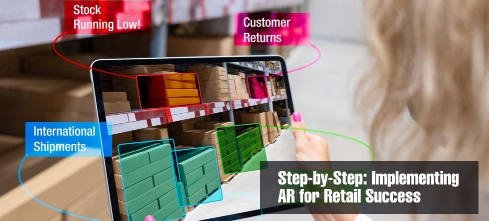
6 Powerful Steps for AR Implementation in Retail: Transform Customer Experience

AR Implementation in Retail – customer using augmented reality try-on mirror

Introduction

AR Implementation in Retail is transforming the shopping experience, enabling customers to try products virtually and interact with digital displays. This way, retailers use AR to enable interaction and increase sales with the customer, from virtual try-ons to interactive product displays, enhancing the customer experience, streamlining operations in an increasingly digital world.

In this guideline, we will break down the main steps of setting up AR in retail-the technical, integration approach, and best practices for a successful launch.

Benefits of AR Implementation in Retail

Before going into the nitty-gritty of the implementation, let’s discover the benefits you can anticipate from your retail business. With augmented reality, you get to enjoy several advantages, such as

  1. Engagement of More Customers: A key advantage of AR Implementation in Retail is increased customer engagement and reduced product returns.
  2. Personalization: AR lets retail companies provide recommendations to customers based on what a customer likes and what a customer is doing by using the device.
  3. Lower Return Rate: Virtual try-ons and product visualization tools make customers less likely to return the products because they will see what they are going to look like.
  4. Higher Sales: An engaging, convenient experience will translate to conversion rates and, thus sales.

These advantages will allow you to harmonize your AR strategy with other business goals.

Choosing Technology for AR Implementation in Retail

There are numerous AR technologies in the market today and hence the proper one needs to be chosen for proper utilization. Some of the most common types of AR technologies that retailers use are:

  1. Marker-Based AR: This method applies a marker like QR codes for the creation of digital overlays once scanned using a smartphone or tablet. Interactivity in product display and marketing campaigns is usually created by this technique.
  2. Markerless AR: Also known as location-based AR, the user does not require special markers to interact with AR content. The application is ideal for virtual try-ons, navigating shops, and viewing products.
  3. Projection-based AR: It allows projecting virtual images into real-world surfaces to be perceived by the customers as digital displays in actual environments. The most popular usage would be on interactive store displays and pop-up experiences.
  4. Superimposition-based AR: Superimposition AR automatically replaces part of the user’s view with an augmented image, widely used in virtual fitting rooms and furniture visualization.

The right AR technology will rely upon your business model, the type of customer experience you would like to create and how it meets the needs for your retail environment.

Define Your AR Use Case

One of the key factors in using AR effectively in retail is to define your specific use case. Identify what aspects of your retail operations or customer experience can benefit from AR. Some of the most prevalent use cases in retail include:

  1. Virtual Try-Ons: Through AR, customers are now able to try out on their outfits, accessories, or makeup before purchasing them. This is a very popular concept in the fashion and beauty industries.
  2. Product Visualization: AR allows customers to see furniture, appliances, or home decor in a customer’s space, helping them make informed decisions before they buy.
  3. Interactive In-Store Displays: AR can transform static in-store displays into interactive experiences that may offer product information, reviews, and offers.
  4. Inside-Store Navigation: By implementing AR, vast retail areas can offer a real-time navigation support to customers; that is, they are directed towards the products or the exact areas in the store efficiently.

You can adjust your implementation strategy and the right technology based on your well-defined use case of AR to achieve your desired goals.

Invest in Right Hardware and Software

What determines the success of AR is proper hardware and software selection in a retail environment. For most retail companies, smartphone-based AR might be the closest convenience available, considering that the customers can share AR experiences by accessing the same through the mobile device. Depending on your use case, however, you may also have to invest in more specialized hardware components like:

  1. AR-Enabled Mirrors or Displays: These devices enable the customers to collaborate with AR content in-store, such as trying out clothes or previewing the products.
  2. Smart Eyewear or Headsets : Some retail companies have explored the implementation of AR headsets or smart glasses which can offer customers an even more interactive, hands-free experience with digital content.
  3. Custom AR Applications or Platforms: Developing a custom AR app or using an existing AR platform such as Snapchat’s Lens Studio or Shopify AR enables you to engineer unique experiences particularly well-suited to your brand and products.

Your AR system also must be compatible with your existing retail technology and infrastructure. This is where you would want your current integration process to be smooth.

Development of AR Integration Strategy

AR is best planned and coordinated across all departments- marketing, IT, and customer service. For developing a successful AR integration strategy, here are some of the key steps that lead to an effective integration process:

It demonstrates cross-team collaboration, such that any AR implementation would reflect both customer-experience goals as well as technical capabilities.

  1. Test it, then iterate: Prepare a pilot program for smaller-scale AR to get feedback and improve experience before its larger rollout. This will help identify technical issues or improvements related to customer experience.
  2. Seamless Omnichannel Availability: Ensure that your AR experience is seamlessly integrated with online and in-store retail channels. Customers should find an easy way to access AR features from mobile, kiosk in-store, or even through your website.
  3. Empowering the Front Line Support: Preparing the staff with the appropriate skills and knowledge to support AR-related interactions with customers, for instance, when helping out in interaction at displays inside the store or addressing technical issues in AR apps.

And by doing so, you will be able to achieve the maximum value of your AR implementation for the customers and your business.

Measuring Success of AR Implementation in Retail

After your AR solution is in operation, there ought to exist a mechanism of measuring its effectiveness. Some of the key KPIs tracked include

  1. Customer Engagement: One major benefit of AR Implementation in Retail is higher customer engagement. Track the frequency with which customers engage with your AR experiences, tracking engagement levels by quantifying app usage, time spent, and repeat visits.
  2. Sales Impact: Track conversions, increases in average order value, as well as decrease in product returns that AR experiences deliver.
  3. Customer Satisfaction: Collect customer feedback regarding whether or not AR enhances their shopping experience and if their expectations are met.

By checking on these metrics from time to time, you will be able to refine your AR strategy so that it keeps on delivering value to your business over time.

Conclusion

Businesses that embrace AR Implementation in Retail will stay ahead in customer experience innovation. Retail is one brilliant opportunity to increase consumer experiences, encourage customer engagement, and sell more with AR. You will succeed in the integration of AR into your retail environment by selecting the right technology, defining your use case clearly, and developing a clear plan of integration. As AR continues to advance, retailers and their customers will be well prepared to stand out in a very competitive marketplace and deliver value to your customer sets. Retailers focusing on AR Implementation in Retail will enhance customer experience and drive measurable sales growth.

Related blog : Personalized Shopping with AR: 5 Ways It’s Transforming Retail Experiences

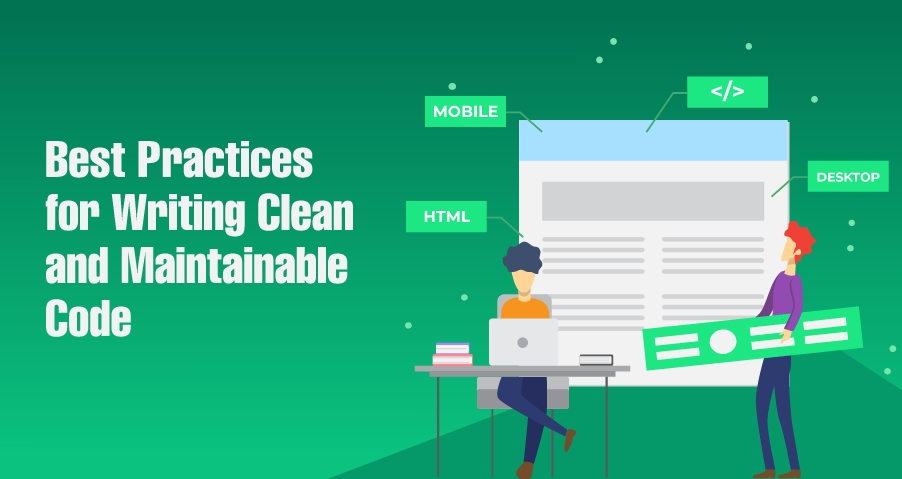
10 Best Practices for Writing Clean and Maintainable Code

Clean code best practices for maintainable software development

Introduction

Clean code best practices are essential for building scalable, readable, and maintainable software applications. In modern software engineering, writing clean and maintainable code helps developers reduce bugs, improve collaboration, and simplify long-term project maintenance.

Readable code, consistent coding standards, and modular design improve developer productivity while reducing technical debt. Teams that follow clean code practices can scale applications more efficiently and maintain higher software quality over time.

In this article, we explore 10 clean code best practices that improve software maintainability, readability, and overall engineering efficiency.

Priority to Code Readability Should be Given

One of the cardinal qualities of clean code is that it must be easy to read. Code readability refers to how difficult or easy it is for developers to understand the codebase. Clean, readable code ensures that team members, from those newly introduced to the project to those who are part of it right from the beginning, can quickly grasp the logic behind the program without struggling through overly complex or ambiguous code.

And here are a few tips for improving code readability:

  1. Use meaningful variable and function names.
  2. Avoid deep nesting by breaking logic into pieces that you can understand.
  3. Use comments where the need is felt, but avoid over-commenting; the code should explain itself.

Consistent Coding Standards

Keeping consistent coding standards will give maintainability. Whether you work on a small project or collaborate with a large team, naming conventions and indentation styles, structuring practices will keep your codebase uniform and professional.

Most organizations have coding guidelines in place. Ensure the whole team is doing it by using tools such as Prettier, ESLint for JavaScript, and Pylint for Python. Consistent coding standards improve developer productivity and help teams maintain readable code across collaborative software projects.

Refactor Regularly

Refactoring is the process of restructuring existing code without changing its external behavior. Refactoring is the step-by-step approach to improving quality over time. As project size grows, code inevitably begins to become less than its best, or to put it more euphemistically more complicated. Simplify complex logic, optimize performance, and eliminate unnecessary code through regular refactoring.

Regular refactoring helps teams reduce technical debt and improve software maintainability as applications grow in complexity.

Modular Design

Modular design is the process of breaking your code into many much smaller, reusable pieces. It’s important for maintainability. Your code shouldn’t be tightly interwoven parts but rather functional independent pieces that could easily be updated or replaced without affecting the rest of the application.

Modular and structured code improves maintainability and scalability. If you are using a microservices architecture or object-oriented programming, then modular design makes your application scalable without becoming too huge to handle. Modular architecture improves software quality by making applications easier to scale, test, and maintain over time.

Write Unit Tests

Never, ever miss writing unit tests. Writing unit tests would validate all of the individual parts of your code to ensure they work as you would expect. And comprehensive unit testing is helpful for detecting bugs sooner and preventing regressions, keeping confidence in the stability of your codebase.

Such testing frameworks, such as JUnit for Java or pytest for Python, might automate your testing process and further integrate it with your continuous integration pipeline.

Keep Functions and Classes Small

Small functions and classes are more readable, easier to debug, and simpler to maintain. The more things that a function does, the harder it is to understand and test. If every function only does one thing-then that one thing is going to clearly be at least in those aspects stated above.

Similarly, clear responsibilities of small classes are easier to manage. This helps to avoid the risk of scattered responsibility throughout a class and ensures that each class is concerned with one role in the system, thus easier to understand and extend in the future.

Avoid Code Duplication

Code duplication is the enemy of maintainable software. The more lines of code you’re duplicating, the more chances you increase for bugs and make it harder to get through changes consistently across your codebase.

Abstract the repeated logic out into a function or class which you can reuse. This is called DRY: Don’t Repeat Yourself. Keep your code as lean and maintainable as possible. Reducing duplicate code improves maintainability and minimizes the risk of inconsistent behavior across the application.

Useful Comments and Documentation

While clean code should be self-explanatory, sometimes comments and documentation need to say the things that either are too complex to explain by logic alone, or whose context simply doesn’t come alive right away. However, comments never explain what code is doing -that should be clear enough from the code alone. Use comments to explain why a particular approach was taken, especially if it’s nonstandard.

Also, maintain clean and up-to-date documentation for your project. Well-documented code not only is helpful to fellow members of the team but also to future developers who might have to maintain or extend your code base.

Use Descriptive Naming Conventions

Some of the most significant effects on how easily your code is understood come through the decision of giving meaningful, descriptive names to your variables, functions, and classes. Ambiguous or abbreviated names may save you time in your short typing period, but they do confuse things later.

Names should clearly indicate the purpose of a variable or function. For example, instead of calling a variable x, choose total Invoice Amount if that is what it represents. This tiny habit pays much in both code readability and maintainability.

Optimization of Code Performance Only When Necessary

While maintainable code is highly valuable, then so is the balance of performance. Never, by any chance, indulge in premature optimization, which often translates into unnecessary complexity. Optimize for cleanness and simplicity of code first before the emphasis on performance that, to you, is a demonstrable issue.

Performance bottlenecks in your code may be found by tools such as profilers and debuggers, so you should focus your optimization to the most significant areas.

Conclusion

Writing clean and maintainable code is the art any developer should master. By following these 10 best practices, you will guarantee ease of understanding, modifiability, and scalability in your code, thereby cutting down time wasted and the frustration you may face not only for yourself but also for your team members. Best practices save time on long-term projects and enhance quality in code for a beginner or experienced developer.

Code should be readable, modular, and cleaned up regularly to keep it that way. Maintaining the right attitude and mindset will ensure that your codebase is efficient, scalable, and fun to work with for many.

Following clean code best practices helps developers build scalable, maintainable, and high-quality software applications. Readable code, modular design, coding standards, and regular refactoring all contribute to better software maintainability and long-term engineering success.

By prioritizing software quality and developer productivity, teams can reduce technical debt, improve collaboration, and create applications that remain efficient and easier to maintain as they evolve.

More Blogs : How to Debug Code Efficiently: Top 7 Techniques for New Developers

Achieving DevOps Excellence: How QA Improves CI/CD Pipelines

Introduction

In today’s fast-paced software development environment, DevOps has emerged as a popular methodology to accelerate delivery and enhance quality within software. But at the heart of DevOps lies the CI/CD pipeline, whereby code integration as well as deployment is automated, therefore making it achieve a much faster release. Still, if Quality Assurance practices are unbalanced, even the most efficient pipelines will likely face defects and performance issues as well as deadlines missed.

It’s quintessential to integrate QA into your DevOps CI/CD pipeline to hold code quality, catch defects early on, and have a smooth user experience. Having had over two decades of experience as a QA Manager, I walk you through some more important practices-from continuous testing to team collaboration-that will help you ensure QA is included in the CI/CD processes.

Continuous Testing in QA in DevOps: Automated Testing at Every Stage

One of the key QA practices in DevOps is continuous testing—automate your tests through all of the stages of the CI/CD pipeline. Running tests as early and consistently as possible will allow teams to catch problems early in the development cycle, so fewer problems pop up later in the release process.

Why Continuous Testing Matters: Continuous testing helps the QA teams to review the quality of code effectively with every integration or deployment. For rapid tests of new code against predefined test cases, automation tools such as Selenium, JUnit, or Cypress are in great demand.

Example: A large online mall uses automated tests in the CI/CD pipeline for early detection of performance issues and security vulnerabilities as soon as the developers push the code. This would ensure every iteration that is built is quality tested, saves much time and builds much less buggy code that is shipped into production.

Shift-Left Approach in QA in DevOps: Embedding Quality Early

Testing is moved left of the development cycle. Instead of waiting until the end, QA teams start engaging from day one and cooperate with developers to ensure quality is embedded in the code from day one. Such rework catches the defects before deploying the code: indeed, such rework is costly.

Benefits of Shift Left Approach: By including QA early enough in the pipeline, developers and testers can identify potential issues in the design and coding phases. This consequently decreases the ability of critical defects to creep in late in the pipeline with streamlined overall development processes.

Example: A financial services company adopts a shift-left testing approach by embedding QA engineers in the development team. This way, testers review each feature as it is developed so that no defects find their way into later stages of the pipeline.

Automated Regression Testing in QA in DevOps for Stability

Every time you modify or introduce a new feature in the project, there’s a risk of breaking existing functionality. The reason automated regression tests ensure that recent updates do not introduce new bugs into your code when new code is introduced to an area of your application that was right before stable. QA teams can then carry out continuous regression tests that would ensure recent changes do not adversely affect the general stability of the system.

How to Implement Automated Regression Tests: Real regression testing is indeed the lifeblood of an active DevOps process where most of the code changes take place. Test cycles with tools such as TestNG and QTest run very quickly so that change does not progress to cause any defects in the production environment.

Example: A SaaS company continuously pushes updates in the cloud-based application hosted by it. The automated regression tests running in its CI/CD pipeline quickly ascertain that no new deployment does or can break anything existing in the system thus providing stability to the system.

QA in DevOps Metrics: Tracking Key Quality Indicators

In any successful DevOps, collaboration among the development, testing, and operations teams has to be effective. QA has to ensure that, during all phases of development, other teams work with it in order to stress upon the quality factor. This can be achieved through proper channels of communication, continuous feedback loops, and shared responsibilities for the quality of the product.

Collaborative Tools and Practices: All these DevOps platforms- Jira, GitLab, Slack enable effective collaboration by providing a unified development platform for developers, testers, and operation teams. Stand-up meetings and retrospectives should be the essence of regular interaction so that issues do not come up in the last moment, and the team is perfectly aligned with the quality targets.

Example: A healthcare provider with global presence utilizes Slack channels for real-time communication between its development and QA teams. This allows testing issues found in the CI/CD pipeline to be addressed promptly.

Performance Testing in QA in DevOps: Optimizing App Behavior

Performance testing is critical in ascertaining how the application behaves in real-world conditions, for example, high traffic or heavy user load. Performance tests help to integrate tests into the CI/CD pipeline during the process of improving system performance, reducing latency, and ensuring scalable responsiveness under pressure.

Performance Testing Tools: Tools such as JMeter and LoadRunner can be included in your pipeline for simulating user loads on the application with the measurement of the performance under stress. Such testing is highly essentially required for applications that are active much by the users-that is, applications like an online shopping platform or streaming services.

Example: A streaming service has integrated performance testing into its CI/CD pipeline to simulate thousands of concurrent users. According to the results of this test, bottlenecks in performance are identified and resolved before the new features are rolled out to the public.

Test Metrics: Tracking Key Quality Indicators

Teams should follow important quality metrics by constantly improving the QA process. These types of metrics shed light on the pipeline’s general health and help a team recognize which stages might need some improvement.

Some typical metrics for QA are as follows:

  1. Defect rates
  2. Test coverage
  3. Build success rates

Using Test Metrics for Continuous Improvement: The defect rate and test coverage, observed by the QA managers, can point out recurring problems, test case refinement, and adaptation of their testing approach to meet the quality goals. It is one of the most important metrics to ensure whether the QA processes and quality delivery from the teams are optimized or not.

A logistics company could track defect rates and code coverage inside their CI/CD pipeline using SonarQube. Regular analysis of these metrics helps improve the QA team’s test case refinement so that the tested process will be more accurate.

Conclusion

Integrating QA into the DevOps CI/CD pipeline is essential for maintaining software quality throughout the development process. Therefore, a smooth, well-performing CI/CD pipeline along with high-quality, on-time outputs can be attained through left shifts, automation of regression tests, and robust collaboration from teams and continuous testing.

As QA and DevOps mature, the integration of performance testing with key quality metrics will enhance your ability to identify defects early, optimize performance, and ensure that your applications meet both business and user expectations.

More Blogs: Key Factors to Consider When Choosing a QA Testing Partner

5 Strategies for Efficient Communication in Remote Software Teams

Efficient communication in remote software teams

Introduction

Efficient communication in remote software teams is essential, Remote work has become prevalent today, and communication is the most important aspect that any effective remote software team must possess. As a matter of fact, face-to-face interactions have been eradicated in a completely remote set-up; however, the method of communication poses as a unique challenge for remote teams-the way it is executed can actually consume your productivity, efficiency, and morale if mishandled. Mastering efficient communication in remote software teams helps prevent misunderstandings, keeps projects on track, and strengthens team collaboration.

Overcoming the Challenges of Remote Collaboration

A remote team usually operates across different time zones and working environments. All this geographical distance can create several gaps in communication and delayed responses, misunderstandings due to unclear guidelines. In case such teams cannot fasten their agreements among themselves regarding work, projects may get derailed. So, a clear communication strategy is necessary that would prevent these kinds of issues by ensuring whoever is working within the remote team is always on the same page, regardless of the location.

Tools for Effective Communication

The right tools are a catalyst for efficient communication in remote software teams for software development. Video conferencing tools include Zoom and Microsoft Teams, wherein real-time live conversations can be held; instant messaging tools, which come in handy for fast communication, include Slack; and project management tools, such as Trello or Jira, that help update everyone regarding the status of every project, including their responsibilities. Aside from this, asynchronous communication tools such as Loom or email keep the team in sync across time zones by providing responses without the pressure of needing an immediate reply​.Selecting the right tools also depends on team size, project complexity, and whether tasks require synchronous or asynchronous communication.

Clear Communication Protocols

Formal communication creates a platform on which there is no likelihood of conflict; it brings in defined guidelines on communication platforms, response time, and meeting schedules. For instance, you could set regular check-ins or daily stand-ups to ensure efficient communication in remote software teams and make sure everyone’s priorities and updates are in line. A centralized hub for important information, such as a shared knowledge base (e.g., Notion or Confluence), would provide all team members with ready access to resources​

Building Transparency and Trustworthiness

Transparency and openness can bring trust to remote teams. Working on transparency – whether in the project status or feedback conversations – ensures profound bonding between a member and other team members. Leaders must develop an environment wherein employees feel free to share their ideas and concerns. Involving members in direct check-ins would provide sufficient time to address anything that could become unmanageable as early as possible and make sure everyone has a chance to be heard.

Encouraging Team Involvement and Cooperation

There is much more than just formal communication to conquer the team cohesiveness in a virtual working environment. Online trivia games and even virtual coffee breaks help efficient communication in remote software teams by boosting engagement and connections. Balancing formal communication with informal touchpoints has great effects on their engagement because it makes remote teams feel much connected.Simple gestures like celebrating virtual milestones or recognizing individual contributions help reinforce efficient communication in remote software teams.

Conclusion

Clear, simple communication is the foundation upon which an efficient, high-performing remote software team stands. Communication is difficult when teams are separated by distance; however, appropriate tools, clear protocols of communication, transparency, and engagement enable this kind of cohesion and productivity. Then, these strategies work to great effect in the long term, as is expected in the constantly changing world of remote software development.

More Blogs: 8 Essential Soft Skills for Junior Developers in 2025

Cloud Computing vs. On-Premises: Which is Right for Your Business?

Cloud Computing vs On-Premises comparison illustration

Introduction

History of computing says that different companies relied on traditional infrastructure to operate their businesses. However, cloud computing has changed the game altogether and today, you have a hard crossroads when it comes to managing your IT infrastructure: cloud or on-premises. The choice of these two can go about being quite transformative for your business and large-scale decision, whether it is on the issue of scalability, cost, security, and more into efficiency. Throughout the years, the usage of the cloud has been going on the rise, and different companies that once relied on quite traditional infrastructure are now moving away from it-but is this what’s best for your business?

In this blog, you will find the seven key differences between cloud computing vs. on-premises solutions and know what to choose for your organization.

Cloud vs On-Premises: Understanding the Key Differences

Cost Structure: Cloud Computing Vs. On-Premises: Perhaps one of the most telling factors between cloud computing and on-premises is the cost structure. Usually, cloud computing follows a pay-as-you-go model, and companies only pay for what they use. This flexible pricing scheme, thereby, makes it a lot easier for a business to manage its IT budget and avoid huge capital expenses in hardware.

It requires upfront investment in hardware, servers, and data centers. Business expenditures also need to incur maintenance, upgrades, and energy consumption. The cost of on-premises seems, from a predictability point of view, but it can foster overprovisioning-you’re essentially paying for resources that go unused.

At the end, cloud computing is much cheaper to businesses that would like to have flexibility and scalability without large up-front expenses of on-premise systems.

Scalability and Flexibility: One of the significant differences between cloud computing and on-premises is scalability. A cloud solution offers businesses the capability to scale their resources up or down with respect to the demand needed. Whether you experience spikes in traffic seasonally or suddenly grow your business, having cloud services means you can always expand capacity without having to go through the hassle of extra hardware and long setup procedures.

On the other hand, in-premise systems offer this flexibility. Scaling an on-premises infrastructure requires business to buy more hardware, configure servers, and potentially scale up data centre capacity. It is both time-consuming and expensive for businesses to adapt promptly to change needs.

Cloud computing provides a more agile and scalable solution for businesses that would be subject to growth or changing demand.

Security and Compliance: One of the most critical aspects of debate about cloud computing vs. on-premises is the security provided to the sensitive business data by the organization. The cloud providers invest heavily in their security protocol, such as encryption, multi-factor authentication, and regular updates regarding security. The leading cloud platforms such as AWS, Microsoft Azure, and Google Cloud are strict regarding security standards and compliance regulations like GDPR, HIPAA, and PCI-DSS.

However, highly sensitive industries will prefer on-premises infrastructure. Businesses can implement detailed, industry-specific security measures and follow specific regulations because they have complete control over their hardware, software, and network security. Such sectors include finance, healthcare, and government, where regulatory compliance is a must.

While cloud computing does provide advanced security, on-premises infrastructures may be much more satisfactory for business organizations in terms of having complete control over data.

Maintenance and Management: Cloud Computing vs. On-Premises: The greatest advantage of cloud computing would therefore be reduced dependency on IT staff for keeping up and running the infrastructure. Server maintenance, software updates, security patches, as well as providing backups, are all taken care of by cloud service providers, thereby leaving businesses free to focus on their core operations and away from risks from downtime due to failures in hardware or software.

Conversely, on-premises infrastructure has an assigned IT team that can take responsibility for maintenance on the hardware, updates, and even security of the system, which may consume a lot of time and resources since businesses have to pay money for personnel and tools to keep the systems up and running.

Based on this perspective, cloud computing presents a great opportunity for businesses looking to minimize management burden in terms of operational efficiency.

Accessibility and Remote Work: Accessibility is the other key factor in comparing cloud computing vs. on-premises, especially as workforces become more remote day by day. Cloud-based systems enable users to access applications, data, and systems from virtually anywhere using an Internet connection. Accessibility supports flexible work arrangements, remote teams, and business continuity in face of sudden disruption events.

On premises, on the other hand, typically only offers office-based access unless companies spend money on more complicated remote access solutions. This doesn’t exactly prepare businesses for transitioning into a hybrid or fully remote work model.

Cloud computing, on the other hand, is more readily accessible and agile for modern businesses with the rise of remote work.

Customization and Control: As for customization and control, on-premises infrastructure takes the lead because some business needs require unique or particular configurations of their IT, which cannot be managed with the standard ready-to-use systems. On-premises systems are also completely controlled in terms of sophisticated systems of software customizations and network setups, which are vital for special industries that need special solutions or industries that demand tighter compliance.

Although cloud computing is very flexible, in some cases, especially for public clouds, it limits the customization abilities. Businesses will have to work within the configurations provided by their cloud provider, whereas they may not always suit their needs.

For organizations that have customization and control as a priority, on-premises solutions may be a better fit.

Disaster Recovery and Business Continuity: Cloud computing excels very well with disaster recovery and business continuity. This is because cloud providers offer built-in disaster recovery in the form of data backup, failover systems, and redundancy across many geographic locations, thus providing businesses with fast restoration of operations when disasters strike and minimizing downtime.

Disasters are significantly more critical for on-premises infrastructure. Hardware failures, natural catastrophes, or cyberattacks can cause critical data loss and down time if disaster recovery protocols are not implemented in place. It is cost-intensive and highly complex to establish and maintain a successful disaster recovery environment on premises.

Disaster Recovery using cloud infrastructure Disaster recovery through the cloud infrastructure is more reliable and efficient for organizations that bother to be really resilient and have a high up time.

Conclusion: What’s Best for Your Business?

There is no one-size-fits-all answer in choosing between cloud computing and on-premises. Decisions will always depend on the specific business need, goal, or industry requirement. Cloud computing suits businesses that wish to scale and be flexible with cost efficiency, especially in a situation where businesses have a large remote workforce or expect to grow rapidly. On-premises solutions offer more control, customization, and potentially more fitting within sectors that are highly regulated.

Another hybrid approach that considers using both a cloud solution and an on-premises solution should be considered, too. Businesses who would like to grasp the best of both worlds should not be dismissed of such options.

Now that you weigh down each side, maybe clear decisions will come out that will sustain your business success in the long run.

More Blog: Serverless Computing: Advantages and Challenges for Developers and Enterprises

The Importance of Continuous Feedback and Performance Reviews in Employee Development

Continuous feedback and performance reviews for employee development and growth in the workplace

Introduction

The modern world of work can no longer afford employee development as a one-time event. Instead, it is considered a continuous process in the pursuit of performance and productivity. Continuous feedback and performance reviews must become part of the process of growth and productivity in employees. Given this integration of regular assessment and ongoing support, companies can ensure an engaged and motivated workforce so properly aligned with organizational goals. This blog discusses why continuous feedback and performance reviews are crucial to modern employee development strategies.

Why Continuous Feedback Makes a Difference

Continuous feedback is the process through which employees receive regular input on their performance rather than waiting for an annual formal review. This method has several advantages,

  1. Immediate Adjustments: Employees can improve in line with current feedback; minor issues do not escalate.
  2. More Engaged Workforce: Feedback at regular intervals will make the workforce more engaged. People who know where they stand will appreciate and have a stake in growing with the company.
  3. Developmental: Continuous feedback means that employee development is an ongoing and continuous process-an important part of long-term skill and competency building.

In a manner of speaking, continuous feedback fosters a culture of learning and improving, which is indeed an enabling tool for employees and management.

Performance Reviews and Long-term Development

Performance reviews are an activity that systematically reviews the progress of employees, offers an opportunity to discuss the goals achieved for the period, and outlines the path to development. It has become common to hold performance reviews once a year or semi-annually, though the role of performance reviews in long-term development cannot be put aside.

Holistic Review: A performance review gives a comprehensive view of the aspects in which an employee has performed well, experienced troubles, and needs improvement within a particular period.

Goal Setting: It gives an opportunity for staff and supervisors to set specific, measurable goals. This way, it ensures that individual performance is tied in with the organization’s broader goals.

Recognition and Motivation: A formal review can give a venue through which staff and supervisors can recognize and reward accomplishments, motivating people to continue the quest for development.

Feedback is what keeps workers on track on an everyday basis, while performance reviews are about a more expansive, formal examination of long-term growth and accomplishment.

How Continuous Feedback and Performance Reviews of Employees Complement Each Other

Continuous feedback and performance reviews are not in opposition but complement each other. Continuous feedback provides immediate and real-time insights, while performance reviews provide the opportunity to step back and get a broader view of performance over time.

Immediate Corrections Coupled with Long-Term Reflection: Continuous feedback helps address issues sooner while performance reviews allow for reflection on a broader scale over time.

Steady Development: Together the two ensure that the growth of employees is always balanced with the organizational goal. Real-time feedback keeps them on track, while review helps fine-tune long-term career plans.

Deeper Interactions: Continuous feedback allows for deeper relationships between the manager and employees, which can make performance reviews much more collaborative and constructive.

Together these tools will ensure that employee growth is constant, balanced, and business goals-related.

Enabling a Culture of Feedback

One thing about successful employee development is the extent to which feedback is welcomed, valued, and acted upon. How companies can develop that kind of culture is as follows:

  1. Open Communication: Encourage two-way feedback from employees regarding management practices, dynamics, and organizational processes. This will encourage openness and trust
  2. Training Managers: Train managers to give constructive, actionable feedback. Feedback must be specific, timely, and oriented to helping employees improve.
  3. Regular Check-ins: In addition to routine reviews, consider regular, informal one-on-one check-ins with employees. These might happen at a weekly or monthly interval where they discuss challenges, progress, and career goals with supervisors.

By embracing feedback into the company culture, organizations will build an environment that supports employees’ tendency to strive for excellence and improvement.

Impact on Employee Engagement and Retention

Employees who receive continuous feedback and regular performance reviews are likely to remain more engaged and committed to their positions; it consequently impacts the rates of retention.

  1. Engagement: They keep the employees in sync with their jobs and the organization’s objectives. Engaged employees work more effectively and contribute more to the success of the organization.
  2. Retention: A worker who feels valued and supported will want to remain with the company forever. Regular reviews and feedback tell the employees that growth is important, and this leads to a reduced rate of turnover.

Engagement with development of employees through feedback and review, therefore, implies that the company holds its workforce above water, making the overall satisfaction and loyalty even better.

Conclusion

Continuous feedback and performance reviews can really prove to be effective tools for employee development in the competitive workplace today. Proper integration of real-time feedback with formal reviews will help companies develop a holistic strategy that accelerates engagement, increases productivity, and drives sustainable growth. Such practices, done right, can bring employees to full potential for work forces energized and skilled in preparation for future opportunities.

More Blog: Cutting Out Distractions: The Key to Improving Workplace Productivity

Leveraging AI for Competitive Analysis: How Businesses Can Stay Ahead

AI competitive analysis dashboard

Introduction

AI competitive analysis is now transforming the way businesses stay competitive in this rapidly changing market. With constantly evolving competitors and shifting market trends, companies need faster, more accurate ways to gather insights. AI-based competitive analysis provides real-time monitoring, predictive analytics, and sentiment evaluation, helping businesses make smarter decisions and maintain a competitive edge.

In this blog, we’ll talk about how AI-based competitive analysis changes, what benefits it brings to a business, and what are the primary strategies of positioning AI successfully to move ahead of the competitor.

What Is Competitive Analysis?

Competitive analysis is a review of business competitors and their strengths or weaknesses in relation to an enterprise. It conducts analysis of the products and services, marketing techniques, pricing levels, customer feedback, and market positions of competitors. Through this exercise, businesses can make better-informed decisions on their specific strategies and point to weaknesses that call for innovation or upgrading.

The process of competitive analysis, which used to be a tedious process of collecting and interpreting data from diverse sources that filled hours of the day, has now changed because of AI. With AI, a business can process vast amounts of data much quicker than it could have in the past.

AI Competitive Analysis: Artificial intelligence makes competitive analysis a whole game in itself. Capable of collecting, analyzing, and interpreting data at speeds and scales that humans just cannot do, AI tools speed up such analysis and reveal patterns and insights that may otherwise go unnoticed.

One of the greatest benefits of applying AI in competitive analysis would be the ability to automate the gathering and processing of data coming from various sources. These include, but are not limited to, the scanning of website content, social media posts, news articles, and customer reviews about the competitors in real time. Because of this, a lot of time is saved, and data obtained becomes fresher, as it is up-to-date. Also, AI tools clean and pre-process data to make it easier to analyze and draw insights from it.

Predictive Analytics: AI-Supported Predictive analytics helps an enterprise predict future trends as well as the subsequent action a competitor may take. AI can infer, in retrospect, what the marketplace can do next, what new threats can emerge, or what kind of new opportunities can open up. Putting predictive analytics to use could provide a company with what they need to change their strategy before realizing new market changes.

Sentiment Analysis: AI-based sentiment analysis can thus aid businesses in knowing how their customers feel about their competitors. AI will analyze what customers are saying about a competitor’s product or service through customer review websites, social media, and other online interactions and determine public sentiment. Insight is then sought out for evaluating competitor weaknesses, spotting potential gaps in the market, and developing better products and services based on customer needs.

Real-Time Monitoring: In today’s digital world, information is flowing and changing all the time, and with AI tools, monitoring competitors can be made real-time. Businesses will get alerted on anything a competitor might be coming up with- a new product, changes in pricing, or a new marketing campaign. Businesses can be informed of competitors’ activities in real-time with AI tools, which allows for quicker responses and decision-making.

It sets a new benchmark in analyzing web traffic data, SEO rankings, sales figures, or social media engagement because AI can easily handle vast data sets. This form of multiple comparison enables it to give business organizations a comprehensive view of the competitive landscape. Businesses will learn more about how they stand against their competitors and identify trends that might not be so obvious.

Benefits of Using AI in Competitive Analysis

Quick Decision Making: Through AI, data can be aggregated in real-time and analyzed hence enabling the quick formation of decisions. With AI, information is processed fast, and this leads to immediate insight, which helps businesses respond faster to market change or competitor actions when compared with a manual process that may take days or even weeks.

Improved Accuracy: Implementing AI competitive analysis reduces manual errors, accelerates decision-making, and provides deeper insights into market trends. Manual analysis of data holds a chance of introducing errors due to human mistakes, whereas the application of AI minimizes these by effectively automating the gathering and analysis of data. The algorithms can analyze large chunks of data correctly, making them more accurate in insights and minimizing the risk of wrong business decisions.

While analyzing data at the surface level, AI goes ahead to unveil patterns, correlations, and trends that are deep and not easily identifiable by a human analyst. Deeper insights avail businesses with hidden opportunities, predict competitor strategies, and make better decisions.

Cost-effectiveness: Implementing AI solutions is costly in the short term but promises great savings in the long run. For instance, AI frees businesses from the need to have large research teams because repetitive tasks can be automated. It also opens doors for quicker decision-making, hence quick market response and increased profitability in the long run.

Competitive analysis does not happen overnight, but it is an ongoing process. With AI tools, businesses are continuously updated with information regarding competitors. This means that through the constant flow of data, a business can stay ahead in the competition and alter strategies quickly whenever needed.

AI Competitive Analysis: Transforming Business Strategies

To avail maximum benefits of AI-based competitive analysis, businesses should adopt the following strategies:

Determine the right tools of AI: The first step is to identify the right tools of AI that harmonize with the business goal and needs of an enterprise. Most AI-powered competitive analysis tools are now available from social media monitoring platforms to SEO analytics tools. Determine each tool according to the parameter for the capability such as data sources, automation features, ease of use, etc. and take up the best one in order to determine it for your business purpose.

Integrate AI into Current Systems AI is best used in association with existing business systems, for instance, CRM or ERP. The integration of AI insights with the business’s own internal data gives the company a 360-degree view of its competitive space.

Building a data-driven culture in its most effective applications, AI requires a culture of data usage. Only by developing such an environment will businesses be able to encourage teams to build further using data and AI-inspired insights that would back up key decisions. It would then form the basis of employee training on how to work with AI tools and interpret AI-driven insights.

The market landscape is evolving, and every business needs to update its competitive analysis method in order to keep pace. Keeping regular revising and refining AI-driven competitive analysis strategies will ensure businesses maintain their leadership status.

Conclusion

AI transforms the way businesses carry out their competitive analysis. Efficient data gathering, timely tracking, predictive analytics, and deep insights empower businesses to make intelligent decisions and emerge winners in the market. Therefore, Investing in tools and strategies for AI competitive analysis ensures businesses maintain a competitive edge and achieve long-term success.

More blogs : Setting Up Appium for iOS Automation on macOS: Beginner’s Guide

  • Copyright © 2026 codelynks.com. All rights reserved.

  • Terms of Use | Privacy Policy