
Securing Cloud Infrastructure: Key Best Practices to Mitigate Threats

Cloud security best practice: IAM workflow diagram

 Introduction

As businesses are driving their operations with cloud technologies more and more, securing cloud infrastructure is a primordial issue. All these powers of scalability, flexibility, and efficiency on cloud platforms do take a notch on the scale against security, as the challenges that cloud infrastructure creates are unique and specific. This writer has seen firsthand the importance it becomes in having the correct cloud security best practices provided to the infrastructure to protect it from emerging cyber threats, as he himself is an experienced Platform Engineer. In the next blog, you will learn top cloud security strategies in the security of your infrastructure and business operations.

IAM: A Core Cloud Security Best Practice

The nucleus of any robust security strategy begins with gaining control over your access into the cloud infrastructure. IAM is essential to ensure only authorized users and systems can gain access to critical cloud resources.

Best Practice: Apply the principle of least privilege-a personal data subject should have no greater access than necessary and no greater access period than necessary. The maintenance of permissions must be reviewed regularly for expired or unnecessary credentials to be revoked. Implement multi-factor authentication (MFA) to provide an additional layer of security, with it becoming much harder for a thief to gain unauthorized access.

Example: An entity that is using AWS would be able to use IAM roles to define who in the organization gets access to what cloud resources. With MFA and regular reviews of who has what permissions, this diminishes the threats both from insider threats as well as compromised accounts.

Data Encryption: Key Cloud Security Best Practice

Data security is the most critical need in a cloud environment, especially when dealing with sensitive information. A ciphertext is thus required to encrypt data as it is transmitted between cloud servers or stored within your infrastructure as an important defense mechanism against cyber attacks.

Best Practice: Data Encryption Ensure that the data is encrypted in both transit (in transferring via networks) and in rest (at the time of storing of data in cloud servers). It may be achieved by robust encryption protocols, for instance, AES-256 in the case of storing data and TLS/SSL in the case of transmission.

Example: A healthcare organization that stores patient records in the cloud allows encryption on both databases and during network transfers to comply with HIPAA and avoid unauthorized access to sensitive data.

Monitoring and Logging: Cloud Security Best Practice

Continuous activity monitoring and logging in the cloud are therefore necessary for real-time detection of security incidents and gaining visibility into your cloud environment. Monitoring also helps identify potential security threats and lessen security risks through quick response.

Best Practice: All cloud resources shall be equipped with real-time monitoring and logging. Use the likes of AWS CloudTrail, Azure Monitor, or Google Cloud’s Logging services for reviewing and analyzing activity in view of following significant and unusual activities such as unauthorized access attempts or unexpected changes in configuration.

Example: A finance company using AWS CloudTrail can clearly see each call to the API and track what changes are being made to the cloud-based infrastructure. They, therefore, can act swiftly if someone is attempting without permission to alter the security groups or access sensitive information.

Regular patching as well as updating of cloud systems

These cyber hackers often target known flaws in old software or the unpatched system to roll out attacks. Hence, updating cloud infrastructure with latest patches and security updates goes a long way in protecting such attacks.

Best Practice: Have an ongoing patch management process where every cloud-based system, application, and service gets patches regularly. When possible, have automatic updates and ensure critical patch updates that cover security vulnerabilities are addressed.

Example: A software company running applications on Google Cloud keeps patching its servers and virtual machines using Google’s OS Patch Management service. Through continuous updating of their systems, they can decrease the chances of attacks based on unpatched vulnerabilities.

DevSecOps Automation for Cloud Security Best Practices

One of the most significant means to improve efficiency and maintain a good security posture in modern cloud environments is through automation. When a culture integrates security into the development and deployment pipeline, it is possible to detect and resolve more security issues, reduce the mean time to repair security issues, etc.

Best Practice: Adopt DevSecOps practices by including security tools in your CI/CD pipeline. Automate security scans, vulnerability assessments, and code reviews so that security is built into every stage of the development process. Tools like SonarQube, Snyk, and Aqua Security will help identify vulnerabilities in code and container images before they’re deployed.

Example: A DevSecOps development team integrates automated security checks into their CI/CD pipeline. It will scan codes for vulnerabilities before pushing the changes into production. This is an opportunity to discuss and fix security bugs proactively and help reduce vulnerability injection into their cloud infrastructure.

Network Segmentation: Cloud Security Best Practice

A zero-trust approach to cloud networking should be applied in the protection of every single part of your infrastructure. Network security policies should be applied to each component. A cloud network can be segmented to minimally target the size of the breach through containing your attack surface.

Best Practice:  To isolate sensitive resources using VPCs, network segmentation, and firewalls. Implement intrusion detection and prevention systems for constant monitoring of network traffic to look for suspicious activity. Use VPNs or Secure Access Service Edge (SASE) to strictly control access to your cloud resources.

Example: Companies VPC to separate the front-end services from back-end services. Having applied strict firewall rules, and segmented the network, it prevents lateral movement in case a breach will have occurred.

Back up data as well as create a disaster recovery plan

No security strategy is complete without an obvious disaster recovery plan. If regular backups were done and a clear plan of how to recover existed in case of system failure, natural disaster, or security breach, then this could be turned into a very feasible issue, with minimum downtime and intact data integrity.

Best Practice: Backup critical data at regular intervals and then test your disaster recovery plan so that in the event of a disaster, your plan should be executable. Your backup should always be located at geographically different places for increased robustness.

Example: A global media company using Azure designs a geo-redundant backup strategy wherein copies of their data are stored in multiple regions for rapid recovery in case of regional outage or cyber attack.

Conclusion

An overarching goal in securing the cloud infrastructure would be to have an all-rounded approach that would involve best practices in identity management, data encryption, continuous monitoring, and automation of various security processes. All these can be achieved through following such strategies with reduced risks and increasing minimal chances of breaches and ensuring long-term security in the cloud environment.

More Blogs: Mastering DevOps Monitoring and Logging: Proven Strategies for 2024

Harnessing AI for Predictive Analytics

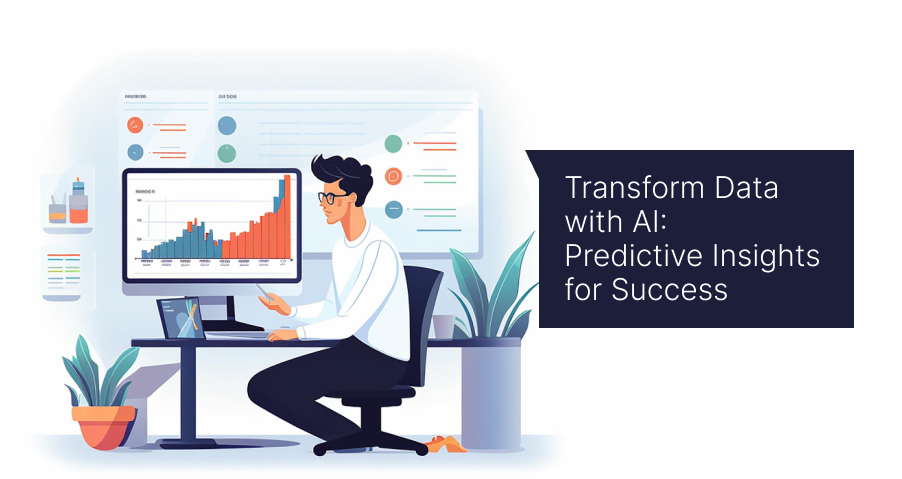
AI-driven predictive analytics workflow, Predictive analytics business insights, etc.

Introduction

In today’s data-driven world, more and more businesses look to use the enormous amount of gathered data to actionable insight. Among all the robust tools that enable the business to critically examine past data patterns and predict future trends, AI-driven predictive analytics is a mighty force that drives them.

With the use of AI-driven predictive analytics, businesses can make decisions that utilize better data usage and strategize to remain competitive and innovative in highly competitive markets.

We will discuss in this blog how AI-driven predictive analytics has transformed data into valuable insights and real-world industry impact.

What is Predictive Analytics?

Predictive analytics refers to the use of historical data, statistical algorithms, and machine learning techniques to predict what will happen next in business based on past behavior.

Traditional data analysis lets businesses look back at the data to understand what happened, while predictive analytics enables businesses to know what is going to happen next and then act proactively on that knowledge.

For example, predictive analytics can predict the customers’ actions, such as buying behavior; can identify the potential failure in any equipment; and can even optimize the inventory with such an enormous amount of data coming from multiple sources.

With the application of the power of AI, predictive analytics becomes more potent, accurate, and actionable.

Role of AI in Predictive Analytics

Artificial intelligence immensely enhances the capability of predictive analytics. Predictive models learn to predict more accurately by feeding them new data in a continuous learning process.

Increased accuracy: AI algorithms can process huge data sets far quicker than any human could and where patterns and correlations lie, which might not be seen if this were analyzed normally. This would result in very high accuracy forecasts.

Real-time analysis: Business organizations will be able to analyze data using AI in real time, letting them make decisions on the move. For example, this will allow retailers to change pricing strategies according to forecasts of real-time demand generated by AI analytics.

Automation: AI fully automates the process of data collection, analysis, and reporting, reducing the manual errors and valuable resources that could be freed up. This ensures faster deployment of predictive analytics solutions.

Artificial intelligence immensely enhances the capability of predictive analytics. Predictive models learn to predict more accurately by feeding them new data in a continuous learning process.

Key Benefits of AI-driven Predictive Analytics

Predictive analytics with AI allows a variety of benefits empowering businesses to convert raw data into actionable insights. Here are some of the key advantages

Good Decision Making: Predictive analytics lets an organization take on sharper, wiser decisions by predicting the outcomes and showing possible risks. Examples include credit risk assessments and marketing campaign optimization.

Cost Optimization: Data-driven predictions with AI help businesses save money by identifying inefficiencies. In manufacturing, For instance, predicting machine breakdowns enables timely maintenance and reduces downtime.

Improved Customer Experience: Analyzing the customer’s behavior helps businesses predict what their customers might want and, based on the information, offer more personal experiences. For example, through Predictive modeling with AI, an e-commerce platform can recommend products to the customers based on their prior purchases and browsing history to enhance customer satisfaction and loyalty.

Risk Management: For example, predictive analytics for risk reduction in finance, insurance, and healthcare can reduce risk at an early stage. The AI-based model can predict fraud and measure the risk in loaning and predict the medical outcome. Thus, such predictive analytics can help organizations in such a field take proactive measures in order to minimize the risk.

Real-World Use Cases of AI-driven Predictive Analytics

Predictive analytics with AI is already changing many industries because it provides actionable insights for better decision-making. Here are a few examples:

Retail: They apply predictive analytics using AI to help modify pricing strategies and manage inventories, which in turn can help them predict sales trends.

Health care: In healthcare,  AI-based predictive analytics helps hospitals and providers predict patient outcomes, optimize treatment plans, and allocate resources more efficiently.

Finance: Banks and financial institutions use AI for actionable business insights to assess customers’ creditworthiness, detect fraud, and optimize investments.

Production: The manufacturers use predictive analytics to predict the break-down of equipment, thus, offering scheduled maintenance before critical machinery breaks down in time.

How to Implement Predictive Analytics with AI in Your Business

AI analytics solutions deployment to your business will need a strong strategy and right tool set. These are the primary steps leading to its introduction to your business:

Define your goals: Identify business problems to address, such as improved retention, better campaigns, or cost reduction.

Gather and tidy data: Collect quality data from internal databases and external sources, such as customer interactions or market trends. Clean and organize it carefully.

Choose relevant AI tools: Platforms like IBM Watson, Google Cloud AI, and Azure AI enable automation, predictive modeling, and actionable insights.

Test and refine models: Continuously monitor performance and address flaws to maximize output.

Conclusion

The game-changer of today’s competitive business landscapes is the ability to make data actionable for decisions. This predictive analytics approach empowers businesses to make smarter, data-informed decisions.

It leverages predictive analytics across industries to unlock valuable insights into opportunities and improvements and then drives long-term success.

It’s about time to take control of the curve with AI and transform data into actionable business strategies.

More Blogs : 5 Steps to Scaling Gen AI: A Data Leader’s Guide to Enterprise Success

Cutting Out Distractions: The Key to Improving Workplace Productivity

limit distractions for improved productivity in the workplace

Introduction

For today’s hyperconnected world, distractions abound. Between social media notification pings, ceaseless emails, and internal interruptions, the office is loaded with enough obstacles in their own right to keep someone from focusing on the task at hand. So what’s the step to take to improve the productivity you’re concerned about? Learn how to limit distractions and create a productive environment that encourages people to concentrate on getting things done efficiently.

This blog will discuss a few proven strategies that will help you minimize distractions and significantly boost your productivity.

Determine Your Greatest Distractions

The first step to reducing distractions is knowing what distracts you. While some people have digital distractions in the form of their smartphone, social media, or email, others may find that distractions are more related to the physical environment: the chatter of colleagues, ambient noise, or a cluttered workspace.

Digital Distractions: Notifications are popping up all the time to distract you from what you are focusing on. Tools such as Slack, email, and social media are great tools, but when left unfiltered they suck all the productivity out of you.

Environmental Distractions: Background noise, interruptions by coworkers, and clutter really can derail your train of focus and take your attention off track.
Now that you’ve identified your key distractions, you can now take targeted steps to deal with them.

Create a Focused Work Environment

Clean and organized, an arranged workspace has heightened concentration. By removing the mess surrounding you, you are letting your mind stay clear and focused on the task.

Declutter Your Workspace: Get rid of things on your desk that may distract you through visual disturbance. Keep only what is important accessible near your area so that you maintain an organized space.

Ergonomic Setup: Make sure your working station is comfortable. For instance, an ergonomic chair, proper lighting, and an organized way of arranging things on your desk can greatly tell the difference between keeping or not keeping your attention focused.

More so, it would help if you used noise-canceling headphones or white noise to counteract constant annoying environmental sounds that can capture away the attention from the work.

Time Management Techniques

Time management is a good means of maximizing productivity and other techniques, like Pomodoro, time-blocking, and the Eisenhower Matrix, helps you focus for more extended periods on tasks.

Pomodoro Technique: Divide your working hours into segments of 25 minutes that you spend concentrating on work, then break for five minutes. On the fourth working session, take some break time. This can help you minimize loss of concentration while preventing burnout.

Time-Blocking: Assign certain tasks to time slots in your calendar. This eradicates most of the temptation to multitask; it is the primary cause of distraction.

Eisenhower Matrix: Group your task into urgent/important, not urgent/important, urgent/not important, and not urgent/not important. This will help you to focus on the critical ones and get rid of distractions from the least important ones.

Reduce Digital Distractions

Digital devices are some of the significant distractors. Fortunately, however, there is so much one can do to minimize these interferences.

Turn off Notifications: Turn off all notifications on your phone and computer. That involves turning off most social media alerts and app notifications besides your email pop-ups.

Use Focus Tools: Tools like Focus@Will, StayFocusd, or Freedom can block distracting websites and apps for focused work periods.

Prioritize emails: Do not constantly open and read emails. Give yourself specific times to check your inbox. It will then concentrate your mind on the critical things without getting diverted by messages.

Set boundaries and communicate

Sometimes, you get diverted by colleagues or even external sources that you cannot control. Proper communication and setting boundaries can help in minimizing distraction.

Set Expectations: Communicate clearly your availability to colleagues and when you’re not available to them. You can use your slack status or even indicators on the physical premises, like headphones or “do not disturb” signs, to communicate when you are not to be interrupted.

Create Consistent Blocks of Time If available, create consistent blocks of uninterrupted time throughout your day. Let others know when you’re not available to meet or chat so you can have deep dives into important tasks.

Take Structured Breaks to Refresh

Contrary to what most people assume, productivity does not emerge from non-stop working. Taking continuous breaks will ensure one’s focus and avoid burnout.

Take Regular Short Breaks: You can take a short break, say for 5 minutes at every 25-30 minutes. You can walk away from your desk and stretch, or reach to fetch water, or just walk around. This helps give your mind a break before you start into work again.

Use Longer Breaks Wisely: Use your lunch break or longer time to really get away from work. Take a walk, do some exercise, or engage in a bit of meditation to renew your energy and creativity.

Create a Routine That Works for You

Lastly, productivity is personal; what works great for one person may not necessarily work for another. So, create an environment of routine that works for you and your personal working habits, energy levels, and preferences.

Begin your day with activities that, to accomplish, require intense concentration or creativity. Many experience their highest levels during the early hours.

Activities that require less mental engagement or planning for meetings should be done in the afternoon. By doing this, you will have maximized productivity at the times you have the most energy and, therefore, thrive during these periods.

Conclusion

Elimination of distraction is key to increasing productivity, especially given how we are surrounded by constant interruptions in the modern world. Organizations of workspaces, personal techniques of time management, setting boundaries on certain things, and knowing what the main sources of distraction are will help avoid distractions and increase your ability to focus and become much more effective.

Implement these strategies and you will find yourself working smarter rather than harder, thus leading to more productive and fulfilling workdays.

More Blog: 7 Proven Strategies for Effective Risk Management in Software Projects

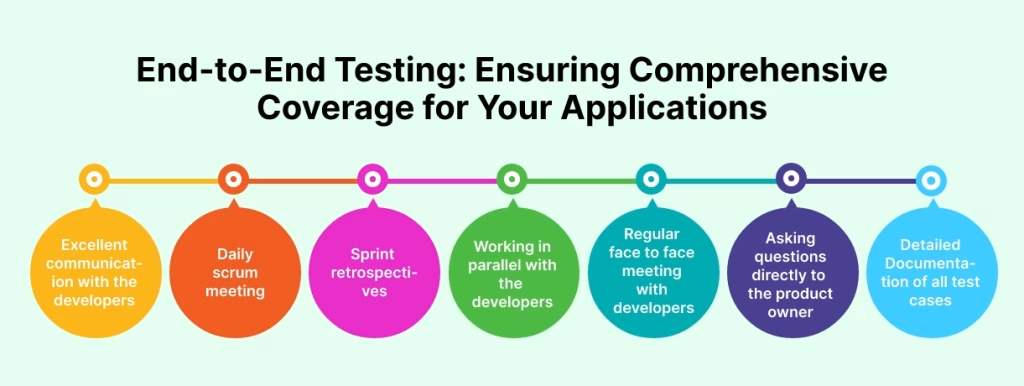
End-to-End Testing: Ensuring Comprehensive Coverage for Your Applications

End-to-end testing workflow for software applications

Introduction

End-to-end testing is essential for ensuring software reliability and validating complete application workflows in modern software development. As applications become more complex with multiple integrations, APIs, and external services, relying only on unit testing or functional testing is no longer enough.

End-to-end testing verifies that all components in an application work together correctly by simulating real user interactions from start to finish. This testing approach improves software quality assurance, reduces production issues, and ensures that critical application workflows function as expected across different environments.

In this article, we explore end-to-end testing best practices, test automation strategies, and methods for improving software reliability through comprehensive workflow testing.

What Is End-to-End Testing?

Testing methodology is defined by E2E testing, designed to test the application’s overall workflow wherein all components are working in harmony with each other. Instead of just testing individual units of code, it also involves the testing of interaction between different modules and external systems and databases.

In an E2E test, a tester simulates real-user scenarios from the initial steps of a workflow till its end. For example, in an e-commerce application, testing workflows testing may include adding an item to the cart and then proceeding with checkout, processing payment, and finally confirming the order. The rationale is that the system should be reliable, and all functionality should be strongly covered.

Why Is End-to-End Testing Important?

While unit and integration tests do play their part, they only test parts of the application testing, however, means testing all parts of the system to ensure that everything works seamlessly together.

Here are a few reasons why E2E testing is crucial:

Real-World Functionality: Most of the errors caught are those that the user may encounter in a live environment. It allows having confidence that an application will work under real conditions.

Includes Coverage of Many Systems: Most applications today integrate with third-party services such as payment gateways, APIs, databases. E2E testing should help ensure that all those third-party services work properly with your application by providing complete coverage.

Reduces the Risk of Failure: Since automated testing verify workflows from start to end, they catch defects that would otherwise be overlooked by unit or functional testing. That’s fewer bugs reaching the production level and thus less expensive failures post-deployment.

E2E testing is specifically very helpful for intricate workflows involving various types of user actions. It ensures all elements-the front-end, back-end, and external services-work together as expected.

Key Steps in Implementing End-to-End Testing

The following should be implemented in order to make QA testing as effective as possible:

Clear Test Scenario Definition: Before you start testing, define clear test scenarios on the basis of your users’ journey. That is to say, define the key workflows through which your users are going to go. Logging in, making a purchase, or submitting a form are all examples. Clarity about which of the user interactions is more important and hence take up a more prominent space of attention in a testing effort.


For every scenario you design for the test, take it down to a detail of what one individual will do from start to end, including every system and component that interfaces in this process. The greater the detail you have in your test scenarios, the better your coverage will be.

Automate Where Possible: Software testing processes tend to consume a lot of time mainly when it is designed for a large application with more workflows. This has to be improved by automating as many of your E2E tests as possible. This can be achieved using test automation tools such as Selenium, Cypress, or TestComplete so that the efforts put on the manual side can be reduced and consistent results exist for tests running across different environments.

Automated testing frameworks help QA testing teams execute workflow validation scenarios efficiently while improving software reliability and reducing manual effort. You can also include automated E2E tests in your CI/CD pipeline to be executed automatically after every code commit or build, providing immediate feedback on the stability of the application. Integrating end-to-end testing into CI/CD pipelines helps development teams identify issues early and maintain stable software releases.

Test Across Multiple Platforms and Devices: E2E tests should be run on various platforms and devices so that thorough testing is assured. Applications today are accessed on various devices: desktop, mobile phone, and tablets. The requirement is to test how your application behaves in different screen sizes, operating systems, and browsers.
Cross-platform testing tools like BrowserStack and Sauce Labs, help validate your application’s performance across multiple devices and configurations, simulating different environments. Testing application workflows across browsers, operating systems, and mobile devices improves software quality assurance and ensures consistent user experiences.

Monitor and Maintain Test Suites: E2E testing is far from being a “set-and-forget it” process. Your test cases will need updates as your application evolves with the inclusion of new features, integrations, and workflows. Therefore, E2E test suites must be regularly reviewed and maintained so that they stay relevant and updated in line with the new features, integrations, and workflows included in the application.
Track test performance metrics, including test execution time, pass/fail rates, flakiness. Identify and debug the cause of test unreliability and “flakiness” so that tests fail consistently; otherwise, two efficiencies or bugs slip through and are missed.

Speed Up Using Parallel Testing: For big applications, a test run can be tremendous and slow down your releases. Running multiple test cases simultaneously to complete the test suite in the minimum amount of time that takes is made possible by parallel testing. Among the tools that support parallel execution are Cypress and Selenium Grid, which would guarantee faster feedback as well as efficient testing.

Best Practices for Successful End-to-End Testing

So, for now, here are the best practices on how your testing strategy will then be made to be as effective as possible:

  1. Prioritize Key Flows: Concentrate on important user journeys and core functionality.
  2. Automate repetitive tests; wherever possible, this reduces effort and guarantees consistency; manual effort is reduced.
  3. Validate integrations with third parties; check third-party systems such as payment gateways or APIs to see whether they are working seamlessly with your application.
  4. Run Tests Repeatedly: Ensure to add E2E tests to the CI/CD pipeline and get run after each code change.
  5. Results Analysis and Rework: Very often look at test results, correct problems, and then revise your test approach.

Summary

End-to-end testing plays a critical role in improving software reliability, validating application workflows, and ensuring high-quality user experiences. By combining automated testing, regression testing, and comprehensive QA testing strategies, development teams can identify issues early and reduce production failures.

Organizations that implement software quality assurance best practices and integrate automated testing into CI/CD pipelines can improve software quality assurance, accelerate releases, and deliver more reliable applications across multiple platforms and environments.

More Blog: Key Factors to Consider When Choosing a QA Testing Partner

Regression Testing: A Vital Practice for Bug-Free Software

Illustration representing regression testing process to ensure bug-free software after updates.

Introduction

In today’s digital world, a very good significance is placed on seeing that the final product will be bug-free and without errors. Thus, the important quality assurance practice somehow known as regression testing helps maintain software integrity even when new features are added or updates are implemented. Whereby regression testing continuously verifies that prior functionality remains unaffected by code changes, it plays a vital role in keeping your software bug-free.

What is regression testing?

Regression testing is the process of regression or re-execution of functional and non-functional tests to ensure that, after some change, previously developed and tested software continues to work. Such changes can consist of code modifications, bug fixes, or the inclusion of new functionality. The primary purpose of regression testing is to identify any side effects of these changes, so the rest of the software remains unchanged and works as expected.

Whether it is the release of new versions or the roll-out of some new features, Software verification acts like a safety net so that nothing new bugs crept in due to the update.

Why Regression Testing Important?

The process of software development is iterative. Code is, at all times, being modified and extended. Any small change or update could potentially introduce new bugs or disrupt functionality previously built. Thus, QA testing is a must for any software project.

Prevents Incidental Issues: With every alteration in the code, some unknown side effect of that change can always arise. Functional revalidation will ensure that updates or new features made do not inadvertently affect existing functionality. This method prevents, long after, the possibility of issues being created in the software after deployment.

Keeps the Core Functions Stable: Running regression tests often means that even with new code addition, the core functions of your software will remain stable. This is an extremely important aspect for the overall functions of complicated applications with numerous modules, since even a small change in one area may sometimes cause changes in other areas.

Saves Time and Money: Identification of bugs early in the development cycle using regression testing saves time as well as resources. Otherwise, bugs after deployment could be costly to fix and, at times, even time-consuming. Regression testing catches the bugs early to reduce the possibility of all those costly post-release fixes.

Supports Continuous Integration: Poor quality software will result in a poor user experience, loss of reputation, and customers. Regression tests running constantly ensure that your software is free from bugs, which gives a good user experience thereby increasing the chances of satisfaction and retention.

It leads to a good user experience: Regression testing supports the practices of continuous integration and continuous delivery, which have now become the norms in the software development world. Every code change is integrated with the existing codebase with minimum disruption for software quality to be maintained throughout the development lifecycle.

Types of Retesting

There are different types of regression testing, each aiming at a different objective. Based on the complexity of your software and the changes implemented, you will need to use one, a few, or all of the types:

Corrective Regression Testing: It is followed in cases wherein the software specifications change not at all. It mainly focuses on the retesting of already prepared test cases to ensure that they are still working as initially expected after the code change has been done.

Retest-All Regression Testing: This method re-runs all the test cases in the system for verifying that new code had not affected any other part of the software. Though intensive, this type can be extremely resource and time-consuming.

Selective Regression Testing: This method selects only a fraction of the test cases to be executed based on which parts of the software might have been most likely changed. It’s useful if applied on larger codebases.

Progressive Regression Testing: This method is used when the software specification has been changed. It essentially seeks assurance that the changes being made will not interfere with already existing features.

Full Regression Testing: This approach is applied when there are many changes that have been made on the software, or where there’s a great likelihood that the new code will interfere with previous features. It necessitates a full test for the whole system.

Best Practices for Regression Testing

To make sure your regression testing strategy works effectively, follow these best practices:

Automate When Possible: Regression testing could be very dull – especially if the software is big and complex. Automation helps quicken your test execution and makes it more precise. The most commonly used automation tools are Selenium, JUnit, and TestNG, which may be utilized to run regression tests.

Not All Test Cases Must Be Executed Every Time: All the test cases need not be executed every time there is a change in the code. Focus on those test cases that are most business critical and high-impact so that core functionalities are working fine.

Have an Excellent Test Suite: Ideally, as your software changes, so also your test suite must change. Update your regression test suite regularly with new test cases and decouple the obsolete ones.

Run Regression Tests Frequently: In many organizations, regression testing is often done just before the final release, hoping to catch as much buggy code as possible in a single batch. However, it’s much better to integrate regression tests into your continuous integration process so that you can identify bugs early on and have an idea of how costly post-release fixes could be.

Track and Analyze Test Results Over Time: Track the results of your regression tests over time. These results can give insights that might indicate trends and parts of the codebase that are more prone to bugs, and how such areas should be given closer attention in future updates.

Conclusion

Regressing tests are the identification of all sorts of threats to software in terms of required repetition of testing on existing features after each update. This will ensure that the stability of software is maintained, time and money are saved, and a general user experience is achieved in return. Whether small projects or large complex systems, successful regression testing in the QA strategy is what keeps the software bug-free and provides top-quality products to end-users.

More Blogs : 10 Ways Performance Testing Can Enhance User Experience

Building Effective CI/CD Pipelines: A Step-by-Step Guide

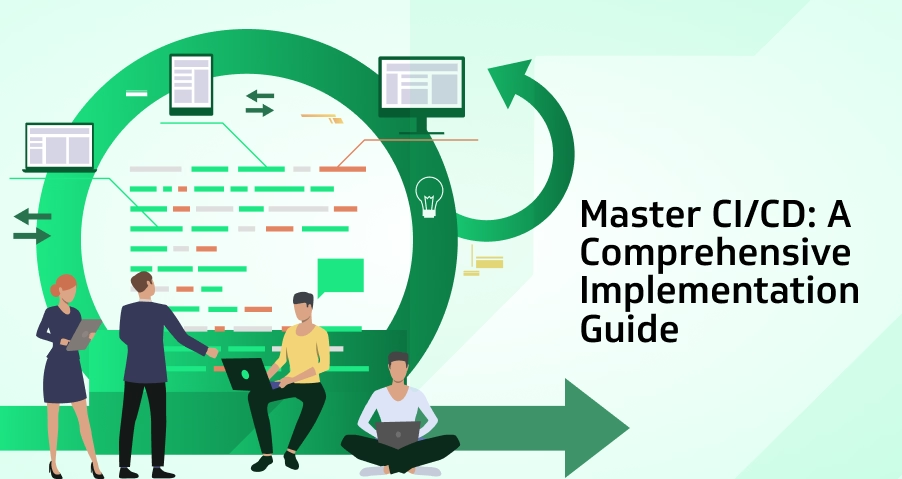
Step-by-step CI/CD pipelines setup for software development to automate testing, build, and deployment processes in 2024

Introduction

CI/CD Pipelines play a crucial role in automating development workflows, improving code quality, and speeding up releases. In the world of software development, speed and efficiency bring about competitiveness. CI/CD Pipelines Setup pipelines are fundamental tools that assist the development process in becoming more linear, aiding in the automation of tests, and making it faster and more reliable to release a product in the market. A CI/CD Pipelines Setup can reduce manual processes significantly, improve code quality, and reduce deployment errors. This step-by-step guide will help you through setting up a CI/CD Pipelines Setup for your development team.

CI/CD Pipelines Setup: Step-by-Step

Understand the Basics of CI/CD: What are CI/CD? Before introducing a CI/CD pipelines, one should know what CI and CD are. Continuous Integration is the practice of integrating code changes into a shared repository several times a day. Each of those merges is automatically driven against all of the relevant test suites to automatically test and catch mistakes early in the cycle. Continuous Delivery extends CI by automating the work of delivering software so that changes can be delivered to production or staging environments seamlessly.

With CI/CD pipelines, bugs and issues are caught early in the development cycle, testing is streamlined, and new features get to market more quickly with less risk.

Choose the Correct CI/CD Tools: It would be tough to build the right CI/CD pipelines unless the right tools are chosen. Choosing the right tools is essential for designing efficient CI/CD Pipelines that support scalability and automation. Many CI/CD tools are available with various features of all of them. Some of the most used CI/CD tools are as follows:

  1. Jenkins: A highly customizable open source automation server.
  2. GitLab CI: An integrated CI/CD tool that communicates directly with your GitLab repositories.
  3. CircleCI: A cloud-based CI/CD tool known mainly for its quick and flexible way of testing.
  4. Travis CI: Known to be a super popular CI service because of the ease of integration with GitHub.

When you choose any of them, factors like ease of integration with your current environment, scalability, and support for programming languages and the platforms you want to use should come to play.

Setting Up Version Control: A CI/CD pipelines cannot be possible without a version control system. Version control enables developers to track, collaborate, and keep records of every modification they make on the code. Git is the most widely used version control system for CI/CD pipelines.

First, make sure that your development team uses Git or any other version control system to maintain the codebase. Implement branching strategies, such as GitFlow or trunk-based development, to ensure tidy and well-structured code. You will find these branches useful while defining how the CI/CD pipelines must handle feature developments, bug fixes, and deployments.

Configure Automated Builds: Installation of the version control system is followed by implementing automated builds. Automated builds make sure that whenever new code changes are pushed into the repository, it gets compiled and packaged. The CI tool you will choose-most probably among Jenkins or GitLab CI-will automatically trigger each build whenever new code is committed to the version control system.
At this point, specify what kinds of branches should provoke building (for example, primarily main, dev or feature branches). It ensures that any failures in compilations are caught early. Thus, the chances of later-stage failures are small.

Implement Automated Testing: Automated testing is a fundamental part of CI/CD pipelines. This is because it ensures that the changes to new code do not break any functionality you have before, thus catching all the bugs before hitting the production environment. There are several forms of automated testing including;

  1. Unit Testing: These tests verify individual functions or modules of your code.
  2. Integration Testing:Tests that ensure that different modules or services work together as you had expected.
  3. End-to-End Testing: Simulates real-user interactions to verify the entire application’s behavior.

Integrate these tests into your CI pipelines so that it runs automatically after every build. If any tests fail, the pipelines must notify the development team right away so the developers can correct the issue before moving forward.

Configure Continuous Delivery (CD): After that, configure Continuous Delivery. CD automates the deployment process, so now your application can be safely deployed to any production (or staging) environments at will. This generally means defining deployment pipelines that define where your application should be deployed and under what conditions.
Use Docker and Kubernetes to deploy the containers for your application. This makes deployment anywhere smooth since Docker ensures an application behaves exactly the same regardless of where it is deployed, while Kubernetes automates the management of containerized applications.

Monitoring and Maintaining the Pipelines: Once your CI/CD pipelines is up and running, it’s vital to monitor it constantly. This will highlight areas of bottlenecks, optimize times for builds, and ensure that your pipelines is running smoothly. Many CI/CD tools provide in-built monitoring or integrate third-party monitoring tools like Datadog or Prometheus.
Apart from that, routine pipelines maintenance will ensure your CI/CD processes stay fresh and updated, updating dependencies, refining test coverage, and adjustments of deployment strategies as the project evolves.

Rollback and Recovery Strategies: No CI/CD pipelines is flawless, and sometimes a deployment can cause unexpected issues in the production environment. That is where rollback and recovery strategies are important to be practiced. Automated rollback ensures that in case of a failed deployment or one with extreme bugs, the pipelines can return to a previous version of the software.
Most CI/CD tools will support rolling back by using some form of version control, so it is easy to switch back to a stable version. Also, make sure you have backups and proper disaster recovery in case major failures occur.

Creating a Culture for Continuous Improvement: A good CI/CD pipelines is never static. Encourage the development team to embrace an environment of continuous improvement. Review and optimize your CI/CD pipelines regularly to make it more efficient, to lower build times, and to increase the number of tests that are run. Regular retrospectives can go a long way in helping teams identify pain points and implement new practices to improve the overall development workflow.

Secure the Pipeline: Every step of the pipeline should have security integration into the CI/CD. Some examples include static code analysis, vulnerability scanning, among others, which will be part of the best practice for ensuring your code is secure at every point of development. This may spot vulnerabilities and will keep on enabling you to address them before they pose a risk when integrations are done within the pipeline.

Conclusion

A CI/CD pipelines is one of the best implementations to streamline your development processes in terms of driving collaboration and delivering software faster. It is achieved through selecting the right tools, setting up version control, automating builds and tests, and security for creating an efficient and reliable CI/CD pipelines. Adopting these best practices will give the team an edge to be competitive in a fast-developing landscape that emphasizes delivering value at all speeds.

More Blogs: CI/CD Pipeline Setup: Step-by-Step

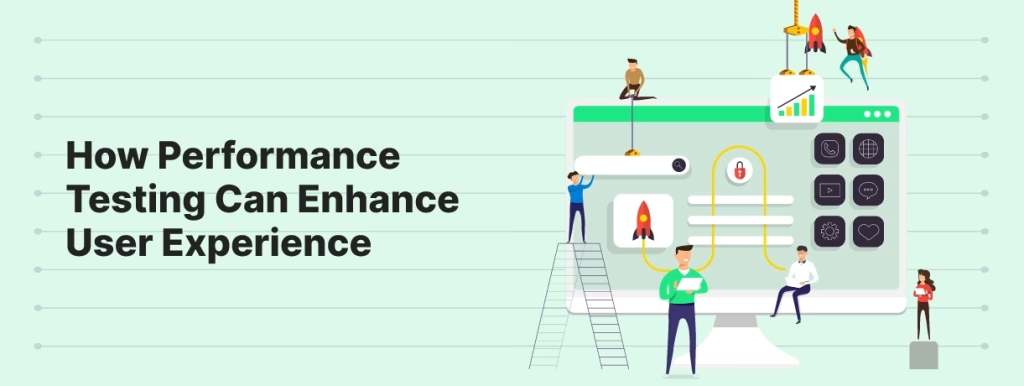
10 Ways Performance Testing Can Enhance User Experience


Introduction

Today, in the competitive world of digital, it is user experience that makes a company great. Whether launching a website, launching a mobile app, or developing a very complex enterprise solution, users expect performance to be seamless and fast with no breakdowns at all. Performance testing can guarantee the same.

What is performance testing? Performance testing evaluates the performance of how an application would work in different conditions to identify bottlenecks, thereby optimizing the load capacity and improving the response times. Direct impact on user satisfaction and retention: With a responsive, scalable, and stable software application, you can definitely ensure the happiness and retention of your users.

In this blog, we are going to discuss 10 ways performance testing may improve the user experience and why it should be in your quality assurance strategy.

The first and most important advantage of performance testing is that it identifies bottlenecks before they reach the end-user. Bottlenecks in software are simply points of failure because of resource constraints, be it memory or CPU usage.

Top Benefits of Performance Testing for Application Performance

Identifying Bottlenecks: Load/stress testing helps to provide a close approximation of real-world operation against actual thresholds-the thresholds at which the system begins to slow down or fail. Thus, through proactive noticing, potential issues can be identified and solved long before users do or experience performance degradation, thus sustaining user-experience satisfaction.

Fast Response Time: Perhaps the most important factor in user experience is speed. Studies demonstrate that even when there’s a one-second delay in page loading, users experience a significant deterioration in usability and conversion rates. The service actually ensures that during heavy traffic instances, the software responds fast to user interactions.

Load testing simply means performance testing applied to measure how your application goes in the face of different volumes of user traffic. You, therefore, test various scenarios by tuning response times to ensure that no matter how high demand gets, users experience a smooth and fast encounter.

Improving scalability to grow on ever-increasing user demands: As the user count grows so does the workload to your system. Lousy scalability will diminish performance amazingly with slow response times, crashes, and the worst-case scenario-wretched user experience. Performance testing, especially scalability testing ensures that the software developed can accommodate a growing number of users without suffering from the decaying performance of performance.
Simulating various user loads is one way that QA teams may understand how the system would behave with increased traffic. This would enable the developers to make the correct infrastructure or code adjustments in order for the software to scale well with demand.

Preventing Downtime with Stress Testing: The ultimate UX killer is downtime. When users cannot access your application because it is crashed or overloaded, then the trust in your software will reduce. Stress testing, a key constituent of performance testing, basically simulates extreme conditions to determine how your system would behave under peak loads or when it is pushed beyond its normal limits.
Stress testing reveals weaknesses of the system that may induce failures when under heavy load. Thus, developers can fix these issues and prevent downtime, ensuring your application remains reliable in the most demanding scenarios.

Optimizing Resource Usage: Performance testing can help understand where resources are being consumed inefficiently. That would be in terms of memory leaks, excessive CPU usage, or inefficient database queries, which may thus slow your application and even cause it to crash with a poor user experience.

Performance testing allows the teams to optimize code, perfect the configuration of servers, and hone your infrastructure by specifying which parts of your resource are being wasted. Your software thus runs more efficiently, implying faster performance with a better experience for the user.

Mobile User Experience: Mobile traffic is nowadays higher than desktop traffic, so mobile performance is very important. Mobile performance testing basically measures how your application will perform across a range of mobile devices, under multiple network conditions as well as various operating systems.

Mobile users demand that apps and websites open rapidly, work flawlessly, and do not lag despite any network speed or device-related constraints. Mobile performance testing will assure the seamless experience of your app for mobile users. Mobile users are often less forgiving than desktop users when it comes to issues with performance.

Reduce Abandonment Rates: High abandonment rates are the most common because of poor performance. If users do not find pages to load quickly or applications do not function as expected, the abandonment rate is bound to shoot up as people will look for an alternative. The art of performance testing prevents all such risks as it makes sure that software is both fast and reliable.

Performance problems can thus be caught by QA teams through regular performance tests causing abandonments and then fixed so that they do not start having a negative impact on users. This also leads to increased user satisfaction along with increased chances of retaining them and driving conversions.

Support for a global user base: For applications that are internationally based, performance testing will ensure that the software performs at peak levels in different geographies. Latency testing measures time in between servers and users traveling over multiple places, where data needs to travel. For example, such businesses will be needed to become gigantic globally.

Optimizing global performance for software thus ensures maximal expected speed to users regardless of their location, thus not encumbered by minimal delay and consistency in performance. This will definitely enhance user experience and help you keep a fantastic global presence.

Ensuring Compatibility Across Platforms: Modern software needs to work seamlessly on multiple platforms such as web browsers, operating systems, and devices. Performance testing includes cross-browser and cross-platform testing ensuring that your application offers the same experience across different environments.

You can test your application on many platforms and devices to determine different performance variations and make the necessary adjustments. It will ensure that, irrespective of the user’s device or browser, users get fast and reliable performance.

Building Trust Through Reliable Performance: In fact, trust lies at the heart of user experience. The user wants to know that your application will always perform, never slow down or crash. Performance testing builds this kind of trust in your application, ensuring to deliver reliable performance under all conditions.

Hence, by conducting good test runs often and developing a solution to the issues that arise, you prove your commitment toward the experience for delivering top-class service. That in turn helps increase the loyalty among the users and a better reputation for your brand in the competition of the market of software.

Conclusion

Performance testing is highly critical in ensuring that the user experience will actually be great: it’s about finding bottlenecks, optimizing response times, making sure the application scales well, and preventing downtime. This way, you can make sure your software solution is reliable, fast, and efficient for your users.

This will just enhance the user satisfaction but also support long-term success of your software. Mobile performance testing, global scalability, or cross-platform compatibility testing – whether it is related to any other form of test, performance testing will ensure that your application will be ready for the real users’ demands.

Implementation of these 10 essential practices in your performance testing will enable enhancing user experience, thereby getting assured that your software remains sought after in this competitive digital world.

More Blog: Key Factors to Consider When Choosing a QA Testing Partner

How to Perform Security Testing to Protect Your Applications

How to Perform Security Testing to Protect Your Applications

Introduction

In today’s digital world, security testing is highly essential because of the increasing cyberattacks on applications. Security testing is one of the critical processes that would help identify vulnerabilities in software applications and protect the data, users, and systems from malicious activities by an organization. Without a robust security testing strategy, applications are exposed to serious threats with possible financial loss and reputational damage, and compliance failures may occur.

This section discusses why one may need application regulatory compliance, some of the methods of testing, and then best practices regarding protection of applications against severe cyber threats.

What is Security Testing and Why It Matters

Security testing determines whether an application will protect the data it works on, maintain its functions in a compromised malicious state, or find some vulnerabilities and weaknesses that an attacker may exploit.

  1. It ensures confidentiality, integrity, and availability of data.
  2. It prevents unauthorized access, data breaches, and leaks.
  3. Ensure industry norms and regulations are followed.

Security testing is the process carried out at all stages of SDLC ensuring that security is incorporated from the beginning stages of development to final deployment.

Major Categories of Security Testing for Application Security

Some of the security testing techniques applied for the protection of an organization’s application are as follows:

Vulnerability Scanning: This is scanning of known application vulnerabilities through automated use of tools. They scan an application, noticing flaws in security, say obsolete software, weak configurations, or unpatched systems.

Penetration Testing: Pen testing, or penetration testing, simulates real-world attacks to discover weaknesses before malicious hackers do. This method involves hacking the application with good intent into potential attack vectors to understand what kinds of defense mechanisms an application possesses.

Static Application Security Testing (SAST): SAST is a testing method that is a direct type of white box. It is cheaper and easier to apply by a developer in tracking potential vulnerabilities in source codes that do not have running mode or physical execution, and consequently, happen early in the development phase.

DAST: Dynamic Application Security Testing:DAST is a technique for testing where an outsider attacking methodology is used for outside detection of running applications’ vulnerabilities. Among other common web vulnerabilities, DAST offers runtime detection of SQL injection and cross-site scripting, or XSS.

Security Audits and Reviews: Application security audits evaluate security architectures of applications, policies, and procedures designed. Regular audits ensure that security practices are in place according to industry norms, thus making the identification of risks which most of the time is missed during development easier.

Importance of Security Testing for Data Protection and Compliance

It is important for the following reasons

Protect Sensitive Information: Most applications contain sensitive information such as sensitive customers’ data, financial records, and intellectual property. Security breach refers to theft of data that will unveil users’ private and security details to the public domain.

Regulatory Compliance: It ensures that the organization complies with all kinds of data protection regulations such as GDPR, HIPAA, and PCI-DSS to avoid the penalties and legal implications attached with the non-compliance.

Avoid Financial Loss: It would prove financially devastating due to loss of revenue, lawyers’ fees, and harm to the brand because these risks are minimized by regular security testing which identifies problems before they get out of hand.

Sustaining customer trust: Customers trust a business to keep their information safe. Data breaches can easily erode this trust, thus losing customers and damaging perceptions of the brand. It helps the security of the application stay intact and the users don’t lose faith in the business.

Best Practices for Security Testing in Software Development

The best practice subsequent thereto includes comprehensive and useful security testing:

Early Security Integration In the Development Process Shift Left: Using shift-left means, on one hand, that security testing is introduced much earlier than at the very end of the cycle, ensuring security is front-run in the SDLC and there is little or no chance of critical vulnerabilities slipping through.

Automate wherever possible: Leverage automated security testing tools to accelerate the process and catch what might be missed otherwise in manual testing. Automated tools can easily and efficiently scan, for example, perform code analysis, or any other task typically done manually.

Conduct Regular Penetration Tests: Regular penetration testing will put us way ahead of this evolving threat. Penetration tests simulate actual real-world attack scenarios and therefore reveal hidden vulnerabilities that other automated tools may well miss.

Online monitoring and updating: While security testing does not stop once the application is deployed, it would be useless without continuous monitoring for new vulnerabilities and regular update patches for security flaws, which will keep your application secure over a long term.

Educate and Teach Developers: The developers form the first line of defense in the application security space. Training developers in secure coding and ensuring that developers stay abreast of the latest security trends at all times can avoid some vulnerabilities introduced at the development phase.

Top Security Testing Tools for Developers

There are numerous testing tools for security. Some of the better-known ones include the following:

  1. OWASP ZAP is an open-source tool that detects vulnerabilities on web applications.
  2. Burp Suite: Extremely popular. It is used for penetration testing against web applications.
  3. Nessus: A Vulnerability Scanner Scans your Network and Applications for Vulnerabilities. 
  4. Veracode: Static and dynamic security testing via the cloud.
  5. SonarQube: Constant code quality inspection that has been extended to involve security vulnerabilities.

Preparation of a prudent security testing approach requires the selection of suitable tools for purposes.

Conclusion

At present, a growing cyber threat needs more security testing. If they are actually integrated and carried out throughout the lifecycle of the software, with the best practices followed at large, organizations will have their applications protected and sensitive data ensured to be completely secure and well within governmental regulations. The goal of Protecting Applications extends beyond the protection of applications themselves and directly addresses the protection of your business and your ability to build trust with customers within this connected world.

More Blogs : Setting Up Appium for iOS Automation on macOS: Beginner’s Guide

Mastering AI Integration: Best Practices for Business Optimization

AI integration strategy

Introduction

Artificial Intelligence is revolutionizing industries across the globe to offer cutting-edge efficiency, automation, and innovation for businesses. However, to leverage the full potential of AI, organizations have to direct their attention towards the strategic integration and optimization of AI systems. With seamless AI integration, technology not only operates efficiently but also supports existing workflows to accomplish long-term success.

This article will give you the most successful ways of integrating and optimizing AI in your business strategy

5 Best Practices for AI Integration in Business

Start with a Defined AI Strategy: A defined AI strategy is the starting point for effective AI integration. Businesses must consider their needs, define specific goals, and align AI initiatives with comprehensive objectives before adopting AI tools. Some of the questions one may ask are:

  1. What specific business problem do we want to solve with AI?
  2. How does AI help us improve current workflows?
  3. What are metrics to measure the success of AI?

Data Quality and Management: A roadmap cannot be conceived without a plan on quality data and management. Use quality data and not poor data quality.

AI feeds off data, and how this data is managed and of what quality will highly influence AI’s success. Poor quality or inadequacy in data can lead to misprediction, broken models, and suboptimal results. So, ensure your organization develops a robust policy for data governance, regularly cleanses data, and uses high-quality labeled datasets for training AI.

However, that is not all; there must also be scalable data management systems; such systems should provide a soft and smooth flow of data among departments and AI systems, feeding AI algorithms continuously with updated information; hence, AI can deliver better decision-making processes.

Scalable Investment in AI Infrastructure: For instance, artificial intelligence applications can be very resource-intensive and require a lot of computation and storage. The right investment is in an infrastructure that can scale with your organization. There are cloud-based solutions like AWS, Google Cloud, and Microsoft Azure that give you enough flexibility, scalability in computing resources, and adaptation to changing workloads.

Scalable infrastructure also supports the deployment process at a speedier pace and ensures real-time processing demands and has no bottleneck for systems. It allows a company to spend its money on proper hardware as well as cloud solutions in order to avoid downtime and make sure that AI processes are continuously optimized.

Cross-Functional Collaboration End: AI cannot operate in silos to be truly integrated. Its integration requires the collaboration of multiple departments, including IT, engineering, data science, and business operations.

A culture of collaboration enables cross-functional teams to collaborate and share knowledge to focus on finding integration points and optimal AI configurations for practical deployments. Regular feedback cycles involving business and technical teams ensure that AI models are constantly refined toward achieving business outcomes.

Continuous Monitoring and Performance Tuning: After the AI systems are deployed, continuous monitoring would be necessary for optimal system performance. AI models have to be periodically reviewed and upgraded for optimal accuracy and efficient performance. Key performance indicators like precision, recall, and model accuracy would be monitored in order to monitor the development of such systems over time.

But also, consider using automated AI optimization tools for performance tuning. Such tools can detect inefficiencies in your AI models and recommend ways of improving performance-often saving time while improving overall system performance.

Prioritize Ethical AI Practices: As an embedding of AI in business processes necessitates ethics, data privacy, algorithmic bias and can put a spotlight on issues of transparency at the outset. 

Policies to be instituted should include:

  1. Transparency of AI decision making
  2. Data protection policies such as GDPR, CCPA, and many more.
  3. An unbiased model so that AI aids in the equitable treatment of each user.

Such an investment in ethical AI practice will protect a business from future litigations and increase customer and stakeholder trust.

Conclusion

AI deployment and optimization need to be strategic, putting together clear planning, collaboration, and continuous refinement. Everything from data management to infrastructure scalability to ethical considerations puts those who focus on these best practices in a much better place to really unlock the value that is now available through AI.

It will help organizations build a robust and effective AI ecosystem that addresses all the needs of its current scenario, preparing to face those of the future.

More Blogs: 7 Revolutionary Ways Visual Search in eCommerce is Transforming Online Shopping

Top 3 Strategies for Responsible AI: Ethical Innovation with Accountability

Illustration representing responsible AI practices, highlighting ethical innovation, accountability, and AI strategy

Introduction

Responsible AI, with the inclusion of AI in modern technology, it has become a challenge to develop innovation within AI systems that are innovative yet ethical. Now, just as magnificent as AI technology can be with innovation across various industries, there are some risks to which one has to manage the proper resolution. From biased algorithms to the loss of privacy, even the construction of ethical AI requires maximizing benefits and thus minimizing harm in a delicate balancing act. This opens up to show how organizations can create ethical AI within the risks of rapid innovation.

Why Ethical AI Matters

AI systems are increasingly penetrating decision-making processes affecting people’s lives, from healthcare diagnoses and loan approvals to even criminal justice processes. And as these technologies begin to shape the future, their ethical use assumes an even more important role. Ethical AI is therefore the development of transparent systems free of bias, where human rights and privacy, for example, are respected.

If indeed no ethical considerations were involved in AI, for instance, the party responsible may perpetually be biased, invading privacy and exacerbating inequalities. For instance, if an AI algorithm is trained using biased data and discriminates against certain demographic groups, an outcome may be produced that’s most certainly unfair. Therefore, it is very important to have AI systems with some sort of fairness, accountability, and transparency while ensuring public trust and that the benefits of AI spread.

Innovation in AI development pushes companies to make speed and performance their highest priority over ethical safeguard, yet neglect of ethics is a guarantee to risks. Ethical AI will be built around the innovation-risks balance that companies must innovate with anticipation of risk from ethics.

To achieve a balance, the development of AI should be accompanied by ethical considerations in design, testing, and deployment. When ethics is woven into the fabric of AI innovation, companies can reduce the risks of algorithm bias, lack of transparency, and data misuse to ensure AI systems are cutting-edge while being responsible.

Important Risks of Ethics in AI Development

  1. Bias and Discrimination: AI systems are as good as the information they were trained on. If biased datasets are used to train the algorithms, then AI extends or even amplifies the running inequalities. For example, biased hiring algorithms can especially discriminate against women or minority candidates. The developers should therefore be awakened and caught being vigilant in detecting and mitigating biases so that they would not discriminate in an AI system.
  2. Lack of Transparency: AI algorithms are “black box,” which means their decision making processes are opaque and not easy to understand. Such lack of transparency may raise ethical questions particularly when AI is deployed in critical sectors, such as medicine or criminal justice. Ensuring algorithmic transparency must therefore become a priority to create trust and accountability in AI systems.
  3. Privacy Violations: The capacity of AI to collect and process big data raises significant privacy concerns. Misuse or mishandling personal data may lead to violations of privacy such as unwarranted surveillance or identity theft. Ethical development of AI requires developers to prioritize data privacy to its users so as to be GDPR compliant.
  4. Accountability and Responsibility: It is often tough to attribute accountability when AI systems go wrong. There can even be disputes of accountability for mistakes by the developers, the organization which uses the AI, or the system itself. In certain applications of AI that will directly affect the lives of humans, such as autonomous vehicles or medical diagnoses, these lines of accountability are crucial for ethical AI.

Policies Building Ethical AI

  1. Ethical AI Frameworks: Using an ethical AI framework is a good approach toward ethical AI development. Ethical AI frameworks give organizations the support needed to install moral considerations into their development process. Good examples of these are the EU’s Ethics Guidelines for Trustworthy AI. They highlight principles such as fairness, accountability, and transparency.
  2. Diverse and Inclusive Data Sets: Developers should leverage diverse, representative data sets as a means of countering algorithmic bias. This means the data set that is used for training AI systems must reflect an extensive range of demographic groups so that it does not end up promoting bias that could lead to discriminatory outcomes. Regular audits of AI systems will help identify bias and correct it.
  3. Explainability and Transparency: Developing AI in a manner that is explainable fosters an understanding of how decisions are made. By making AI systems transparent and explainable, a company can earn trust from users, regulators, and the general public. This is especially important where AI decisions may have high-stakes consequences-for instance, for medical treatment or financial decisions.
  4. Continuous monitoring and auditing: The development of ethical AI does not end once a system is in place. Continuous monitoring and auditing of AI systems allow them to perform ethically over time. This could include tracking outcomes in terms of fairness and accuracy and updating the systems to respond to new ethical challenges as they arise.
  5. Collaboration and the formation of ethics committees: Organizations should create AI ethics committees that are diverse, comprising ethicists, legal experts, and representatives from the community at large. This will ensure consideration of ethics during the development of AI as well as the proper focusing on ethical concerns during innovation. The external stakeholders, regulators, and advocacy groups may also work with companies in building more ethical AI systems.

Conclusion

Tremendous promise is believed to lie in the future of AI, and it equally poses risks that companies must monitor carefully. Through ethical systems of AI, this balance will provide a chance for firms to innovate within responsibility, value, and matters of equity, transparency, and accountabilities. In this regard, careful balancing amid the urgent need to speed technological advancement with risking efforts will help bring about certain benefits to greater society in the development of AI systems. The ethos of ethical considerations will be at the core of sustainable innovation since AI profoundly transforms industries.

More Blogs: Securing Your Software Supply Chain with Software Composition Analysis

  • Copyright © 2026 codelynks.com. All rights reserved.

  • Terms of Use | Privacy Policy