Building Effective CI/CD Pipelines: A Step-by-Step Guide
Jayakrishnan M
Contents OVerview
Introduction
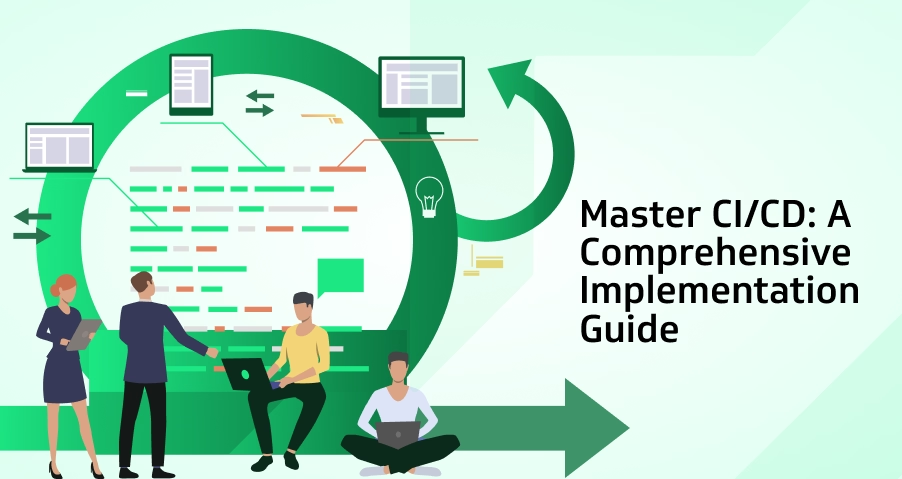
CI/CD Pipelines play a crucial role in automating development workflows, improving code quality, and speeding up releases. In the world of software development, speed and efficiency bring about competitiveness. CI/CD Pipelines Setup pipelines are fundamental tools that assist the development process in becoming more linear, aiding in the automation of tests, and making it faster and more reliable to release a product in the market. A CI/CD Pipelines Setup can reduce manual processes significantly, improve code quality, and reduce deployment errors. This step-by-step guide will help you through setting up a CI/CD Pipelines Setup for your development team.
CI/CD Pipelines Setup: Step-by-Step
Understand the Basics of CI/CD: What are CI/CD? Before introducing a CI/CD pipelines, one should know what CI and CD are. Continuous Integration is the practice of integrating code changes into a shared repository several times a day. Each of those merges is automatically driven against all of the relevant test suites to automatically test and catch mistakes early in the cycle. Continuous Delivery extends CI by automating the work of delivering software so that changes can be delivered to production or staging environments seamlessly.
With CI/CD pipelines, bugs and issues are caught early in the development cycle, testing is streamlined, and new features get to market more quickly with less risk.
Choose the Correct CI/CD Tools: It would be tough to build the right CI/CD pipelines unless the right tools are chosen. Choosing the right tools is essential for designing efficient CI/CD Pipelines that support scalability and automation. Many CI/CD tools are available with various features of all of them. Some of the most used CI/CD tools are as follows:
Jenkins: A highly customizable open source automation server.
GitLab CI: An integrated CI/CD tool that communicates directly with your GitLab repositories.
CircleCI: A cloud-based CI/CD tool known mainly for its quick and flexible way of testing.
Travis CI: Known to be a super popular CI service because of the ease of integration with GitHub.
When you choose any of them, factors like ease of integration with your current environment, scalability, and support for programming languages and the platforms you want to use should come to play.
Setting Up Version Control: A CI/CD pipelines cannot be possible without a version control system. Version control enables developers to track, collaborate, and keep records of every modification they make on the code. Git is the most widely used version control system for CI/CD pipelines.
First, make sure that your development team uses Git or any other version control system to maintain the codebase. Implement branching strategies, such as GitFlow or trunk-based development, to ensure tidy and well-structured code. You will find these branches useful while defining how the CI/CD pipelines must handle feature developments, bug fixes, and deployments.
Configure Automated Builds: Installation of the version control system is followed by implementing automated builds. Automated builds make sure that whenever new code changes are pushed into the repository, it gets compiled and packaged. The CI tool you will choose-most probably among Jenkins or GitLab CI-will automatically trigger each build whenever new code is committed to the version control system. At this point, specify what kinds of branches should provoke building (for example, primarily main, dev or feature branches). It ensures that any failures in compilations are caught early. Thus, the chances of later-stage failures are small.
Implement Automated Testing: Automated testing is a fundamental part of CI/CD pipelines. This is because it ensures that the changes to new code do not break any functionality you have before, thus catching all the bugs before hitting the production environment. There are several forms of automated testing including;
Unit Testing: These tests verify individual functions or modules of your code.
Integration Testing:Tests that ensure that different modules or services work together as you had expected.
End-to-End Testing: Simulates real-user interactions to verify the entire application’s behavior.
Integrate these tests into your CI pipelines so that it runs automatically after every build. If any tests fail, the pipelines must notify the development team right away so the developers can correct the issue before moving forward.
Configure Continuous Delivery (CD): After that, configure Continuous Delivery. CD automates the deployment process, so now your application can be safely deployed to any production (or staging) environments at will. This generally means defining deployment pipelines that define where your application should be deployed and under what conditions. Use Docker and Kubernetes to deploy the containers for your application. This makes deployment anywhere smooth since Docker ensures an application behaves exactly the same regardless of where it is deployed, while Kubernetes automates the management of containerized applications.
Monitoring and Maintaining the Pipelines: Once your CI/CD pipelines is up and running, it’s vital to monitor it constantly. This will highlight areas of bottlenecks, optimize times for builds, and ensure that your pipelines is running smoothly. Many CI/CD tools provide in-built monitoring or integrate third-party monitoring tools like Datadog or Prometheus. Apart from that, routine pipelines maintenance will ensure your CI/CD processes stay fresh and updated, updating dependencies, refining test coverage, and adjustments of deployment strategies as the project evolves.
Rollback and Recovery Strategies: No CI/CD pipelines is flawless, and sometimes a deployment can cause unexpected issues in the production environment. That is where rollback and recovery strategies are important to be practiced. Automated rollback ensures that in case of a failed deployment or one with extreme bugs, the pipelines can return to a previous version of the software. Most CI/CD tools will support rolling back by using some form of version control, so it is easy to switch back to a stable version. Also, make sure you have backups and proper disaster recovery in case major failures occur.
Creating a Culture for Continuous Improvement: A good CI/CD pipelines is never static. Encourage the development team to embrace an environment of continuous improvement. Review and optimize your CI/CD pipelines regularly to make it more efficient, to lower build times, and to increase the number of tests that are run. Regular retrospectives can go a long way in helping teams identify pain points and implement new practices to improve the overall development workflow.
Secure the Pipeline: Every step of the pipeline should have security integration into the CI/CD. Some examples include static code analysis, vulnerability scanning, among others, which will be part of the best practice for ensuring your code is secure at every point of development. This may spot vulnerabilities and will keep on enabling you to address them before they pose a risk when integrations are done within the pipeline.
Conclusion
A CI/CD pipelines is one of the best implementations to streamline your development processes in terms of driving collaboration and delivering software faster. It is achieved through selecting the right tools, setting up version control, automating builds and tests, and security for creating an efficient and reliable CI/CD pipelines. Adopting these best practices will give the team an edge to be competitive in a fast-developing landscape that emphasizes delivering value at all speeds.
A security scan that runs after your build is not a DevSecOps pipeline. It is a security checkbox that runs after your build. The distinction matters because one approach catches vulnerabilities before they reach production, and the other hopes someone reads the report. According to industry data from N-iX and DZone’s 2026 DevOps surveys, 76% […]
Introduction Secrets management in platform engineering: Platform engineers, though far from sight, are the backbone to a world of moving pieces – in the fast-changing landscape of cloud infrastructures, where an ever-changing setup continually creates needs for secure, scalable, and efficient cloud environments. One critical aspect of what they do includes managing secrets: securely managing […]
Discover why monitoring and logging are critical in DevOps. Learn how they enhance efficiency, ensure reliability, and provide actionable insights for high-performance operations.