7 Essential Steps for Migrating to Microservices: Ensure a Smooth DevOps Transition

Migrating to microservices is now the central tenet of modern software development. The shift from a monolithic architecture to migrating to microservices is now the central tenet of modern software development. It allows organizations to build scalable and modular systems with flexibility, making feature delivery faster with less uncertainty. Excitement over this development is tempered by the continuing challenges that stand in the way, especially from the viewpoint of DevOps, which involves continuous integration, deployment, and automation-important factors.

A DevOps architect should approach the migration with a mindset on scalability, automation, and observability. This article examines seven key strategies to ensure that this transition from monoliths to microservices goes smoothly.

Assess and Plan the Migration Strategy

Migration to microservices is something that requires careful analysis and planning. Most direct lift-and-shift monolithic applications do not survive; instead, developers need to prioritize based on dependencies, risks, and value.

  1. Core services to be decoupled first.
  2. Service decomposition map in order to understand how the components interact
  3. DevOps Roadmap involving tools, workflows, and timelines
  4. The proper planning ensures smooth migration, structured migration, and focus migration is all in accordance with business goals.

Leverage Containerization for Service Deployment

Containerization is a significant component of migrating to microservices. Containers support isolated, lightweight deployments of services that run the same application across environment development, testing, and production.

  1. Containerize individual services through docker.
  2. Use kubernetes for orchestration and scaling of containers
  3. Ensure that container images are optimized and secure to avoid vulnerabilities.
  4. Containers make deployments faster, more reliable, and consistent across Environments – which is essential for devops practices.

CI/CD Pipeline Implementations for Continuous Delivery

The introduction of automation in build-test-deployment works as a bridge to smoothly move to a microservices architecture. 

CI/CD pipeline key principle: 

  1. The CI/CD pipeline ensures that any code change needs to be validated and deployed, and this should be done fast, and manual intervention should not be present.
  2. Setup CI/CD pipelines to automate testing and deploy.
  3. Tools for implementation: Jenkins, GitLab, CircleCI, etc.
  4. Automate unit, integration, and load testing to ensure quality.

With CI/CD pipelines your team will be able to update faster; hence, migration risk and downtime are greatly reduced.

Use API Gateways for Services that Need to Communicate

Another important thing which needs to be dealt with when services are separated from the monolithic structure into distinct microservices is their communication. Here API gateways will act as intermediaries for efficient service requests.

  1. API gateways (NGINX, Kong, etc. are applied for managing service calls
  2. Use rate limiting and caching to enhance performance.
  3. Layering protocols for authentication and authorization for secure communication of services
  4. API gateways manage traffic by enabling scale and secure service communication of microservices.

Infrastructure as Code (IaC)

Infrastructure should be agile because it supports the rapid deployment and scaling mechanism in the use of microservices. IaC deals with infrastructure configuration to be defined programmatically in order for the DevOps team to maintain consistency across environments

  1. Use tools like Terraform or AWS CloudFormation to automate the infrastructure provisioning.
  2. Version control your IaC scripts to see changes.
  3. Use cloud-native platforms that automatically scale infrastructure
  4. IaC allows rapid deployments with consistent and repeatable infrastructure.

Observability and Monitoring

Observability is the degree of a system’s ability to be known internally and monitored externally. Also, since a microservices architecture offers flexibility, then one may be in a position to know quickly which service is causing the failure or who’s hanging. Otherwise, there are some traditional monitoring tools that can’t be used to track issues in the distributed system.

  1. Use real-time monitoring using tools like Prometheus and Grafana for observability.
  2. Use distributed tracing tools like Jaeger to trace the flow of requests across microservices.
  3. Implement alerts and dashboards for quick identification of failures.
  4. A robust observability framework ensures that DevOps teams can monitor the health of microservices.

Scalability and Fault Tolerance 

Microservices should be designed to scale. The individual microservices should tolerate failure so that the failure in the system will not bring down the entire system.

One of the most significant paybacks of migrating to microservices is scalability. DevOps practices should concentrate on building services that scale on their own and fail without affecting the rest of the system.

Ensure scalability by

  1. Apply horizontal scaling to increase or decrease instances based on load.
  2. Implement circuit breakers to prevent cascading failures.
  3. Implement auto-scaling policies for seamless traffic spikes
  4. Your microservices architecture will have the ability to handle erratic workloads without compromising performance.

Conclusion

Successfully migrating to microservices brings significant benefits in flexibility, scalability, and faster development cycles, but careful planning is required along with containerization, automation, and monitoring to make it successful. Thus, from the setup of CI/CD pipelines to an API gateway and building IaC, each step helps make the migration successful.

A DevOps architect’s effort should be for the achievement of scalability, observability, and automation in the migration process. The following seven key strategies are beneficial for the successful adoption of microservices by the businesses and unlock new dimensions of innovation and growth.

Read more : Serverless Computing: Advantages and Challenges for Developers and Enterprises

The Ultimate 7 Transformative Advantages of Multi-Cloud Strategies Empowering Modern Enterprises

multi-cloud strategies

The multi-cloud strategies allow businesses to develop greater flexibility, scalability, and resilience in fast-changing digital landscapes. The workloads can be balanced, risks reduced, and costs optimized by utilizing multiple cloud platforms rather than relying solely on a single cloud provider. This policy will help customize the utilization of the cloud according to special needs, building the right infrastructure to support growth and innovation.

At Codelynks, we are the leading company that is specialized in the application of multi-cloud architectures for organizations, and the company advises on how to fully exploit the advantages brought by the strategy; in this blog, let us discover how businesses are embracing multi-cloud strategies and how it may lead them to long-term success.

1. Greater Flexibility and Avoiding Lock-in with a Vendor

A primary benefit of the multi-cloud strategies is its flexibility. This allow businesses to align workloads with the best provider, improving performance, reducing latency, and optimizing resources. With a multi-cloud environment, any organization should be able to pick the best cloud services available for each application or workload, such that they’re using the right infrastructure for their unique needs.

While at Codelynks, we guide clients through the process to appropriately select their mix of cloud services, we make sure they always have the agility to switch providers or adjust their cloud strategy with changing businesses.

2. Performance and Resource Optimization

The strength variations differ in cloud providers, whether performance, price, or services. Implementing multi-cloud strategies enables organizations to strategically allocate workloads according to their performance requirements, maximizing resource efficiency. For example, some may perform better on the high-performance computing resources available on one of the cloud providers, while others may require specific low-cost storage solutions that could be found on another platform.

Hence, it is possible for organizations to have improved performance, lower latency, and ensure that end users do not experience throughput or performance bottlenecks by distributing their workloads across more than a single provider. Codelynks can help businesses calculate their precise workload requirements and strategically manage all cloud-based resources with proper management of multiple cloud environments in order to maximize performance.

3. More Resilience and Reliability

The reliance on a single cloud provider can introduce vulnerabilities when its platforms are out or experience service disruptions. Multi-cloud strategies enhance business continuity by implementing redundancy architecture and fault-tolerant ecosystems, spreading workloads across multiple providers. If one goes down or becomes inoperable, other systems can still function, reducing the risk of an overall service failure.

It helps ensure continuity in business-critical operations even in the event of a black-out. Codelynks supports its customers in designing fault-tolerant multi-cloud environments providing the utmost level of reliability and business continuity.

4. Dynamic Cloud Cost Management and Multi-Cloud Optimization Strategies

There are differences in the pricing structures of storage, compute, and networking services from a variety of cloud providers. Multi-cloud strategies enable businesses to perform dynamic cost arbitrage, leverage pricing elasticity, and exercise fiscal prudence, choosing the most cost-effective services while dynamically adjusting workloads.

In addition, workloads can easily be switched between providers in line with real-time fluxes in cost so that there’s always optimization of expenses. Codelynks assists businesses in navigating through different cloud pricing models, thereby enabling them to optimize their cloud spend across varied platforms with massive cost savings.

5. Bespoke Multi-Cloud Architectures for Domain-Specific and Mission-Critical Workloads

Different applications and workloads are of different natures with different needs. While some may be high-performance computing, others must accommodate a huge amount of data or advanced security features. Multi-cloud strategies are exactly what businesses need to ensure that the unique requirements of each application are met, rather than using a one-size-fits-all approach.

For instance, an organization will employ a provider with strong AI and machine learning capabilities for data analytics and utilize another provider with robust security features for sensitive data. Codelynks works collaboratively with businesses to develop personalized solutions aligned with the strategic needs of a business to provide the best performance, security, and scalability.

6.Fortified Cloud Security and Regulatory Compliance in Multi-Cloud Strategies

Cloud security will always be one of the top concerns for businesses. Different cloud providers offer different security features and compliance certifications, and multi-cloud strategies help businesses take advantage of these diverse offerings. Companies can bolster their security posture by taking advantage of the kind of security tool and protocols that each cloud provider offers. This, therefore means protection of data, adherence to compliance requirements, and safeguard from cyber attacks.

More than this, sensitive workloads can be hosted on a provider who has specifically tailored security measures, while less sensitive applications can be hosted on a more cost-effective platform. Codelynks will ensure robust security and compliance measures in all of its cloud environments, which will reduce risk and increase protection.

7. Future-Proof Multi-Cloud Architectures for Business Agility and Technological Innovation

With growing technology, multi-cloud strategies help businesses avoid the hassle of being tied to a single provider, while cloud platforms stay updated with the latest features and innovations. So, it is clear that a multi-cloud strategy puts businesses in an efficient position to take advantage of the advancements as they will not be held bound by the confines of a particular provider. It also allows integration of cutting-edge technologies like AI, machine learning, and IoT across multiple platforms and gives future-proofing protection to the operations.

At Codelynks, work is a collaboration with companies on designing scalable and agile multi-cloud environments that can respond to any kind of innovation or technological development in the future and thus maintain its competitive advantage for long periods.

Conclusion: 

Codelynks Multi-Cloud Solutions for Cloud Optimization, Security, and Resilience”

There is solid evidence to suggest the benefits of multi-cloud strategies in today’s dynamic business environment. Improved flexibility and performance, optimized cost, and enhanced security will give businesses the abilities and best practices of multiple cloud providers to better meet changing demands and push forward their business. Escape vendor lock-in, take advantage of the strengths of various platforms, be resilient, reduce costs, and future-proof your cloud infrastructure.

We specialize in designing, building, and operating multi-cloud architectures that maximize value. Business will, based on our expertise, scale and optimize their cloud strategy according to your scalability, security, and efficiency requirements. This includes implementation of a new multi-cloud or fine-tuning your existing strategy – Codelynks, therefore, becomes your partner on the journey to the cloud.

Learn more about Top Cloud Computing Trends to Watch Over the Next Decade

Explore our Cloud Computing: 5 Game-Changing Benefits for Business Operations

How Cloud Computing Reduces the Carbon Footprint of Data Centers

Cloud Computing Sustainability

Introduction

As cloud computing becomes a foundational technology for businesses across the globe, so do questions involving its environmental impact. Therefore, increasing reliance on cloud services raises debate over whether cloud computing indeed presents a greener alternative to traditional on-premise infrastructure. And that is so, because at such lightning speed, large-scale data centers are growing, thus the energy consumption and sustainability of the cloud-based platforms are becoming scrutinized. In this blog, we are going to look at the environmental impact of cloud computing and try to analyze whether this kind of application can reduce carbon emissions, improve energy efficiency, and create a sustainable future.

How Cloud Computing Reduces Carbon Footprint in Data Centers

One of the key ways cloud computing supports environmental sustainability is by reducing carbon footprints in data centers. Large cloud providers like Amazon Web Service, Google Cloud, and Microsoft Azure manage data centers at near scales where the usage of energy and all consumed resources could be optimized.

Energy Consolidation and Efficiency: Much like on-premise data centers have for smaller data centers, cloud providers pool resources across multiple clients. The resource pooling lifts the multi-tenancy model that improves server utilization minimizing the number of physical machines required for computing tasks. As an immediate consequence, servers are fewer but always running at maximum capacity. This implies their energy consumption is also reduced, and carbon emissions too.

Example: With this, Google Cloud has even reduced its carbon footprint by 75% with better hardware and advanced cooling technologies.

Cloud Infrastructure and Energy Efficiency: Is it a Future Sustainable Solution?

As energy efficiency is the primary design consideration for the cloud computing infrastructure, the cloud providers have pumped tons of money into the R&D departments to progressively reduce power usage and cooling needs in computation loads. All this is going to be accomplished with special cooling technologies like liquid cooling systems as well as AI-based algorithms which can optimize energy consumption much more accurately and make the most use of resources.

Optimized Resource Utilization: This means that, with AI-based management systems, energy can now be allocated dynamically from resources to the cloud according to demand. What this essentially means is that such data centers working on the cloud can potentially work with maximum minimal energy wastage by computing power in real-time to match respective usage needs.

For example, AWS uses next-generation machine algorithms for which the deployment manages the usage of servers and only deploys resources that are crucial at a given time. This means that there is overall energy consumption reduction as well as making cloud infrastructure environmentally friendly compared to traditional on-premise data centers.

Cloud vs. On-Premise: Which One Has Lower Environmental Impact?

The important environmental advantage of cloud computing over its counterpart, the traditional on-premise solution, is that it scales the resource up or down with demand. Typically, most on-premise data centers make a business provision for extra capacity above usual workloads in case they hit their peak threshold and waste much energy and even over-provision several times.
Cloud computing brings forth more flexibility, since businesses can scale up or scale down any resources according to their needs. Thus, this elastic scaling will avoid the use of energy more than what is necessary as companies no longer need to run their underutilized hardware.

For example, a retail company, which relied on cloud services, could flex its resources when the peak shopping seasons have passed-over, like after Black Friday, in order to conserve energy as well as avoid wasting unnecessary energy consumptions. In contrast, an on-premise data center would use power whether the demand exists or not.

Renewable Energy in Cloud Computing: Is It the Future?

While sustainability turns out to be the new quest for tech companies, the cloud providers are switching over to renewable sources of energy powering their data centers. The top companies like Microsoft, Google, and AWS have already promised to completely switch to renewable sources of energy in the coming years, thus cutting down further the environmental impact of cloud computing.

Renewable Energy Initiatives: Cloud providers are reducing their fossil fuel dependence by investing in wind, solar, and hydroelectric power. This cuts carbon emissions significantly towards achieving a really sustainable cloud computing future.

Example: Google became the first major cloud provider to achieve carbon neutrality through investments made on renewable energy projects and by purchasing carbon offsets to neutralize the remainder of its emissions.

Virtualization Impact in Reducing Environmental Harm

Virtualization plays a significant part in reducing environmental impact caused by cloud computing. Virtualization allows putting multiple virtual servers on just one physical server, and the usage of more resources can be maximized by cloud providers with lesser requirements for extra hardware and thereby less energy consumption.

Fewer Physical Servers, Less Energy Usage: Virtualization makes it possible to consolidate servers, meaning fewer physical machines are used to perform the same unit of computing work. This decrease in hardware also reduces energy consumption and decreases the side effects brought about by producing and eliminating electronic equipment.

Example: With virtualization, a single cloud data center can replace thousands of on-premise servers, drastically reducing energy consumption.

E-Waste and Cloud Computing: A Greener Approach to Technology?

With more companies shifting towards cloud computing, it will reduce the share of e-waste for them. All the equipment will be recycled or refurbished by these cloud providers rather than ending up in landfills with this complete lifecycle management.
This does not contribute much to the damage caused by improper disposal of IT equipment.

Lifecycle Management: Large cloud providers have the necessary resources and expertise to perform efficient hardware lifecycle management. They ensure that the old equipment is recycled properly and at the same time has new equipment, which is energy-efficient hardware.

Example: Microsoft Azure had initiated various initiatives responsibly to recycle and repurpose old equipment. The volumes of e-waste have reduced because of what its data centers are generating.

Sustainability Challenges in Large-Scale Cloud Data Centers

While cloud computing offers many environmental benefits, it is not without its challenges. Big data centers consume gigawatts of power to power and cool the servers. Such massive facilities can strain the local energy grid and lead to community disruption in the future. Construction and maintenance costs also have an environmental impact.

Reduce the Impact of Scale: To deal with the issues mentioned above, the cloud service providers have been constructing efficient facilities and are working hand-in-hand with the local governments for green building materials as well as renewable energy resources.

For instance, at present Amazon is building data centers obtaining LEED certification, which often simply means the facilities will be constructed to be as energy-efficient and environmentally conscious as possible.

Conclusion

It’s a multifaceted issue, but in a broad view, the sustainability of the cloud infrastructure surpasses that of classical solutions installed on premises. The leading providers have already undertaken efforts related to reducing energy consumption, optimizing resource use, and increasing the share of renewable supply. However, there are some barriers related to scale, mainly because it is at such an enormous scale that data centers work, but innovations going on are already pushing the cloud towards a more sustainable future.

With this ability, besides many operational and cost benefits being derived by businesses in their transition toward cloud-based solutions, it is also managing to become the trigger for a far greener and more sustainable technological landscape.

More Blogs: Powerful Strategies for Zero Trust Security to Boost Productivity and Protect Data in 2025

Cloud Computing: 5 Game-Changing Benefits for Business Operations

Cloud Computing Sustainability

Introduction

What cloud computing represents is a primary way in which the speed of operations, scale, and innovation within a fast-paced digital landscape can be tapped into by businesses. Cloud technology has transformed from simple data storage solutions to becoming a transformational enabler in sectors and business circles. From enabling work from home and streamlining processes, it’s doing things that could never have been imagined a decade ago with cloud computing.

Here, five critical ways in which cloud computing is altering the way businesses work and survive in a competitive marketplace are discussed.

Cloud Computing Improves Business Scalability

The greatest impact that cloud computing has on the way business operates is through scaling up or down based on demand. Traditional IT infrastructure often forces businesses to commit a lot of money on expensive hardware that is not always fully utilized. Organizations can quickly pay for only what they need through cloud services and, in turn, adjust capacities in light of business growth, seasonal peaks, or other change in demands.

For example, high traffic during holidays on e-commerce portals can be handled using cloud resources. No downtime or hardware constraints are to be worried about. Scalability ensures business continuity and overall performance without any upfront capital investments.

Cloud Computing Enables Working Remotely and Collaboration

Cloud computing has been a real support for changing work models to remote and hybrid models. Employees have easily accessed critical business applications, files, and systems at their workplaces using the correct internet facilities that enable cloud technology. The techniques make remote work viable, highly productive, and simple.

Tools for collaboration, be it Google Workspace, Microsoft 365, or cloud-based project management platforms like Asana or Slack, are now fully integrated into modern business operations. Above all, cloud solutions enable teams to work in real-time, share documents, and communicate seamlessly without restrictions stemming from geographic distance. This leads to improved efficiency, faster decision-making, and stronger team dynamics.

Operations Costs Reduce with Cloud Computing

The second big benefit of cloud computing is cost cuts. Shifting to the cloud will sharply reduce operational costs. Traditional on-site information technologies have constant maintenance, upgrades, and power usage in order for the servers to keep running. For example, cloud service providers handle all the maintenance, software updates, and infrastructures management. Therefore, businesses can focus on its core businesses.

Moreover, cloud services provide a pay-as-you-go model by which businesses only pay for the use of the resources, and consequently, the need for resource over-provisioning does not exist and avoids many of the associated costs related to physical servers and maintaining the data centers.

Cloud Computing Improves Data Security and Disaster Recovery

Data security and disaster recovery are among the many big issues that businesses have now faced in this digital age. Cloud computing offers many enhanced security features, such as encryption, multi-factor authentication, and frequent updates on security features, often stronger than ones located within their premises. Cloud providers also widely invest in security certifications and compliance standards for the assurance of data protection against cyber threats for their clients.

Cloud-based disaster recovery solutions also ensure the back-up of business data and its availability at any time-even during a natural disaster, cyberattack, and hardware failure. Certain cloud infrastructures also offer the facility of automatic backup. It enables companies to quickly get back the running of business operations without major downtime and data loss. This is one reason businesses are moving to cloud infrastructure for protecting their data.

Cloud Computing Addresses Innovation

Cloud computing appears to be playing a very vital role in driving business processes to accelerate innovation in an evolving digital landscape. It gives access to all kinds of advanced high-tech services, such as artificial intelligence, ML, and big data analytics. Advanced tools offered via the cloud enable companies to extract valuable insights from their data and provide greater automation and facilitation capabilities that enhance decision-making.

For example, a business can utilize cloud-based AI and ML to analyze its customer data, which help in personalization, improvement of customer experience, and optimization of marketing. Cloud-based platforms also support quicker development and release of applications, making businesses develop new products and services more quickly.
This agility encourages innovation and keeps them on par with competitors regarding their response to the market demands and expectations that are changing constantly.

Future of Cloud Computing in Business Operations

A future looms on the horizon as the advancement of cloud technology unfolds with tremendous potential for more profound change in business operations. The hybrid cloud environments become popular since they include public and private clouds with their benefits respectively. This model enables businesses to reach an ideal cloud strategy with flexibility as well as enhanced security and compliance for sensitive data.

More importantly, as more businesses leap into the Internet of Things and edge computing, cloud computing will prove instrumental in processing and analysis of vast data in real-time, giving businesses a faster opportunity than ever to derive actionable insights.

The assimilation of AI, ML, and automation into the cloud platform will further revolutionize how businesses work, automate workflows, and scale innovations.

Key Considerations for Cloud Adoption

The benefits of cloud computing are numerous, but its adoption in business requires careful planning and thought. Businesses need to assess their current infrastructure, decide which workloads or applications can move into the cloud, and select a right-fit cloud provider based on scalability, security, and compliance.

However, an important aspect of using clouds is training and preparing the workforce for such adoption. Employees should be strengthened with the knowledge and tools in order to effectively utilize cloud-based systems and collaborate in the new environment.

Conclusion

It surely is, as cloud technology revolutionizes the kind of business operations that make it agile and more innovative. In one sense, it answered many companies’ prayers for scalability, making work remote possible, enhancing data security to cut down costs-all venues for achieving competitive advantage in a fast-changing marketplace.
As more and more businesses transition to the cloud, they will be set well to meet the challenges of the future and unlock those new opportunities in growth. The revolution is here-and it is all about the cloud.
The potential for long-term success will undoubtedly arise with cloud computing power: driving companies to compete and thrive in an ever more digital world.

More Blog: Boost Forecast Accuracy: 7 Essential AI-Powered Business Analytics Tools

Serverless Computing: Advantages and Challenges for Developers and Enterprises

Concept illustration of serverless computing with cloud infrastructure automation

Introduction

The most profound shift in the direction of cloud computing is the emergence of serverless computing. It is such a model that allows developers to write their code free from the worry of managing infrastructure while businesses benefit from the agility and reduced costs it brings along with itself. Serverless computing is dramatically changing how modern applications are built and deployed, representing the unique advantage of both developers and enterprises. So, what is serverless computing? What does it bring along to developers and businesses? What are its challenges? These are some of the issues we’re going to discuss in this blog.

What Is Serverless Computing?

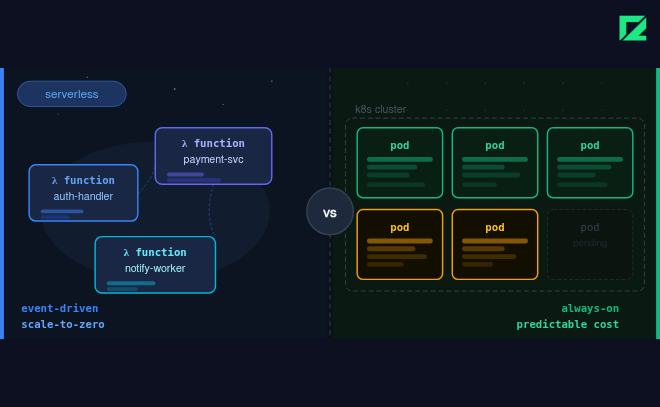
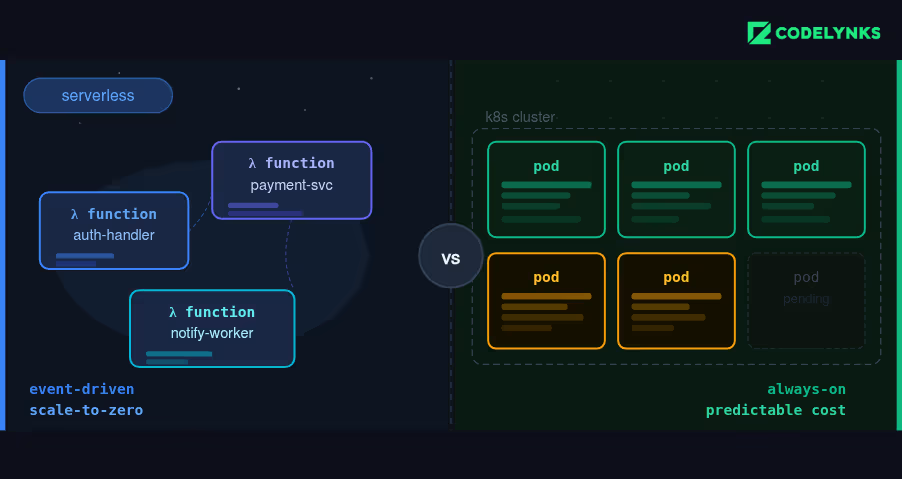
Ironically, serverless computing has nothing to do with the servers staying out of the game. The truth is that serverless computing is a paradigm of cloud computing under which the provider manages the infrastructure automatically and so this allows developers to work strictly on the logic of their application without any involvement in the underlying servers or their management for provisioning, controlling and scaling purposes. With serverless computing you’ll only pay for resources used, because there is no provisioning, managing, or scaling of servers on your own.

So, the thing that comes most closely to the surface about serverless architecture is perhaps Function as a Service, like AWS Lambda, Google Cloud Functions, and Azure Functions. Such platforms execute small, discrete functions in response to the occurrence of certain events, such as an HTTP request or some other update to a database. It goes up scalability and efficiency by leaps and bounds.

Benefits of Serverless Computing for Developers

At the very least, serverless computing presents quite a broad set of advantages, making the development process smooth, and setting developers free to deliver applications faster and more efficiently:

No Infrastructure Management: The biggest attraction of serverless computing is that developers no longer need to manage infrastructure. Developers would have to manage provisioning, configuration, patching, and scaling of servers in traditional approaches. Serverless computing lets a cloud provider do all of this, so developers can focus on the writing and deploying of code.

For instance, with AWS Lambda, a developer can deploy a function in minutes without having to bother about the server capacity or configuration. This ease in deployment accelerates the development cycles, and hence, development teams can deliver features much quicker.

No Headache About Scaling: Serverless platforms scale dynamically in response to demand. Whether your application is getting 10 or 10,000 requests per second, serverless computing makes adjustments right over resources in real time. No manual configuration is required of developers by way of scaling policies and that reduces complexity and the risk of under or over-provisioning of resources.

Another example is Netflix, wherein it leverages AWS Lambda to automatically scale its serverless functions for handling high workloads during the actual view periods while not facing inefficiencies of infrastructure cost.

Cost Efficiency: With serverless, you pay only for the compute time consumed rather than pre-purchasing or overprovisioning resources. With this pay-as-you-go model, really saves money in many parts of an application, especially when applications have variable and unpredictable traffic patterns. Developers can focus on optimizing code without having to worry about maintaining costly idle infrastructure.

For example, an e-commerce company might have a huge spike during Christmas or Black Friday. With serverless computing, the application scales to these peaks in demand, but the firm only pays for actual time spent on computation so it never incurs costs of idle servers when not in usage during off-peak times.

Speedier Development and Deployment: With serverless computing, developers are able to focus more on the business logic rather than server management, thus simplifying the process of development. Continuous deployment pipelines are easily adapted with serverless platforms. Therefore, with the serverless platform, CI/CD workflows become fast.

This model really sparks innovation. Developers will be so capable of trying new features as well as testing code or providing updates without even the bottlenecks generally associated with managing infrastructure.

Benefits for Businesses With Serverless Computing

Basically, the adoption of serverless computing for businesses generally implies more agility, operational efficiency, and innovation.

Reduced Operational Costs: With serverless computing, companies do not pay unless they have consumed resources; this does reduce the costs associated with conducting business. This is in contrast with traditional usage of cloud services because companies pay for unused capacities of the servers, and with the serverless models, charging directly depends on execution time of functions and may result in huge savings.

For instance, the fintech companies like Capital One are adopting serverless computing whereby they can eradicate infrastructure costs for the company but ensure robust scalable services. In other words, through serverless computing, Capital One removes itself from certain dedicated server maintenance whose cost can, in turn, be reinvested in new initiatives.

Accelerated Time-to-Market: Serverless minimizes time to develop and deploy applications and gives businesses a competitive advantage. Servers do not need to be stood up and maintained in this model; thus, teams focus more on coming up with innovative products and getting these to market as fast as possible.

This agility helps startups and scale-up businesses quickly bring new features to users without the cycles of traditional server-based deployment paradigms.

Scalability for Business Growth: Infrastructure needs to grow with the businesses. Serverless computing automatically scales applications so that increased levels of traffic do not cause a problem without human interference. This enables companies to better serve their customers as demand increases, with no potential downtime or deterioration in performance.

Slack is one of the leading communication platforms, whereby it relies on serverless computing to make sure that thousands of messages are processed within a second during peak times; thereby, making sure that services stay stable and strong as the company expands worldwide.

Disadvantages of Serverless Computing

Serverless computing has a lot of benefits; however, there are challenges that come with this concept:

Cold Start: The main problem in a serverless environment is a cold start, where a function has not executed an action in a specific period of time and is invoked. This causes possible slight delay before execution, affecting performance-sensitive applications.

Vendor Lock-In: Adoption of serverless computing by businesses also causes vendor lock-in with particular cloud providers. For example, when you port the functions created on AWS Lambda to Azure Functions or Google Cloud Functions, much rewriting may be required. One needs to consider the long-term implication of relying on proprietary serverless technologies.

Debugging Complexity: The distributed nature of serverless architecture would make debugging more challenging when executed in isolated environments. Logging and monitoring then become important ways of making the system more visible.

Conclusion

Serverless computing is revolutionary because it not only alters the development processes but also the operations, providing more efficient and cost-effective and scalable solutions for modern applications. Developers can focus on innovation while the cloud providers take care of infrastructure, and businesses will gain advantages such as saving on costs, deploying services fast, and scaling without limits without those aforementioned constraints.

More Blogs : DevOps Security and Compliance: 7 Best Practices for Modern Organizations

Protecting Data in the Cloud: Proven Security Best Practices

Cloud Security Best Practices for Protecting Data in the Cloud

Introduction

Data security is a major concern for businesses as the world has become more cloud-centric. As a result, businesses are being increasingly pushed to shift their data and applications to the cloud, which urges them to ensure security for such data on account of breaches, attacks, and unauthorized access to prevent interruptions in the business continuity and to protect sensitive information.

As a DevOps professional, I can testify firsthand how cloud security best practices can protect your data and ensure it is in compliance with regulatory requirements.

Let’s explore some of the key best practices to protect your data in the cloud – along with real-life examples of how businesses can avoid common security pitfalls.

Use Strong IAM

The starting point for cloud security is to only let people access your data. IAM practices that are strong are based upon the concept of only accessing resources by those authorized to do so.

Best Practice: Implement the principle of least privilege, whereby users can only have access to necessary data and systems for their job function. Wherever possible, apply multi-factor authentication MFA so that entry would not be quite as easy for unauthorized persons.

In one of the recent data breaches, it was figured out after the damage had been done, poor access control had allowed an insider to read and export sensitive customer data. Such an incident would not have occurred if more than one factor of authentication had comprised IAM policies with strict role-based access.

Encrypt Data in Transit and at Rest

The most critical cloud security practices include encryption of data in both transits—transferring data from one system to another—and at rest—the data stored on the cloud servers. Data encryption makes sure that if it is intercepted, it cannot be accessed.

Best Practice: Ensure that data encryption is enabled using strong encryption algorithms, including AES-256. Use the encryption mechanisms of SSL/TLS encryption to ensure confidentiality over networks during data exchange, and ensure encryption is enabled for any storage services offered by cloud providers, including AWS, Azure, and Google Cloud.

Continuous Monitoring and Threat Detection

Cloud environments are ever-changing and need constant watchfulness. Continuous monitoring helps to detect anomalies or unauthorized access or potential breaches at an early stage, which helps in fast reaction time.

Best Practice: Monitor the activity of the user through AWS CloudTrail, Azure Monitor, or Google Cloud’s Security Command Center. Track the pattern for knowing unusual activities for any appropriate rule-sensing system. Design SIEM systems in some domains that collect security data and alert your team to potential threats.

Regular Data Backup and Disaster Recovery Plan

Data can be lost due to different causes, whether it is an attack, accidental deletion or system failure. However, through a cloud security profile, the following elements can ensure restoration of lost data. These are regular backups and a disaster recovery plan.

Best Practice: Critical data should be automated to be backed up and ensure that the backup files are found in geographically dispersed locations. It should create and test a DR plan to ensure that the organization can recover from data loss without suffering significant downtime.

Example: If you are a SaaS company and you lose access to critical customer data following a downtime of a cloud service provider, the damage is huge. If you have automated daily backups and DR plans tested thoroughly, then you could restore services within hours, with minimal disruption to their customers.

Compliance with Security Standards

The nature of data that is often going to reside in cloud environments includes customer records that may be financial or health records. Industry regulation will apply to some of this information; thus, assuring your cloud infrastructure is compliant with relevant standards is critical to avoid penalties and breaches.

Best Practice: Make use of security frameworks, such as ISO 27001 or NIST, maintaining a state of compliance under the regulation by GDPR, HIPAA, or PCI-DSS, so it is also crucial that cloud security policies and its audits are performed periodically, with the cloud provider being compliant with such standards.

Example: Healthcare providers who host their data in the cloud should ensure that the environment is HIPAA compliant to encrypt the data, control access to it, and regularly audit its security processes. This avoided fines and ensured patient data would be private.

Security in the light of DevSecOps

DevSecOps nowadays integrates security more frequently within modern DevOps workflows by ensuring that the security is also automated into the development lifecycle. Automating security practices ensures that the vulnerabilities are identified before becoming risks.

Best Practice: Security automation tools for scanning code for vulnerabilities, enforcing secure coding practices, and auto-deployment of patches should be taken advantage of. Then comes integrating tools like HashiCorp Vault for secrets management or SonarQube for security code analysis. That ensures one is always ahead of the threats by covering all possible vectors.

For example, the DevSecOps team should add checks for security directly into its CI/CD pipeline. Automated vulnerability scans developed during the development stage ensures security issues would be detected and resolved in the pre-production stages with their attack surface reduction being very high.

Train Employees on Cloud Security Best Practices

Human error remains the prime source of breach for security. Educating employees on best practices for cloud security will have a limited risk of accidental exposure or breaches.

Best Practice: Provide recurrent security training on password hygiene, phishing campaigns, and proper handling of sensitive data. Develop policies to enforce security practices and test the employees using simulated phishing campaigns.

Employees should be trained in security awareness and when they recognize that an email sent from a known phishing site was suspicious they should promptly report it to the security team to ensure no data breach occurs.

Conclusion

A cloud-first world must employ strong security practices and vigilance to protect your data in the cloud. Make sure you encrypt and set IAM policies, but don’t forget a little-known automation security through DevSecOps to maintain a secure cloud environment. Based on these guidelines, evolving strategies will ensure your organization’s full reliance on the cloud without compromising  the integrity and compliance of data.

More Blog : 7 Reasons Why DevSecOps is the Future of Secure Software Development

Mastering DevOps Monitoring and Logging: Proven Strategies for 2024

Illustration showing DevOps monitoring and logging processes with tools and strategies for 2024

Introduction

DevOps monitoring and logging have been such cornerstones in the modern environment of rapid, shifting DevOps that is present today. This is because, at the end of the day, these practices are crucial to ensuring effective reliability, optimal performance, and fluid deployment throughout the software development lifecycle. I have more than 12 years of experience as a DevOps specialist and have a first-hand feel for how effective monitoring and logging really inspire operational excellence. This post will analyze their roles in DevOps and the best practices for their implementation.

Why DevOps Monitoring and Logging is Important

DevOps mainly focuses on agility, collaboration, and continuous improvement. For this, a team needs real time-visibility into their systems and applications. DevOps monitoring and logging have been such cornerstones in the modern environment of rapid, shifting DevOps that is present today. Both are meant to support organizations to detect a problem in an early stage, enhance performances, and ensure that all systems are working out.

Monitoring is just tracking system performance in real-time, with metrics such as CPU usage, memory consumption, and response times. Monitoring tools alert teams to problems, and then that team can move fast to react.

Logging is essentially the recording of any and all system events and activities. Logs capture detailed information about transactions, errors, and user activity, and thus are invaluable for troubleshooting and audits.

Monitoring and logging go hand in hand and can give a whole view of the system so that DevOps teams can keep maintaining availability and quick response times to issues.

Best Practices for DevOps Monitoring and Logging

Early Detection of an Issue and Faster Incident Response: In the DevOps world, effective DevOps monitoring and logging help minimize costly downtime. Tools like Prometheus, Nagios, or Datadog help teams to discover anomalies before they balloon out of control into critical service incidents. For instance, if, out of nowhere, your server’s CPU usage shoots up, monitoring systems can alert your team so that it can address the issue before the service goes down.

It will accelerate the diagnosis and root cause with correlated monitoring data and logs. For instance, an alert that can be attributed to a slow response time may be correlated with database error logs. The engineers can find and correct the problem on the spot.

Better Security and Compliance: DevOps monitoring and logging play a critical role in safety and compliance, ensuring visibility into every event and anomaly. Solutions like Splunk and ELK Stack (Elasticsearch, Logstash, Kibana) track attempts to access a system in a shady manner or who are penetrating data breaches or other suspicious activity. Logging is required for auditing those activities that may comply with different regulations, such as GDPR or HIPAA.

For example, in terms of a security attack, proper logging would trace what happened back from the given incident, identify which vulnerability was exploited, and work to take corrective action so that such an incident will not occur again. Without proper logging, it’s hard to determine what went wrong and how it can be prevented in the future.

Continuous Improvement with Data-Driven Insights: DevOps monitoring and logging help teams track performance trends over time and identify areas for optimization. System metrics in all of these matters are kept under constant monitoring, thereby allowing teams to fine-tune their applications for increased efficiency.

Monitoring often shows specific processes that consume too much memory and so the cause of the occurrence is investigated, which enhances optimizations that improve performance.

Good Practices for Monitoring and Logging in DevOps

To get the maximum benefit from DevOps monitoring and logging, best practices should be followed which suit your infrastructure and operational needs:

Establish a Proactive Monitoring Approach : Monitoring should not only be a reactive but also proactive form of work in an effective DevOps team. Alerts are so commonly configured with metrics for CPU usage, memory consumption, disk I/O, and response times, among others. For sure, the thresholds should reflect the operational limits, without causing unnecessary false alarms but still timely.

Implement tools such as Grafana that would allow you to build custom dashboards for KPI across applications and infrastructure. These are dashboards that may even give you a centralized view of your systems’ health to track possible issues long before they can become apparent.

Log Aggregation and Centralization: Log data can become very scattered if logged across many different services and environments. Use tools like Graylog or Fluentd for aggregating logs from heterogeneous sources. That way, log aggregation will be centralized, as this will really help in the search and filtering process, and it will save a lot of time during the incident response process.

In addition to this, logs must be structured and uniform. This would make it quite simple for the system to parse it programmatically and determine relations across different components of your system.

Automating Response to Alerts: One of the key ways to make the process more effective in DevOps is automation. Actually, this point about automatically being able to respond to monitoring alerts is a great example of how you can reduce downtime and recover faster. For example, if the CPU on a server has reached a certain threshold, your monitoring tool can automatically trigger scaling scripts which will then spin up servers necessary to propagate the load.

The automation cuts down the scope of manual intervention and allows more strategic work for the team.

Enable Log Rotation and Retention Policies: The longer that logs become, the more they could pose problems with storage management. Note that you enable log rotation policies wherein you archive or delete old logs automatically so you would not allow a surplus of log data to take up all your disk space. Implement retention policies consistent with your business operational needs as well as compliance requirements.

For example, the production logs might have to be maintained for six months due to legal reasons, while the development logs would only need to be stored or deleted for a shorter time period.

Leverage AI and ML for Predictive Analytics: Many of the advanced DevOps monitoring and logging systems today include AI and machine learning for predictive analytics. Tools such as New Relic and Dynatrace can analyze historical data to understand patterns and predict when system resources may get exhausted. The generated predictions inform teams to take preventive action to avoid outages as much as possible.

Conclusion

This is the land of DevOps, where speed, reliability, and efficiency are everything. DevOps monitoring and logging are the foundational elements of modern operational excellence. Indeed, they deliver that visibility to quickly identify and resolve issues, enhance security, and optimize performance. Proactive monitoring, centralized logging, and automated responses by the teams of DevOps will ensure that the applications run smoothly, offering value to the users every time. These are the best practices you need to implement to get your DevOps pipeline on the right path to long-term success and stability.

More blogs: 7 Essential Steps for Migrating to Microservices: Ensure a Smooth DevOps Transition

Top Cloud Computing Trends to Watch Over the Next Decade

Cloud Computing Trends

Introduction

Cloud computing has already made a significant impact on the ways businesses operate,  improving scalability and the on-demand availability of computing resources. Indeed, it will only continue to evolve for us as we enter the next decade in its development, abetted by the additions of artificial intelligence, automation, and edge computing, and will remain competitive only if they stay ahead of these key trends.

The article delves into the most influential trends defining cloud computing and how it will reshape and transform businesses and industries around the globe.

Edge Computing on Center Stage: The most evident next decade’s trend in cloud computing would be the growth of edge computing. Edge computing has brought processing closer to the location of the original environment; therefore, latency decreases and real-time data processing becomes possible, for example, for applications such as autonomous vehicles, IoT devices, or a smart city.

It means businesses can now readily access cloud-based resources without the latency generated by having to send data to and from a central server. The more extensive that 5G technology extends, the more that role is expected to play out toward making it faster and more efficient in the provisioning of cloud services.

Increasing Multi-Cloud and Hybrid Cloud Strategies: The advancement in cloud technology is forcing more and more businesses to shift their workloads to the cloud. Among them, most prefer a multi-cloud or hybrid cloud approach. In a multi-cloud strategy, services from multiple cloud providers such as AWS, Google Cloud, Microsoft Azure, and others are used to avoid vendor lock-in, providing greater flexibility. Hybrid is a combination of private and public cloud environments where business can optimize infrastructure according to specific needs.

Such approaches provide greater control over workloads, security, and performance. Businesses can expect more hybrid and multi-cloud architectures to make the scenario more scalable and agile in the decade ahead.

AI and Machine Learning Power Cloud Innovation: Cloud computing is also being transformed with artificial intelligence and machine learning. Given its present stage, it is expected that there will be further expansion in the next ten years. AI-powered tools have been integrated into cloud platforms to automate even the most complex of tasks while improving the analysis of data and enhancing decision-making processes.

For example, AI-based cloud computing will deliver predictive maintenance for manufacturing, chatbot-assisted automatic customer services, and even next-level cyber security features. It is upon the building of AI that cloud computing will reach full maturation and even get smarter in its quest to present real-time insight-driven business innovation.

The Serverless Computing Continues to Expand: Serverless computing is not a phrase that one can ignore when running an application, especially when seeking newer and more efficient ways to operate it. Recognized in simpler terms as Function-as-a-Service (FaaS), serverless computing is becoming increasingly popular as people seek to move towards less resource-intensive and manual server provisioning and management.

More and more companies will look towards serverless computing throughout the next decade, making agility and cost-efficiency the focus of its operations. It is only with serverless architectures that business organizations will focus more on the creation and deployment of applications instead of at the infrastructure.

Cloud Security Centers More Attention: The more sensitive data being sent to the cloud, the more important it is that the organization focuses on the security of the cloud. Cybersecurity threats are shifting their direction, and businesses need to make sure that their cloud environments are secure and in perfect alignment with data protection regulations.

We will see improvements in Zero Trust Architecture, AI-based security systems, and encryption techniques addressing cloud security challenges in the next couple of years. Organizations will invest heavily in security solutions that can identify, prevent, and mitigate the risks before they strike operations.

Quantum Computing and Impact on Cloud: While still in the infancy stage, quantum computing is something worth watching. This technology could revolutionize cloud computing to a great extent. Quantum computers can process huge amounts of data and can solve problems exponentially faster than other computers. As this technology matures, it would give cloud providers unprecedented amounts of power which would let breakthroughs be made in drug discovery, cryptography, and financial modeling.

Where mainstream adoption of quantum computing will probably take nearly a decade, cloud providers are now exploring how they can integrate this new technology onto their platforms.

Cloud-Native Technologies and Containers: Containers and microservices have become the building blocks of modern application development with cloud-native technologies. By packaging the application itself with all its dependencies, containers allow the application to be deployed more easily in a variety of operating environments. Kubernetes leads the pack as far as the container orchestration platform goes, in terms of managing applications at scale in the world of containers.

With cloud-native architectures, the development of scalable and resilient applications will become usual over the next decade, enabling innovations in business within a cost-effective and performance-improved application in the cloud.

Sustainability and Green Cloud Computing: Considering the companies’ focus on sustainability, green cloud computing is certainly a trend that will prevail in the coming decade. Currently, cloud providers are keenly interested in energy-efficient data centers and renewable energy sources for zeroing their carbon footprints.

Also, enterprises would prefer cloud service providers who fit in their sustainability goals in line. As climate change has become a ticking bomb for everyone, there will be more innovation with respect to energy-efficient cloud infrastructure as well as more green practices.

5G Networks Super Charging Cloud Performance: The new generation of 5G technology is going to change the cloud computing experience by providing transfer speeds much faster than ever as well as lessening latency. The new generation of 5G technology is going to change the cloud computing experience, particularly enhancing the features of the cloud-based application, especially in gaming, healthcare, and self-driving automobiles.

With 5G networks, cloud providers will be able to offer ultra-low latency services, making applications like virtual reality (VR), augmented reality (AR), and Internet of Things (IoT) devices a lot more feasible than ever before.

Rise of Automation in Cloud Management: Over the next decade, automation will play an even larger role in cloud computing. Already, cloud providers offer tools that automatically simplify routine management tasks such as scaling resources, performance monitoring, and security patches. This trend will accelerate with the objective of increasing the reduction of manual workloads on the shop floor and improving the operational efficiency of businesses.

With automated AI, management of the cloud will be made intuitively easy, and businesses will be able to focus on more strategic and less on day-to-day work.

Conclusion

Cloud computing is going to explode in the next decade. Keeping all that in mind, advancements in edge computing, AI, quantum computing, etc will push the envelope in the coming years. Organizations that remain abreast of such trends are bound to enjoy the complete essence of cloud technologies and will lead to innovation, efficiency, and gaining competitive advantage in this digital age.

With further maturity of these technologies, the cloud will become yet a more fundamental component through which organizations work, transforms industries, and reshapes the future of computing.

More Blog: Securing Cloud Infrastructure: Key Best Practices to Mitigate Threats

Migrating to the Cloud: A Comprehensive Guide for Businesses

Cloud Migration process diagram showing key steps for businesses moving to the cloud

Introduction

The flexibility, scalability, and cost-efficiency of the cloud have made it more accessible to a variety of businesses as the digital landscape continues to evolve. No longer is it an option just for forward-thinking organizations; it has increasingly become a necessary step that businesses need to compete in the marketplace, though one requiring careful planning, execution, and constant management for success.

This comprehensive guide outlines the basic steps of cloud migration, key business considerations, and potential experiences from adopting a cloud-first approach.

What is Cloud Migration?

Cloud migration, in simple terms, means a business’s digital assets, services, databases, and applications are moved from on-premises infrastructure to cloud-based infrastructure. It could either be a one-time full migration or, on the other hand, a phased migration by moving certain services at any given time.

Cloud migration helps organizations provide them with flexibility, lowers their costs, and provides access to high technologies like AI and ML. However, it presents several challenges, including data security, migration downtime, and the requirement for proper cloud management.

Why Migrate to the Cloud?

Scalability: Scalability is one of the leading advantages of cloud computing. While on-premises infrastructure is prone to costly scaling and timely consuming, business organizations working with cloud platforms can adapt to their resources in relation to their dynamics quickly. The answer to rapid growth or even a temporary lull for businesses with cloud services is simple: scale up or scale down for operational efficiency and cost advantage.

Cost-Efficiency: It also alleviates upfront investments in hardware and infrastructure. For most businesses, cloud services are designed around the pay-as-you-go model, so costs are predictable, and capital outlays are reduced. These aside, cloud platforms have built-in usage tracking and resource optimization tools, meaning you only pay for what you actually use.

Enhanced Collaboration and Accessibility: Cloud systems enable employees to access necessary business applications and data from everywhere with an internet connection. Such accessibility supports telecommuting, teamwork, and geographical distribution. As more companies shift to hybrid or complete remote work models, cloud computing has become a critical component of productivity and continuity.

Disaster Recovery and Data Backup: Most cloud migration solutions offer strong disaster recovery for a firm. In case hardware fails, a natural disaster strikes, or cyberattack occurs, redundancy and backup in place within systems cloud-based allows data to be regained in the shortest time possible. This reduces losses due to data loss and, concurrently, downs the downtime.

Cloud migration provides access to advanced technology and services. With the cloud, AI, ML, big data analytics, and advanced automation tools are accessible, and innovation is possible. Agile capabilities help businesses experiment with ideas, deploy new applications quickly, and stay competitive in this rapidly changing market.

Key Considerations for a Successful Cloud Migration

Assess Your Current Infrastructure: A thorough exploration of one’s current infrastructure before embarking on a cloud migration journey will provide an indispensable approach. In fact, insights about running applications, databases, and services are the only ones that will help determine the best fit for cloud solutions in a business environment. Compatibility with the new cloud environment as well as limitations in the existing architecture are very crucial.

The Right Cloud Model: Among these, many cloud deployment models exist, ranging from public, private, to hybrid. Public clouds include third-party providers’ owned clouds such as AWS, Microsoft Azure, Google Cloud, among others. Most firms have adopted public clouds because they are cost-friendly. Private clouds have much more control and security, but they need to invest in the management overhead. Hybrids, therefore, will come with the best from both worlds: they will allow businesses to retain critical data on-premises while using the cloud for additional capacity.

Data Security and Compliance: While data security is considered one of the top concerns in cloud adoption, it is also as important to select a provider that provides robust security measures to maintain encryption, manage identities, and detect threats. For business organizations operating in regulated industries such as healthcare or finance, industry-specific regulated compliance cloud solutions should be sought to adhere to regulatory compliances such as GDPR, HIPAA, or PCI-DSS.

Develop a Migration Strategy: This will bring comprehensive strategy formulation. You would need to consider which applications and services go first in this migration, as well as whether you must or could use a phased or all-at-once approach. Creating the timeline, identifying key stakeholders, and setting clear objectives are critical to ensuring a disruption-free and smooth transition.

Training and Support: Actually, moving to the cloud is not only a technical challenge but also calls for organizational change. Employees need to be trained to use cloud-based tools, and IT teams should be readied to handle the new cloud environment. Continuous support and resources for your team will ensure that, in the long run, your migration efforts to the cloud prove successful.

Steps in the Migration to the Cloud

Plan and Assess: To start off, carry out an in-depth assessment of your current IT infrastructure. List which workloads and applications should be moved to the cloud and develop a full migration plan that includes timelines, key stakeholders, and goals.

Select a Cloud Provider: Finding the right cloud provider is critical to the success of your migration. The major providers of cloud services are AWS, Google Cloud, and Microsoft Azure. These are important for pricing services, security, and customer support. Your choice is tied to your business goals and technical requirements.

Prepare Your Data: But migration does require thorough preparation. Your data have to be prepared with proper formatting, cleaning, and organization. You may even need to utilize data migration tools or services in order to ensure smooth massive moving.

Migrate and Test: After developing the migration plan, initiate the migration process for workloads. Introduce less-critical applications first and test the migration process by identifying any errors that may arise. Increasingly move the most critical workloads as performance, security, as well as compatibility are tested in the process.

Monitor and Optimize: After the migration, monitoring and optimization for the running of your cloud environment as the key are important to monitor further performance, cost, and security in your cloud environment. You can take advantage of cloud-native tools to monitor performance, costs, and security. You must review your cloud usage regularly to ascertain the proper usage of resources and identify the chances of cost saving opportunities.

Conclusion

Business benefits of the cloud migration include increased scalability and cost-efficiency, easier collaboration, and access to state-of-the-art technologies, but it remains critically dependent on careful planning, a concrete strategy, and constant management to be successful. Understanding the points of importance and procedures involved will help businesses feel more confident while taking the leap into cloud migration and place them well on their way toward success in the digital world.

More Blog: Boost Forecast Accuracy: 7 Essential AI-Powered Business Analytics Tools

Cloud Computing vs. On-Premises: Which is Right for Your Business?

Cloud Computing vs On-Premises comparison illustration

Introduction

History of computing says that different companies relied on traditional infrastructure to operate their businesses. However, cloud computing has changed the game altogether and today, you have a hard crossroads when it comes to managing your IT infrastructure: cloud or on-premises. The choice of these two can go about being quite transformative for your business and large-scale decision, whether it is on the issue of scalability, cost, security, and more into efficiency. Throughout the years, the usage of the cloud has been going on the rise, and different companies that once relied on quite traditional infrastructure are now moving away from it-but is this what’s best for your business?

In this blog, you will find the seven key differences between cloud computing vs. on-premises solutions and know what to choose for your organization.

Cloud vs On-Premises: Understanding the Key Differences

Cost Structure: Cloud Computing Vs. On-Premises: Perhaps one of the most telling factors between cloud computing and on-premises is the cost structure. Usually, cloud computing follows a pay-as-you-go model, and companies only pay for what they use. This flexible pricing scheme, thereby, makes it a lot easier for a business to manage its IT budget and avoid huge capital expenses in hardware.

It requires upfront investment in hardware, servers, and data centers. Business expenditures also need to incur maintenance, upgrades, and energy consumption. The cost of on-premises seems, from a predictability point of view, but it can foster overprovisioning-you’re essentially paying for resources that go unused.

At the end, cloud computing is much cheaper to businesses that would like to have flexibility and scalability without large up-front expenses of on-premise systems.

Scalability and Flexibility: One of the significant differences between cloud computing and on-premises is scalability. A cloud solution offers businesses the capability to scale their resources up or down with respect to the demand needed. Whether you experience spikes in traffic seasonally or suddenly grow your business, having cloud services means you can always expand capacity without having to go through the hassle of extra hardware and long setup procedures.

On the other hand, in-premise systems offer this flexibility. Scaling an on-premises infrastructure requires business to buy more hardware, configure servers, and potentially scale up data centre capacity. It is both time-consuming and expensive for businesses to adapt promptly to change needs.

Cloud computing provides a more agile and scalable solution for businesses that would be subject to growth or changing demand.

Security and Compliance: One of the most critical aspects of debate about cloud computing vs. on-premises is the security provided to the sensitive business data by the organization. The cloud providers invest heavily in their security protocol, such as encryption, multi-factor authentication, and regular updates regarding security. The leading cloud platforms such as AWS, Microsoft Azure, and Google Cloud are strict regarding security standards and compliance regulations like GDPR, HIPAA, and PCI-DSS.

However, highly sensitive industries will prefer on-premises infrastructure. Businesses can implement detailed, industry-specific security measures and follow specific regulations because they have complete control over their hardware, software, and network security. Such sectors include finance, healthcare, and government, where regulatory compliance is a must.

While cloud computing does provide advanced security, on-premises infrastructures may be much more satisfactory for business organizations in terms of having complete control over data.

Maintenance and Management: Cloud Computing vs. On-Premises: The greatest advantage of cloud computing would therefore be reduced dependency on IT staff for keeping up and running the infrastructure. Server maintenance, software updates, security patches, as well as providing backups, are all taken care of by cloud service providers, thereby leaving businesses free to focus on their core operations and away from risks from downtime due to failures in hardware or software.

Conversely, on-premises infrastructure has an assigned IT team that can take responsibility for maintenance on the hardware, updates, and even security of the system, which may consume a lot of time and resources since businesses have to pay money for personnel and tools to keep the systems up and running.

Based on this perspective, cloud computing presents a great opportunity for businesses looking to minimize management burden in terms of operational efficiency.

Accessibility and Remote Work: Accessibility is the other key factor in comparing cloud computing vs. on-premises, especially as workforces become more remote day by day. Cloud-based systems enable users to access applications, data, and systems from virtually anywhere using an Internet connection. Accessibility supports flexible work arrangements, remote teams, and business continuity in face of sudden disruption events.

On premises, on the other hand, typically only offers office-based access unless companies spend money on more complicated remote access solutions. This doesn’t exactly prepare businesses for transitioning into a hybrid or fully remote work model.

Cloud computing, on the other hand, is more readily accessible and agile for modern businesses with the rise of remote work.

Customization and Control: As for customization and control, on-premises infrastructure takes the lead because some business needs require unique or particular configurations of their IT, which cannot be managed with the standard ready-to-use systems. On-premises systems are also completely controlled in terms of sophisticated systems of software customizations and network setups, which are vital for special industries that need special solutions or industries that demand tighter compliance.

Although cloud computing is very flexible, in some cases, especially for public clouds, it limits the customization abilities. Businesses will have to work within the configurations provided by their cloud provider, whereas they may not always suit their needs.

For organizations that have customization and control as a priority, on-premises solutions may be a better fit.

Disaster Recovery and Business Continuity: Cloud computing excels very well with disaster recovery and business continuity. This is because cloud providers offer built-in disaster recovery in the form of data backup, failover systems, and redundancy across many geographic locations, thus providing businesses with fast restoration of operations when disasters strike and minimizing downtime.

Disasters are significantly more critical for on-premises infrastructure. Hardware failures, natural catastrophes, or cyberattacks can cause critical data loss and down time if disaster recovery protocols are not implemented in place. It is cost-intensive and highly complex to establish and maintain a successful disaster recovery environment on premises.

Disaster Recovery using cloud infrastructure Disaster recovery through the cloud infrastructure is more reliable and efficient for organizations that bother to be really resilient and have a high up time.

Conclusion: What’s Best for Your Business?

There is no one-size-fits-all answer in choosing between cloud computing and on-premises. Decisions will always depend on the specific business need, goal, or industry requirement. Cloud computing suits businesses that wish to scale and be flexible with cost efficiency, especially in a situation where businesses have a large remote workforce or expect to grow rapidly. On-premises solutions offer more control, customization, and potentially more fitting within sectors that are highly regulated.

Another hybrid approach that considers using both a cloud solution and an on-premises solution should be considered, too. Businesses who would like to grasp the best of both worlds should not be dismissed of such options.

Now that you weigh down each side, maybe clear decisions will come out that will sustain your business success in the long run.

More Blog: Serverless Computing: Advantages and Challenges for Developers and Enterprises

  • Copyright © 2024 codelynks.com. All rights reserved.

  • Terms of Use | Privacy Policy