Best Proven Ways to Cut Kubernetes Cloud Costs by 30% Using FinOps in 2026

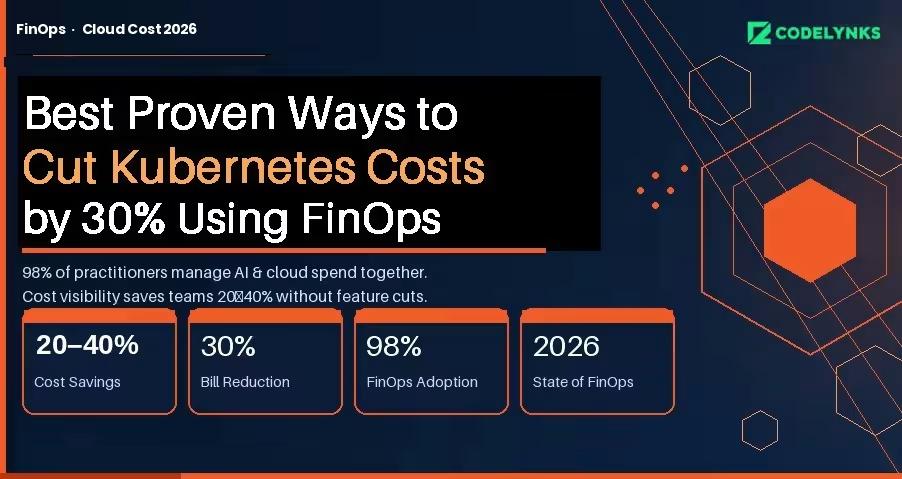
Best proven ways to cut Kubernetes cloud costs by 30 percent using FinOps in 2026 infographic

Kubernetes clusters are expensive to run and expensive to understand. Most engineering teams know their monthly bill; almost none know which workload, team, or feature is responsible for which portion of it. That information gap is where cloud waste lives.

The FinOps Foundation’s State of FinOps 2026 report documents the gap precisely: 98% of FinOps practitioners are now managing AI and cloud spend together, and pre-deployment cost visibility is the top desired capability across organizations of all sizes. Teams that have built this visibility are cutting their Kubernetes bills by 20 to 40 percent without removing features or downgrading performance.

This guide covers the specific practices, tools, and architecture decisions that make that possible.

Why Kubernetes Costs Are Hard to Manage

Traditional cloud cost allocation works at the service or resource level. Kubernetes adds two layers of abstraction: pods share nodes, and nodes are grouped into clusters. A single node bill might represent traffic from a dozen different applications owned by three different teams.

Without active cost attribution, the bill is opaque. You know you spent $40,000 on compute in March. You do not know that $18,000 of that came from a batch job that runs once a day and could run overnight on Spot instances at one-fifth the cost.

The three root causes of Kubernetes waste:

  1. Overprovisioning: Teams request more CPU and memory than workloads use, because the cost of over-requesting is invisible and the cost of under-requesting is an outage.
  2. Idle capacity: Nodes that stay running overnight and on weekends for workloads that only run during business hours.
  3. Unattributed spend: No namespace-level or label-level cost breakdown means no team feels accountable for their portion of the bill.

Step 1: Get Cost Visibility Before You Optimize:

You cannot optimize what you cannot see. The first step is establishing namespace-level and workload-level cost attribution.

GKE Cost Allocation (Now Generally Available) : Google Kubernetes Engine’s cost allocation feature, which became generally available in 2025, breaks down billing by cluster, namespace, and label, and exports that data to BigQuery. If you are on GKE, this is your starting point. Enable it today.

In your GKE cluster settings, enable the Cost Allocation feature under Networking. Configure a BigQuery export in your billing settings. Within 24 to 48 hours you will have namespace-level cost data you can query directly.

A basic BigQuery query to see cost by namespace:

SELECT namespace, SUM(cost) as total_cost FROM `billing_export.gke_cost_allocation`
WHERE DATE(usage_start_time) >= DATE_SUB(CURRENT_DATE(), INTERVAL 30 DAY) GROUP BY
namespace ORDER BY total_cost DESC;

For Multi-Cloud or Self-Managed Clusters : Tools like Kubecost, OpenCost (CNCF open-source), and Finout provide namespace and label-level cost attribution across AWS EKS, Azure AKS, and self-managed clusters. Kubecost’s free tier covers a single cluster; the paid tier adds multi-cluster rollup and anomaly detection.

The minimum label taxonomy to enforce across all workloads:

  1. team: the owning engineering team
  2. service: the product or service name
  3. environment: production, staging, development
  4. cost-center: the budget code for chargeback

Step 2: Rightsize Before You Buy More

Most Kubernetes performance problems are attributed to insufficient resources, so teams over-provision. The data consistently shows the opposite: the average Kubernetes cluster runs at 20 to 30 percent CPU utilization and 40 to 60 percent memory utilization under normal load.

Vertical Pod Autoscaler (VPA) for Rightsizing Recommendations : VPA in recommendation mode (not enforcement mode) analyzes actual pod resource usage and recommends right-sized requests and limits without changing anything automatically. Run it for two weeks, review the recommendations, and apply changes manually to critical workloads.

To deploy VPA in recommendation mode for a deployment:

apiVersion: autoscaling.k8s.io/v1
kind: VerticalPodAutoscaler
metadata:
name: my-app-vpa
spec.
targetRef:
apiVersion: "apps/v1"
kind: Deployment
name: my-app
updatePolicy:
updateMode: "Off" # Recommendation only, no automatic changes

Check recommendations after 14 days:

kubectl describe vpa my-app-vpa

Teams that right-size based on VPA recommendations typically reduce their compute requests by 30 to 40 percent while maintaining the same performance profile.

Horizontal Pod Autoscaler (HPA) for Bursty Workloads: If your workloads have predictable traffic patterns (higher during business hours, lower at night), HPA with custom metrics can scale down to minimum replicas during off-peak hours automatically. Combined with cluster autoscaler removing idle nodes, this is the single highest-ROI optimization for most teams.

Step 3: Shift Non-Critical Workloads to Spot or Preemptible Instances

Spot instances (AWS) and Preemptible VMs (GCP) cost 60 to 90 percent less than on-demand instances. They can be terminated with 2 minutes of notice. That constraint rules them out for stateful or latency-critical workloads, but opens significant savings for everything else.

Workloads that are suitable for Spot:

  1. Batch processing jobs
  2. CI/CD pipeline workers
  3. Data transformation and ETL
  4. Non-critical background workers
  5. Development and staging environments

The Kubernetes node pool configuration for Spot on GKE:

gcloud container node-pools create spot-pool \  --cluster=my-cluster \  --spot \  --machine-type=n2-standard-4 \  --num-nodes=0 \  --enable-autoscaling \  --min-nodes=0 \  --max-nodes=20

Use node selectors or tolerations to schedule appropriate workloads onto the spot pool while keeping production workloads on on-demand nodes.

Step 4: Add AI Spend to Your FinOps Scope

The FinOps Foundation’s 2026 survey found that 98% of FinOps teams are now managing AI spend, making it the fastest-growing cost category under FinOps oversight. If your Kubernetes clusters are running ML inference workloads or AI-adjacent services, those costs need the same attribution and optimization treatment as your application workloads.

Specific controls for AI workloads on Kubernetes:

  1. GPU cost allocation: Tag GPU node pools separately and require workloads to justify GPU requests. GPU nodes cost 3 to 8 times more than equivalent CPU nodes.
  2. Inference scheduling: Batch inference workloads to run during off-peak hours when Spot availability is higher and cost is lower.
  3. Model caching: Cache loaded models in memory rather than loading them on each request. Model load time is pure GPU cost with no output.
  4. Cost per inference: Track cost per model query, not just per pod. This connects infrastructure cost to product usage in a way engineers and product managers can both act on.

Step 5: Implement Chargeback to Create Accountability

The most durable cost control is not a technical optimization. It is making teams financially aware of what they consume.

Chargeback allocates actual cloud costs to the teams or cost centers responsible for them. Showback is the lighter version: teams see their costs but are not charged internally. Both work; chargeback creates stronger behavioral change.

A minimal chargeback implementation:

  1. Export namespace-level cost data weekly to a shared dashboard (BigQuery + Looker Studio, or Kubecost’s cost center report)
  2. Send each team lead a weekly cost summary email for their namespaces
  3. Set budget alerts at 80% and 100% of monthly targets per namespace
  4. Review cost anomalies in your weekly engineering sync, not in a separate FinOps meeting

Teams that see their costs consistently make different infrastructure decisions than teams that do not. The change is not dramatic; it is cumulative. Over six months, awareness alone reduces waste by 10 to 15 percent.

What 30% Cost Reduction Actually Looks Like

Based on implementations across multiple clients, the savings stack roughly as follows:

  1. Rightsizing via VPA recommendations: 15 to 25% reduction in compute spend
  2. Spot/Preemptible for non-critical workloads: 10 to 20% of total cluster cost
  3. HPA + cluster autoscaler for off-peak scaling: 5 to 10% reduction
  4. Chargeback-driven behavioral change: 5 to 15% over six months

The exact number depends on your current state. Teams with no optimization in place and no cost attribution tend to see the largest gains quickly. Teams that are already using autoscaling and have some attribution in place see smaller but still meaningful reductions.

The work is not technically complex. It is operationally consistent. The teams that achieve 30% reductions are the ones that treat infrastructure cost as an engineering metric, not an accounting problem.

Need help building a FinOps practice for your Kubernetes environment? Talk to our engineering team at Codelynks.www.codelynks.com/contact

Related Blogs: RAG vs Fine-Tuning in 2026: The Best Strategy for Your Enterprise AI

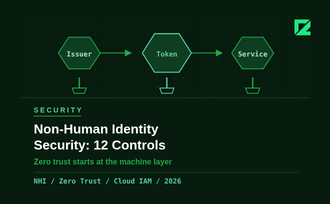
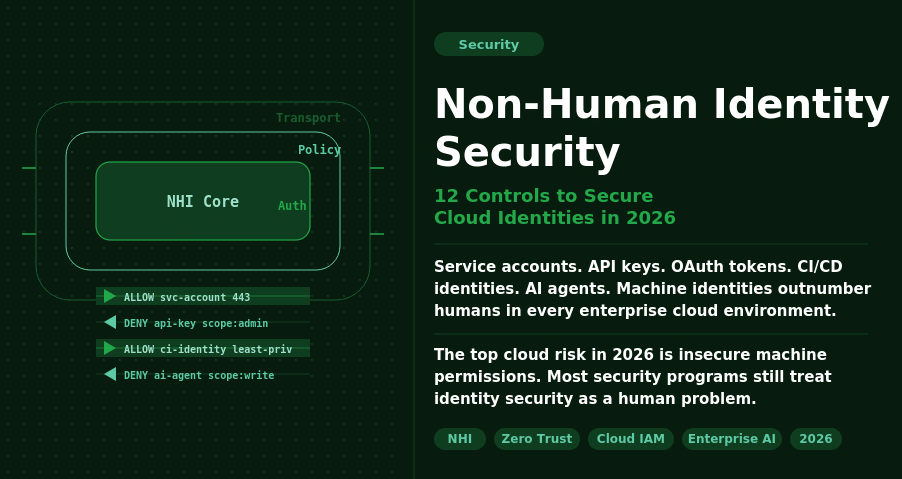
Non-Human Identity Security: 12 Controls to Secure Cloud Identities in 2026

Non-Human Identity Security dashboard showing service accounts, API keys, AI agents, and cloud identity risk controls in 2026

The Problem No One Is Prioritising

Non-human identity security is one of the biggest cloud risks organizations face in 2026. Service accounts, API keys, OAuth tokens, CI/CD identities, and AI agents now outnumber human users across enterprise cloud environments. Without strong governance, these machine identities become easy entry points for attackers.

Most security programs still treat identity security as a human problem: MFA, SSO, and role-based access control for employees. Non-human identities (NHIs) get an afterthought. They are created quickly, granted broad permissions, and rarely audited. When a developer leaves, their service account stays active. When a project ends, its API key keeps working.

The 2026 data makes the stakes clear. The top cloud security risk this year is exposure of insecure machine permissions, not phishing or misconfigured storage buckets. Identity governance for non-human accounts is the gap that attackers are actively exploiting.

What Counts as a Non-Human Identity

Any identity that is not tied directly to a human logging in interactively:

  1. Service accounts (GCP, AWS IAM roles, Azure managed identities)
  2. API keys and access tokens stored in code, config files, or CI/CD pipelines
  3. OAuth service-to-service credentials
  4. Database connection strings and secrets
  5. AI agents and autonomous workflows that access data and execute actions
  6. Webhook endpoints and event-driven function identities

The agentic AI wave has made this harder. AI agents need broad access to do their jobs: read files, query databases, call APIs, and send messages. They are powerful exactly because they can act. That power needs to be scoped carefully, but most teams are moving too fast to do it well.

Why 2026 Is a Turning Point

Three converging factors make NHI security urgent this year.

AI agent proliferation. 35.7% of organizations are now running AI or LLM workloads in production, per CSA data from March 2026. Only 19.1% report adequate visibility and controls over those workloads. AI agents authenticate like service accounts, but they make decisions autonomously. A compromised AI agent identity does not just leak data; it can take action at scale.

Attackers have noticed. Threat actors are increasingly targeting service accounts and AI agent identities for lateral movement. A service account with admin-level IAM permissions is more valuable than a compromised employee account because it does not have MFA, does not get locked out after failed attempts, and does not raise alerts when it runs at 3am.

Governance is lagging badly. Less than one in four organizations has a documented, formally adopted policy for creating or removing AI identities. Forgotten credentials (unused or unrotated keys with high-risk permissions) dropped from 84.2% in 2024 to 65% in 2026. Progress, but still two-thirds of organizations carry this exposure.

The Non-Human Identity Security Checklist

These 12 controls cover the fundamentals. If your team can check all 12 against your current cloud environment, you are in better shape than most.

Discovery and Inventory

  1. Complete NHI inventory. Run a full audit across cloud providers, CI/CD systems, and code repositories. You cannot secure what you cannot see. Tools like AWS IAM Access Analyzer, GCP Policy Analyzer, or third-party NHI management platforms give you the map.
  2. Assign ownership. Every NHI should have a named human owner and a team. When ownership is unclear, no one audits it. Build ownership into your provisioning workflow, not as an afterthought.
  3. Map NHIs to business context. Know which application or workflow each identity serves. This context is essential when triaging access reviews and decommissioning old systems.

Least-Privilege Access

  1. Scope permissions to the task. A service account that needs to read from one S3 bucket should have permission for that bucket only. Not the bucket and everything else in that region. Review and scope every NHI against its actual access patterns using cloud provider access analysis tools.
  2. Prefer managed identities over long-lived keys. AWS IAM roles, Azure managed identities, and GCP workload identity federation eliminate the need to store long-lived credentials. Use them wherever your platform supports them.
  3. Separate identities for separate functions. One service account per application function. Not one shared account for your entire data pipeline. Shared accounts mean shared blast radius.

Credential Lifecycle Management

  1. Enforce credential rotation. Set a maximum lifetime for all long-lived secrets: 90 days is a reasonable default, 30 days for high-privilege accounts. Automate rotation using HashiCorp Vault, AWS Secrets Manager, or equivalent. Manual rotation schedules are not reliable at scale.
  2. Secrets out of source code. Scan your repositories now for hardcoded credentials using tools like GitLeaks or Trufflehog. Set up pre-commit hooks and CI pipeline checks to prevent new secrets from entering the codebase.
  3. Decommission promptly. When a project ends, a developer leaves, or a system is deprecated, the associated NHIs must be revoked within 24 hours. Build this into your offboarding and system retirement checklists.

Monitoring and Detection

  1. Log every NHI action. Enable CloudTrail, GCP Audit Logs, or Azure Monitor for all service accounts and AI agents. Know what each identity accessed, when, and from where. Without logs, you cannot investigate incidents or prove compliance.
  2. Alert on anomalous access. Set alerts for NHIs accessing resources outside their normal scope, calling APIs at unusual times, or attempting actions they are not permitted to take. Behavioural baselines take two to four weeks to establish, but they are worth the setup time.
  3. Quarterly access reviews. Schedule a quarterly review of all NHI permissions against actual access patterns. Remove unused permissions. Revoke identities with zero activity in 60 days. This single practice closes most of the forgotten-credential exposure.

Where to Start

If you have not run a full NHI inventory, start there. You cannot prioritize what you have not mapped. Most teams discover three to five times more non-human identities than they expected during the first audit.

The checklist above is not a one-time exercise. It is a repeating operational cadence. Build discovery, rotation, and access review into your regular security processes, not a separate annual audit that no one has time for.

The teams that solve NHI security in 2026 will be the ones treating machine identities with the same rigor they apply to human accounts. The 100-to-1 ratio is not slowing down. Governance needs to catch up.

Need help securing your cloud identity posture? Talk to our engineering team at Codelynks. www.codelynks.com/contact

7 Reasons Why DevSecOps is the Future of Secure Software Development

DevSecOps workflow showing integration of development, security, and operations for continuous secure software delivery

Introduction

The faster the digital transformation, the more critical the matter of software security. Given that such cyberattacks and security vulnerabilities take place ever more frequently, it is no longer feasible to deal with security concerns late in the development cycle. As a result, there has come into existence the concept of DevSecOps-a practice wherein developers have come to be expected to integrate security directly into the development pipeline to ensure that security is treated as a core component of software delivery.

We are going to explore why DevSecOps is the future of secure software development and how organizations can implement it well to safeguard their applications.

What’s DevSecOps?

DevSecOps is the evolutionary next step of DevOps that brings security at every step of the SDLC. Traditionally, security has been considered only after the development phase, causing delay and vulnerability problems. DevSecOps brings a change to this posture with incorporating security into the development and operations lifecycle from the very beginning.

DevSecOps makes possible, therefore, the ability for development teams to spot and fix security risks in real-time, minimizing possible vulnerabilities through the cracks, by incorporating automated security checks, continuous monitoring, and rapid feedback loops.

The Importance of Bringing Security in Early

The traditional way of doing security audits and assessments at the end of the cycle is no longer possible in such a fast pace of developments in the present environment. In DevSecOps, security is introduced right from design, coding, testing, to deployment. It thus reduces the time taken to identify important vulnerabilities late in the release process, expensive, and time consuming, too, to cure.

When security integration occurs early in the SDLC, it has various benefits, such as:

Early Detection Minimizes Vulnerabilities: Vulnerabilities are minimized because an earlier detection of a security issue also means an early fix, less likely to cause a significant problem.

Faster Time-to-Market: The automation of security testing and continuous monitoring improves speed in development. DevSecOps can deliver secure code faster.

Lower Costs: It’s cheaper to fix security issues in development than after deployment or after a breach.

The main advantages of DevSecOps is the automation of security tasks. Continuously testing for vulnerabilities by adding automated security tools in the CI/CD pipeline does not have to hamper the development process. Automation ensures that security testing is not only consistent but also repeatable and scalable.

Key Security Automation Tools:

SAST – Static Application Security Testing: Automated scanning of source code for known vulnerabilities during the coding phase.

DAST: This simulates the attack of an application while it is running in order to find vulnerabilities.

IAST: This combines static and dynamic testing since an application’s run-time behavior is what is put under analysis.

These tools enable continuous security checks, and any found vulnerability sends immediate feedback to the developer.

DevSecOps and Continuous Monitoring

In the DevSecOps model, security does not end at deployment. There is always live applications and infrastructure that needs to be continuously monitored, so detection can occur early enough for reacting against real-time security threats. This approach proves to be highly effective when identifying vulnerabilities within an organization soon after they emerge in the marketplace.

Monitoring applications for strange behavior, performance lags, and security breaches will allow the development teams to deploy patches and updates in time before such attacks can cause considerable damage.

SIEM systems and log monitoring solutions enable the efficient detection, analysis, and response of security incidents.

Development, security and operations teams collaborate

One of the basic tenets of DevSecOps is cross-functional collaboration between development, security, and operations teams. In traditional models of development, security was considered an adjunct function that only reviewed the product at its last stages of development. With this approach of DevSecOps, close interaction and collaboration between security experts and developers and operations teams streamline the entire lifecycle so that security requirements are always incorporated in the developmental process from day one.

Best Practices on Collaboration:

Shared responsibility: Security should be everyone’s responsibility in an organization-from developers to operations personnel.

Security as code: Security policies and controls should be codified and managed like application code with control of versions and automation.

Cross-functional training: Developers should be trained for secure coding practices, and vice versa-security professionals should have a sound understanding of development processes and tools.

Best practices in implementing DevSecOps

The concept of adopting DevSecOps must first base the culture, automation, and collaboration. Some of the best practices to guide the adoption of DevSecOps are listed below: 

Shift Left with Security 

Implement this by conducting regular code reviews, automated vulnerability scans, and threat modeling during design and coding phases. 

Automate Security Testing: Proper application security testing could be automated through tools like SAST, DAST, and IAST so that security checks didn’t delay the development pipeline while real-time feeds were provided to developers about their vulnerabilities and how to deal with them on the spot.

Security First Culture: Train all teams to have a security first mindset, so they are more aware of risks and best practices in security. Empower developers to write secure code from day one with the right tools and training.

Continuous Integration and Deployment: Integrate security testing in the CI/CD pipeline to ensure automatic testing for every code change against the security vulnerability. This style of code develops rapidly with no compromise on speed while still securing its release.

The Future of DevSecOps

As technology continues to advance, so do the threats that organizations will face. “DevSecOps is no longer optional as future-proofing, ensuring security is embedded into every phase of the lifecycle of software development,” and “the future of security testing is AI and machine learning. DevSecOps will be less manual and low friction with these advancements.”.

The future of secure software development will be DevSecOps. This is further implemented in the organization when security is included as a part of the development process, automation of security tasks, and cross-functional collaboration. Organizations need to deliver applications at the speed of modern business but release secure applications by adopting the right approach to DevSecOps. In the constantly changing and more aggressive nature of cyber threats, it has become a must to incorporate a DevSecOps approach towards being above the security risks to deliver safe and reliable software to users.

More Blogs: Powerful Strategies for Zero Trust Security to Boost Productivity and Protect Data in 2025
Securing Your Software Supply Chain with Software Composition Analysis

Software Composition Analysis workflow for securing software supply chains

Introduction

In a digital-first world, business criticality across industries puts securing the software supply chain at the top of its priority list. With a greater reliance on third-party components, open-source libraries, and external dependencies in the development of software, the vulnerability creep of code has never been higher. Software Composition Analysis (SCA) has thus emerged as the critical tool to identify, manage, and secure these components.

Recently, Forrester Research evaluated leading SCA providers based on 32 criteria; that will be valuable to organizations in assisting in understanding what each vendor offers, their strengths and weaknesses, and how to select the best tool for your needs.

In today’s blog, we dig in and explore why SCA is pivotal to securing the software supply chain, how different vendors stack up, and what you need to consider when selecting an SCA tool.

Why Software Composition Analysis is Crucial for Security

In the contemporary setup, software supply chains have greatly become interdependent because most organizations produce applications using several third-party elements. Although open-source software boosts the pace of development, it brings in with it a potential security threat. Vulnerabilities related to third-party code can serve as an entry point to the breach of an application by breaching data, malware injection, or by compromising the supply chain.

How does SCA help?

SCA solutions give businesses visibility into the third-party open-source components that they are using. SCA tools assist in securing the software supply chain through its analysis of dependencies and identification of vulnerabilities so that all components are security compliant and do not hold known security flaws.

Automatic Scanning: These automated scanning solutions do source code scanning for outdated or vulnerable components and then provide actionable remediation steps.

Real-time Vulnerability Alerts: Tools send out real-time alerts if new vulnerabilities are found in the components you’re relying on software, so that teams can immediately take action.

Compliance and licensing: SCA tools help organizations adhere to open source software licensing so that legal issues would not fall in the way.

Forrester’s Research: Evaluating the Top SCA Providers: Strengths and Weaknesses

In its detailed report, Forrester ranked the top SCA providers based on 32 distinct criteria, ranging from vulnerability detection to user interface and after-sales customer service. Included among these are some of the most important criteria that Forrester used to evaluate SCA tools:

Vulnerability Detection Accuracy : A good SCA tool must be able to find real-time vulnerabilities. As illustrated by Forrester, the strength of Sonatype’s Nexus IQ was founded on comprehensive security cover for many ecosystems. WhiteSource was also recommended as having a very large vulnerability database such that one can have risk insights with a high degree of precision.

Integration- Ease: Any security tool must easily fit and not force its way into other standard development pipelines and workflows. Forrester valued Snyk as one of the most developer-friendly integrated solutions, hence leading to a rapid integration within the DevOps environment. Easy integration was a key determinant that scaled Snyk to become one of the leading providers of SCA.

Usability and Reporting Features: Veracode stands out with ease of use and in-depth reporting; this helps security teams to identify, prioritize, and resolve vulnerabilities. According to Forrester, the reporting features provided by Veracode are robust enough to support easy representation of proof of compliance and tracking remediation efforts.

Licensing and Compliance Management: The research also addressed the maturity of SCA vendors with regard to open-source license management. Here, it was Black Duck by Synopsys, which dominated the field, since this tool offers the whole handle in terms of license management for open sources and the risks one faces through legal prosecution when the tools are not abided by.

How Software Composition Analysis Tools Protect Your Applications

You will determine which one of these SCA tools is the right fit based on what you want to get out of it for your organization, its software stack, and the workflow that your developers follow. Keep in mind the following top considerations when selecting an SCA tool:

Coverage Across Ecosystems: Not all SCA tools offer the same depth of coverage. Depending upon which languages and frameworks your development teams utilize, it will be very important to select the right SCA tool that can scan through the entirety of your software stack and identify security-related threats. More importantly, ensure the SCA tool you choose does well with all prominent programming languages, libraries, and ecosystems used by your applications.

Integration with DevOps Pipelines: Security tools should not hold back fast-moving development teams and be able to quickly fit into DevOps pipelines. An ideal tool for SCA should directly integrate into CI/CD pipelines, ticketing systems, and GitHub, GitLab, and Bitbucket code repositories.

Real-time Vulnerability Alerts: Another critical feature of a secure software supply chain is in-time alerts. Your SCA tool must provide immediate alerts as soon as new vulnerabilities emerge. In this manner, your team will be able to take immediate action on emerging security risks before they become full-fledged threats.

Open-Source License Management: In addition to this, businesses should ensure that their use complies with the open source components licensing terms. A good SCA tool should have excellent management of open-source license; therefore, legal complications as well as the compliance of industry regulations is avoided.

Conclusion

Indeed, if software supply chains were not already mired together and dependent on third-party components, the interconnection is building in intensity. SCA has become an increasingly critical role in safeguarding applications against vulnerabilities by providing real-time insight, proactive vulnerability detection, and open-source license management in its tools. In this manner, it can help organizations develop their software security posture as well as avoid such costly breaches.

Forrester’s detailed analysis has the guidance that a business organization seeking to pick the right SCA tool may require. Your preference might be vulnerability detection, integration with DevOps, or even compliance management-comparison of an SCA tool will ensure your software supply chain protection and long-term security.

More Blog : The Ultimate 7 Transformative Advantages of Multi-Cloud Strategies Empowering Modern Enterprises

  • Copyright © 2026 codelynks.com. All rights reserved.

  • Terms of Use | Privacy Policy