9 Must-Have Coding Resources for Beginners

Coding resources for beginners learning programming
9 Must-Have Coding Resources

It’s both exciting and challenging to enter the world of programming, fresh out of university or as a new apprentice. Whether it be building a first website, an application for a mobile phone, or simply the nuts and bolts of computer science, there’s little to be done without the right tools in hand.

In this article, I’m going to share with you my favorite 9 must have coding resources for beginners that helped me sharpen my programming skills as a freshly graduated engineer. These resources vary in learning style from interactive tutorials to comprehensive courses.

Let’s dive into the list of the best coding tools and platforms designed for a beginner programmer.

1. Codecademy – Best Coding Resources for Beginners to Learn Programming

Codecademy is one of the most popular learning platforms to code. It offers interactivity in lessons well-suited for beginners. The platform teaches various programming languages like Python, JavaScript, and HTML/CSS, and you will easily follow step-by-step guides to build your first project within hours.

Another exciting feature is paths for specific fields, such as web development, data science, and computer science fundamentals, at Codecademy. It is one of the best places to start if you’re completely new to programming because of its beginner-friendly interface.

Learn interactively with Codecademy – one of the most popular beginner coding platforms

2. freeCodeCamp – Hands-On Coding Resources for Beginners

freeCodeCamp is excellent for hands-on learners. With their free courses and challenges, you learn through coding in real projects. The curriculum in freeCodeCamp is so vast, from responsive web design to full-stack development, and the best part: it’s free of cost.

They have a project-based approach, so you use what you learn as soon as you learn it. This community-driven platform also has forums and chat groups for questions along the way.

Start coding with freeCodeCamp

3. W3Schools – Comprehensive Coding Resources for Beginners

Online Reference W3Schools is one of the largest online tutorial websites for learning coding. It offers tutorials on topics like HTML, CSS, JavaScript, PHP, and many others. Its content is easily digestible, a property that makes it one of the best ways to learn coding generally, especially for a beginner.

What I like most about W3Schools is the useful reference when working on projects. I always get myself stuck many times with syntax or examples of how certain code works, and W3Schools is my first place to go.

Visit the site here: W3Schools.

4. GitHub: The P4. GitHub – Collaborative Coding Resources for Beginners

While GitHub is primarily an application for collaborative version control, it also becomes a great learning tool. Novice developers can look for open-source projects they can contribute to and in this way get hands-on practice with code writing.

GitHub also includes GitHub Learning Lab, which provides shorter, self-paced courses on Git, version control, and even basic coding. Contributing to open source projects provides a chance to show your skills to any number of prospective employers.

Explore open-source projects on GitHub

5. Stack Overflow – The Programmer’s Lifeline

For any developer, or a beginner and expert, Stack Overflow is indispensable. Such community-based service can be of great use when one gets stuck, to find solutions regarding problems. Novice developers will see solace in the richness of questions already answered, and the solutions already found, for surely other developers, somewhere in the world, were once in your shoes.

However, Stack Overflow is much more than just a Q&A resource. You can keep up to date with discussions and respond when you’re more knowledgeable or experienced. That way, you can help others while enhancing your knowledge and coding skills.

Check it out here: Stack Overflow.

6. Coursera – University-Level Coding Resources for Beginners

For a more academic, structured learning style, you can opt for courses from Stanford University and Harvard through Coursera. You can even start from basic computer science and programming languages classes, with more specialized areas such as AI or data science.

Coursera courses are mainly video lectures, assignments, and quizzes. Courses are so comprehensive and comprehensive in their content. Many are free, and you will need to pay for a certificate when you’re ready to add your achievements to your resume during job applications.

Explore courses here: Coursera.

7. Udemy – Affordable and Varied Coding Resources for Beginners

Udemy is another incredible platform that offers courses in thousands of programming courses at all skill levels. From beginner to advanced topics, this enormous library of courses on Udemy covers everything. You will find affordable courses on nearly every programming language and tool, including Python, Java, React, etc.

With courses offering lifetime access, you can always come back to review material as often as you need. Discounts are quite common from Udemy, so it is very budget-friendly for the beginning coder.

Browse courses here: Udemy.

8. Khan Academy – Foundational Coding Resources for Beginners

Of course, Khan Academy is a massive educational resource providing an excellent collection of courses for free in the basics of computer science and coding. While they’re really targeting the younger audience, the content is really nice for anyone interested in the basics of programming.

The interactive lessons on Khan Academy will walk you through everything from basic algorithms to JavaScript-so it’s a great place to start learning the core principles of code.

Start learning here: Khan Academy.

9. LeetCode – Problem-Solving Coding Resources for Beginners

LeetCode is also one of the popular sites for beginners and professionals who wish to hone their coding problem-solving skills. This website offers coding challenges in algorithms and data structures.

It is an awesome introductory level for newcomers to start with simple problems and gradually move their efforts into solving tougher ones. Most of the high technologies corporations utilize LeetCode-style problems during interviews, so this practice may even help you get a job.

Practice coding challenges on LeetCode

Bonus: How to Choose the Right Coding Resource as a Beginner

When starting out, pick one or two platforms that match your learning style. If you prefer guided lessons, go with Codecademy or Coursera. For project-based learning, freeCodeCamp is perfect. And if you love problem-solving, LeetCode will strengthen your logic and algorithmic thinking. Staying consistent with one platform helps build strong foundations faster.

Conclusion

As a fresher in Codelynks, the last few months have meant the most incredible opportunity to upskill and grow into my role, with so many resources and support right there at hand. Working on real-world projects alongside senior developers has accelerated my learning curve and deepened my understanding of how programming principles work. By exploring these best coding resources for beginners, you can boost your programming skills, gain hands-on experience, and prepare for real-world projects.

Want to explore more learning tips? Check out our article on Setting Up Appium for iOS Automation on macOS: Beginner’s Guide to take your next step.

Smart Meter Data Cost Optimization Under India’s RDSS Rollout

Introduction Smart Meter Data Cost Optimization is becoming a top priority for utility providers managing large-scale AMI deployments under India’s RDSS program. India’s Revamped Distribution Sector Scheme has committed approximately $36.4 billion to deploy 250 million smart meters across the country. The engineering work of installing meters, provisioning SIM cards, and standing up head-end systems…

Composable Booking Engine Architecture for OTAsC

Introduction Composable booking engine architecture is reshaping how modern OTAs support AI booking agents, dynamic packaging, and API-first travel commerce. Your booking engine was built for browsers. AI agents do not use browsers. Your Booking Engine Was Built for Browsers. AI Agents Do Not Use Browsers. The next wave of travel bookings will not come…

How to Build a DevSecOps Pipeline With Autonomous Security Enforcement

A security scan that runs after your build is not a DevSecOps pipeline. It is a security checkbox that runs after your build. The distinction matters because one approach catches vulnerabilities before they reach production, and the other hopes someone reads the report. According to industry data from N-iX and DZone’s 2026 DevOps surveys, 76%…

Serverless vs Containers: Cost, Performance & Scaling in 2026

Serverless vs Containers in 2026: Compare cost, performance, scalability, Kubernetes, AWS Lambda, cold starts, and cloud architecture tradeoffs for modern engineering teams. Every team evaluating cloud architecture in 2026 faces this question: serverless or containers? The answer is not universal, and teams that default to one without understanding the tradeoffs end up paying for it,…

8 Essential Soft Skills for Junior Developers in 2026

Essential soft skills for junior developers including communication, teamwork, problem-solving, adaptability, and time management.

Introduction

Essential soft skills for junior developers, such as communication, teamwork, adaptability, and problem-solving, are critical for success in modern software engineering teams. While programming languages, frameworks, and technical expertise remain important, soft skills are increasingly becoming the foundation for long-term career growth and effective workplace collaboration.

At Codelynks, mentorship programs help junior developers strengthen essential collaboration skills, developer communication skills, and adaptability needed to thrive in fast-paced development environments. These skills enable developers to work effectively across teams, manage challenges confidently, and contribute to high-performing software projects.

Most junior developers work in collaborative environments where technical teamwork, workplace communication, and problem-solving abilities directly impact productivity and project success. Strong soft skills also help developers build trust, improve team efficiency, and prepare for future leadership opportunities.

In this blog, we explore the top eight soft skills every junior developer should develop alongside technical expertise to succeed in their career. Whether you are starting your software engineering journey or aiming to improve your professional growth, mastering these skills can significantly improve your performance and accelerate software engineering career growth.

Essential Soft Skills for Junior Developers: Effective Communication

It is essential for junior developers working in teams to communicate effectively. Whether they are working with their colleagues, making presentations to non-technical stakeholders, or drafting codes, clear communication aids the smooth running of the operations. This also involves active listening, which in this case can involve the understanding of different perspectives that make way for innovative solutions. Workplace communication helps junior developers clearly explain technical ideas, participate in meetings, and contribute effectively to collaborative software projects.

Adaptability and Flexibility

The world of technology is always in a fast flow, and new tools and frameworks have popped up quite often. Junior developers have to learn in a flash by changing with the requirements that are amended, workflow, or technology, so strategies need to be adopted about working with Agile methodologies when plans and priorities are changed abruptly to complete projects effectively. Adaptability is one of the most valuable soft skills for developers because technologies, frameworks, and business requirements constantly evolve in the software industry.

Essential Soft Skills for Junior Developers: Teamwork & Collaboration

Developers typically do not work in a vacuum. Software development in the modern era is fundamentally a team sport- whether it is a frontend developer working with a backend developer, a designer paired with a product manager, or any other pairing. Strong junior developers learn how to collaborate with teams, articulate what they require, and meaningfully contribute to group efforts. Technical teamwork plays a major role in software development because developers regularly collaborate with designers, testers, DevOps engineers, and project managers to deliver successful applications.

Receiving and Acting on Feedback

Constructive feedback is something very important to grow as a software developer. The junior developer has to be open to feedback and improve by using criticism. There should not be any point in taking criticism personally when it improves the quality of code and teamwork.

Time Management and Self-Organization

The junior developers need to be adept at many tasks to help them handle things properly. Whether it is related to the deadlines of certain projects or the fact that learning should not hinder coding tasks, it all amounts to reliability, and organization while having a set goal clearly in mind can help avert procrastination in developers.

Emotional Intelligence and Empathy

Emotional intelligence empowers junior developers to understand the dynamics in their teams. Empathy helps developers understand teammates’ challenges and users’ needs better and eventually collaborate better and improve the user experience.

Problem-Solving and Critical Thinking

Junior developers will face unfamiliar problems. Applying a problem-solving approach involves debugging code, but it also helps in analyzing requirements and suggesting optimal solutions. Critical thinking helps in breaking down complex issues, hence paving the way for logical solutions step-by-step.

Perseverance and Learning Attitude

Developing is very full of deadlocks and learning curves. This perseverance will give developers enough push through tough projects. The continuous attitude towards learning will then ensure that the developer remains updated on the latest technologies and best practices in the industry.

Conclusion

At Codelynks, we offer regular & specialized training sessions designed to nurture both the technical and interpersonal abilities of our employees. Mentorship programs at Codelynks help junior developers build essential soft skills for junior developers, including adaptability and problem-solving. Our programs empower developers to communicate effectively, manage their time wisely, and excel in collaborative environments, giving them the edge they need to thrive in today’s dynamic tech landscape.

More Blogs: Top 9 Best Coding Resources for Beginners to Learn Programming in 2025

How to Debug Code Efficiently: 7 Proven Tips for Developers | Codelynks

Mastering these seven tips will help you debug code efficiently, improving your productivity and problem-solving skills. The more you practice, the better you’ll get at identifying issues and writing clean, reliable software. Learning to debug code efficiently is an essential step toward becoming a skilled developer.

Introduction

Debug code efficiently is a core element of the software development process, therefore it is very important that you learn to debug your code effectively to enhance your programming skills. Though debugging can be a scary proposition for any beginner, with proper tools and effective strategies, the process of debugging can be quickly streamlined to solve errors in coding.

In this tutorial, we’re going to see seven key tips in helping beginners debug code effectively and make more confident in solving problems.

How to Debug Code Efficiently

Understand the Problem Before You Start Debugging: It stands to reason that if you want to learn how to debug code successfully, you must first understand what problem you are trying to solve. As easy as it is to want to dive directly into the code and start adjusting things, you will be sure to develop frustration and more bugs over time.

Take a step back from the issue and introspect before beginning to debug. Scroll down the error message, logs, or output of your program. Knowing what the code is supposed to do versus what it is actually doing will save you hours of your precious time and you won’t rush into making unnecessary changes.

Best Practices

  1. Always reproduce the issue persistently to understand the conditions causing the bug.
  2. Use Logging or print statements for collecting additional information about the bug.
  3. Divide and conquer: Break the problem down into smaller parts to find where the problem happens.

Debugging Tools: Debugging tools built into most integrated development environments(IDEs) can be used to debug codes efficiently. In this approach, you could pause the process, inspect your variables, and step through the code line by line to identify and resolve issues.

Popular IDEs like Visual Studio Code, IntelliJ IDEA, and PyCharm have rich debugging capabilities, and with breakpoints, watches, and variable inspections, you can quickly isolate the cause of the problem.

Best Practices

  1. Place breakpoints at multiple points in your code where you suspect the bug to be.
  2. Step through the code execution to see how the flow goes, and how variables behave.
  3. Use conditional breakpoints to fire under certain conditions, avoiding noise when debugging.

Write Repeatable Test Cases: Sometimes test cases prove tricky and reproduce the bug consistently. This makes debugging much easier. Writing unit tests is an excellent way to ensure that your code behaves as you expect it to, and when it doesn’t, it proves invaluable in identifying where things are going awry.

TDD is a good introduction to coding where the approach is structured, using a test-driven development: it is easier to debug and maintain code for beginners since you simply write test cases for individual functions or modules so that you isolate the bug and work on fixing it without affecting the rest of the codebase.

Best Practices

  1. Write test cases for the smallest possible unit of code to isolate the bug.
  2. Use assertions to verify expected outcomes.
  3. Run tests frequently to ensure fixes don’t introduce new bugs.

Isolate the Bug by Simplifying the Code: The easiest strategy to debug an intricate bug is, in fact, to simplify the code. Strip down your code to the smallest possible version that still reproduces the bug. So, you focus on the core issue without being distracted by unrelated logic when you reduce complexity.

It also simplifies the testing of certain parts of your program and points one to the root cause of a bug. Once the bug is repaired, add other pieces gradually and test them one by one in order to ensure that no new problems have been introduced.

Best Practices

  1. Comment out sections of code to reduce the scope of the bug.
  2. Break large functions or modules into smaller, more manageable pieces.
  3. Test small pieces of code to confirm correctness before adding back the complexity.

Leverage Logs and Error Messages: Good logging is a precious resource when you are learning how to debug code efficiently. Logs allow you to get a very detailed view of what is happening inside your application and thus could give you vital insights into the flow of execution, the values of variables, and even the occurrence of errors.

Many programming languages and frameworks come with built-in libraries for logging, which you can use to capture essential runtime data. For beginners, it is therefore important to log only relevant information without filling the output with garbage data that is not of direct interest to you. Key events, errors, and variable states should also be logged for easier tracing of specific problems.

Best Practices

  1. Log meaningful messages including context such as variable values and function names.
  2. Diversify your log levels with debug, info, and errors in order to classify your logs appropriately and filter the information you seek.
  3. Check your logs systematically as traceable events that led to the bug.

Don’t be Ashamed to Use Online Resources: Sometimes, the best thing is to take advantage of what the wider developer community already knows. Many common bugs and errors have been documented widely on the internet, and one can search for a solution on Stack Overflow, GitHub, or even Reddit.

The error messages often contain much information about the potential cause of the problem. When looking for the solution, pay attention to the specific error message or issue you are experiencing. You may find that someone else already encountered and resolved a similar problem in advance, saving you the time and effort.

Best Practices

  1. Lookup error messages or symptoms of a bug in developer forums and documentation.
  2. If it’s a bug in a particular version of the software, use version-specific keywords.
  3. Therefore, always evaluate the online solutions in a test environment before you apply them to your codebase

Take Breaks and Revisit the Code: Actually, sometimes debugging is mentally taxing, and you get more desperate to track it down. So, taking a break and coming back to it with fresh eyes does wonders-most of the time. This is particularly useful for new coders who may not move on but keep staring at the same section of code, thinking that it can’t possibly be right.

Best Practices: When you have moved away for some time, you’ll find patterns or inconsistencies that weren’t immediately in evidence. Debugging with a clear mind will boost your efficiency and reduce frustration.

  1. Take short, frequent breaks during long debugging sessions.
  2. Request someone to do peer review from a colleague or mentor to get a second viewpoint.
  3. Maintain a log of what you have tried and what has not worked in order to avoid going in circles.

Conclusion

Debugging is the most important technique for any developer, and learning to master how to debug code properly could have a major impact on your productivity, as well as problem-solving skills. When you learn to understand a problem, use debugging tools, write reproducible tests, and improve your code, you’ll definitely be able to make the debugging process much easier and tackle bugs more successful.

Debugging is pretty tough for a newcomer, but the following seven tips will make you more confident when identifying and fixing code issues. In other words, the more you debug the code, the better your debugging skills will be. The following will guarantee you produce clean, reliable software over time.

Patience, a good strategy, and some right tools will serve to help you master the art of debugging and put you well on track as a developer.

More Blog: 7 Game-Changing Examples of How AR and AI Integration is Revolutionizing Industries

Mastering Code Reviews: 7 Key Takeaways from My Experience

Code review process improving software quality and collaboration

Introduction

Code review lessons is one of the most important software engineering practices for improving software quality, developer collaboration, and long-term maintainability. Although some development teams initially see peer code review as an additional step in the workflow, it plays a critical role in identifying bugs early, enforcing coding standards, and improving overall code quality.

After more than two decades in the software industry, I have seen firsthand how software code review improves engineering best practices and supports collaborative development. Effective code reviews help teams share knowledge, improve communication, and deliver more reliable software products.

In this article, I share seven important lessons from my experience with code review best practices and explain how peer review processes contribute to successful software development projects.

Peer review Improves Code Quality

Code review introduces an improvement of code quality. Even experienced developers can make mistakes; everybody can make mistakes. Fresh eyes can predict future problems, logical mistakes, and edge cases missed. So, the code follows the quality standards assigned to the project, and thus software becomes more solid, robust, and much easier to maintain.

Reviews encourage knowledge sharing Across Teams

Reviews contribute to collaborative development and, therefore, the sharing of knowledge. The junior developers get comments from the senior developers, whereas more experienced employees acquire new techniques; this type of cooperative learning contributes to the prosperity of the whole team, which leads to a more productive and self-assured workforce.

Early bugs can be caught through this collaborative process

Another practical benefit of peer review process is the early catching of bugs. Catching bugs very early, before the code is allowed in production, saves the time and effort spent in debugging later in the lifecycle of the software. This proactive step helps minimize downtime and allows the project to run smoothly.

Maintaining consistent coding standards becomes easier with peer feedback

Consistency is the key in software development, especially when teams are huge. Code reviews are an integral part of the enforcement mechanism of coding standards and best practices; this ensures uniformity and maintainability of the codebase. Teams can align their style guides to make it easier to onshore new developers and maintain code over time.

Code Review Enhances Team Collaboration and Communication

Apart from the technical changes, reviewing code encourage collaboration and communication among team members. Where the intent behind implementing certain codes is explained, all confusion and ambiguity will be avoided. This interaction builds trust within the team and brings everyone on the same track as the project.

Code Review Supports Agile Development Practices

In agile fast-paced development environments, continuous reviews of code ensure that software becomes incrementally developed without losing quality. Agile teams incorporate code reviews into their workflows to maintain integrity of code while quickly releasing features. The process of iterative review enhances the speed and quality, for delivering value on a constant basis.

Code Review Facilitates the Use of Tools

With teams scaling up, using code review tools such as GitHub, Bitbucket, or GitLab becomes more of an imperative to a streamlined process. They allow for structured platforms for reviewing, commenting, and following the changes and also tie into pipelines to allow automated code quality checking and enhance team productivity.

Conclusion

Code reviews are a critical part of modern software engineering workflows. Beyond improving software quality assurance, they strengthen developer collaboration, enforce coding standards, and support continuous learning within engineering teams.

By integrating peer code review and pull request review practices into daily development workflows, organizations can improve code maintainability, reduce bugs, and deliver more reliable software products.

More Blog: The Ultimate 7 Transformative Advantages of Multi-Cloud Strategies Empowering Modern Enterprises

How to manage working and studying as a junior software developer

Junior Software Developer

Introduction

Every Junior Software Developer faces challenges while balancing work and study. Junior Software Developer life can be challenging when trying to balance a full-time job and studying. It requires a level of determination and self-commitment, which I have occasionally found difficult. Working a full-time job and studying is challenging. It requires a level of determination and self commitment which I have occasionally found difficult.

The pressure to perform well at work while upskilling myself was overwhelming. I came to understand that it was not just about discipline but also about how one planned on utilizing their time and set goals. If I am being honest I haven’t been managing it perfectly but along my journey, I have learned some important lessons which helped me stay focused which I would like to share about balancing work and study.

Set Clear Goals and Objectives

I was able to gain a sense of direction and purpose by setting clear goals and objectives. I broke the objective down into small doable tasks which helped in reducing the workload and making it seem more manageable. It’s essential to manage your time well. The most effective method that I have come across is the use of a planner which helps me realize how to utilize time better.

Avoid Overloading Yourself

Do not overload yourself, try to take it easy. At first, I used to work hard and take up many tasks, which made me burnt out in the long run. If you find yourself getting stressed just take a break and do something enjoyable. It may actually be beneficial to get your mind off of other stressful things in life for a while in order to stay focused and be more productive.

Ask Questions Without Hesitation

Do not hesitate to ask doubts. I found out that trying to figure everything out by myself was time-consuming and unproductive. By reaching out to more experienced colleagues I was able to get a better perspective faster and thus avoid getting frustrated. Admitting that you do not know something is the first step towards getting the information and explanations that will help you to understand things.

Stay Committed and Avoid Procrastination

Balancing working and studying is hard. It needs ongoing effort and adaptability. It’s okay sometimes to veer off of your plan, what matters the most is the commitment to learn and improve constantly. Avoid procrastination. Reach out for help and support when you need it. Remember that every small victory counts.

More Blog: Choosing the Right Technology for Your Web Development

10 Best Practices for Writing Clean and Maintainable Code

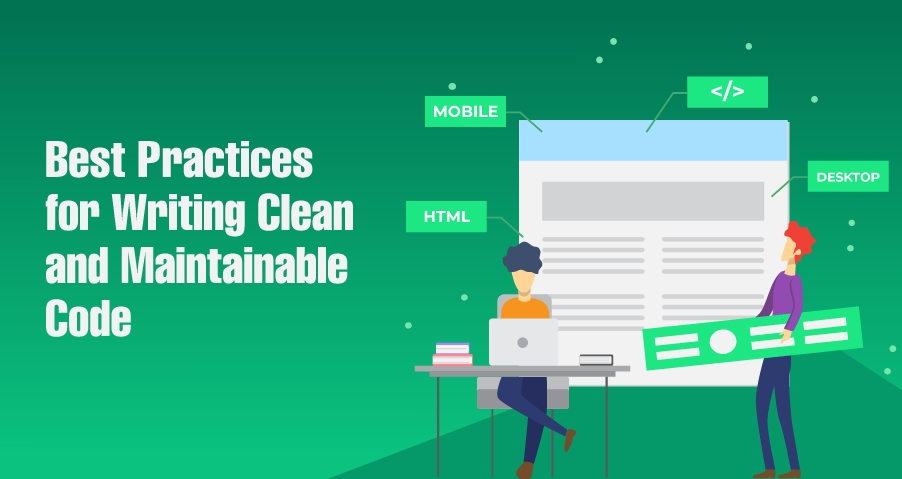
Clean code best practices for maintainable software development

Introduction

Clean code best practices are essential for building scalable, readable, and maintainable software applications. In modern software engineering, writing clean and maintainable code helps developers reduce bugs, improve collaboration, and simplify long-term project maintenance.

Readable code, consistent coding standards, and modular design improve developer productivity while reducing technical debt. Teams that follow clean code practices can scale applications more efficiently and maintain higher software quality over time.

In this article, we explore 10 clean code best practices that improve software maintainability, readability, and overall engineering efficiency.

Priority to Code Readability Should be Given

One of the cardinal qualities of clean code is that it must be easy to read. Code readability refers to how difficult or easy it is for developers to understand the codebase. Clean, readable code ensures that team members, from those newly introduced to the project to those who are part of it right from the beginning, can quickly grasp the logic behind the program without struggling through overly complex or ambiguous code.

And here are a few tips for improving code readability:

  1. Use meaningful variable and function names.
  2. Avoid deep nesting by breaking logic into pieces that you can understand.
  3. Use comments where the need is felt, but avoid over-commenting; the code should explain itself.

Consistent Coding Standards

Keeping consistent coding standards will give maintainability. Whether you work on a small project or collaborate with a large team, naming conventions and indentation styles, structuring practices will keep your codebase uniform and professional.

Most organizations have coding guidelines in place. Ensure the whole team is doing it by using tools such as Prettier, ESLint for JavaScript, and Pylint for Python. Consistent coding standards improve developer productivity and help teams maintain readable code across collaborative software projects.

Refactor Regularly

Refactoring is the process of restructuring existing code without changing its external behavior. Refactoring is the step-by-step approach to improving quality over time. As project size grows, code inevitably begins to become less than its best, or to put it more euphemistically more complicated. Simplify complex logic, optimize performance, and eliminate unnecessary code through regular refactoring.

Regular refactoring helps teams reduce technical debt and improve software maintainability as applications grow in complexity.

Modular Design

Modular design is the process of breaking your code into many much smaller, reusable pieces. It’s important for maintainability. Your code shouldn’t be tightly interwoven parts but rather functional independent pieces that could easily be updated or replaced without affecting the rest of the application.

Modular and structured code improves maintainability and scalability. If you are using a microservices architecture or object-oriented programming, then modular design makes your application scalable without becoming too huge to handle. Modular architecture improves software quality by making applications easier to scale, test, and maintain over time.

Write Unit Tests

Never, ever miss writing unit tests. Writing unit tests would validate all of the individual parts of your code to ensure they work as you would expect. And comprehensive unit testing is helpful for detecting bugs sooner and preventing regressions, keeping confidence in the stability of your codebase.

Such testing frameworks, such as JUnit for Java or pytest for Python, might automate your testing process and further integrate it with your continuous integration pipeline.

Keep Functions and Classes Small

Small functions and classes are more readable, easier to debug, and simpler to maintain. The more things that a function does, the harder it is to understand and test. If every function only does one thing-then that one thing is going to clearly be at least in those aspects stated above.

Similarly, clear responsibilities of small classes are easier to manage. This helps to avoid the risk of scattered responsibility throughout a class and ensures that each class is concerned with one role in the system, thus easier to understand and extend in the future.

Avoid Code Duplication

Code duplication is the enemy of maintainable software. The more lines of code you’re duplicating, the more chances you increase for bugs and make it harder to get through changes consistently across your codebase.

Abstract the repeated logic out into a function or class which you can reuse. This is called DRY: Don’t Repeat Yourself. Keep your code as lean and maintainable as possible. Reducing duplicate code improves maintainability and minimizes the risk of inconsistent behavior across the application.

Useful Comments and Documentation

While clean code should be self-explanatory, sometimes comments and documentation need to say the things that either are too complex to explain by logic alone, or whose context simply doesn’t come alive right away. However, comments never explain what code is doing -that should be clear enough from the code alone. Use comments to explain why a particular approach was taken, especially if it’s nonstandard.

Also, maintain clean and up-to-date documentation for your project. Well-documented code not only is helpful to fellow members of the team but also to future developers who might have to maintain or extend your code base.

Use Descriptive Naming Conventions

Some of the most significant effects on how easily your code is understood come through the decision of giving meaningful, descriptive names to your variables, functions, and classes. Ambiguous or abbreviated names may save you time in your short typing period, but they do confuse things later.

Names should clearly indicate the purpose of a variable or function. For example, instead of calling a variable x, choose total Invoice Amount if that is what it represents. This tiny habit pays much in both code readability and maintainability.

Optimization of Code Performance Only When Necessary

While maintainable code is highly valuable, then so is the balance of performance. Never, by any chance, indulge in premature optimization, which often translates into unnecessary complexity. Optimize for cleanness and simplicity of code first before the emphasis on performance that, to you, is a demonstrable issue.

Performance bottlenecks in your code may be found by tools such as profilers and debuggers, so you should focus your optimization to the most significant areas.

Conclusion

Writing clean and maintainable code is the art any developer should master. By following these 10 best practices, you will guarantee ease of understanding, modifiability, and scalability in your code, thereby cutting down time wasted and the frustration you may face not only for yourself but also for your team members. Best practices save time on long-term projects and enhance quality in code for a beginner or experienced developer.

Code should be readable, modular, and cleaned up regularly to keep it that way. Maintaining the right attitude and mindset will ensure that your codebase is efficient, scalable, and fun to work with for many.

Following clean code best practices helps developers build scalable, maintainable, and high-quality software applications. Readable code, modular design, coding standards, and regular refactoring all contribute to better software maintainability and long-term engineering success.

By prioritizing software quality and developer productivity, teams can reduce technical debt, improve collaboration, and create applications that remain efficient and easier to maintain as they evolve.

More Blogs : How to Debug Code Efficiently: Top 7 Techniques for New Developers

  • Copyright © 2026 codelynks.com. All rights reserved.

  • Terms of Use | Privacy Policy