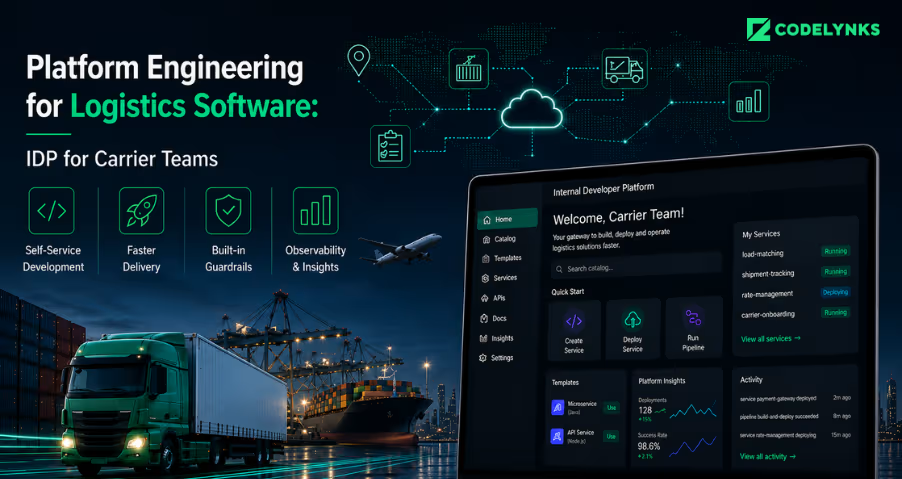
Platform Engineering for Logistics Software: IDP for Carrier Teams

Platform Engineering for Logistics Software Architecture

Introduction

Platform engineering for logistics software has become essential as logistics technology companies scale carrier integrations across regions and partners. As integration complexity grows, internal developer platforms (IDPs) help engineering teams standardize onboarding, improve reliability, and accelerate deployments.

A logistics technology company managing shipments across fifteen carriers and four geographies does not have a DevOps problem. It has a product problem: the internal tooling its developers use to build, test, and deploy carrier integrations has become as complex as the customer-facing product. When new carrier onboarding takes three weeks because the engineer who wrote the last integration is the only one who knows the pattern that is a platform problem

When a hotfix to a rate calculator breaks a different carrier’s label generation because both modules share the same deployment pipeline that is a platform problem. When your senior engineers spend Thursdays rotating through integration support tickets that is a platform problem. Platform engineering is the discipline of treating your internal development infrastructure as a product built for your engineers. In logistics software, that is no longer optional.

Platform Engineering Challenges in Logistics Software

Every carrier integration is a distributed system you did not choose to build. It has an authentication mechanism (API key, OAuth, mTLS). It has rate limits and retry semantics that differ from every other carrier. It has a webhook payload format that does not match your internal event schema. It has an SLA for responses that you are now implicitly underwriting.

At three to five integrations, a senior developer’s institutional knowledge is sufficient. At ten, you need patterns and shared libraries. At twenty, you need a platform, a self-service layer that encapsulates those patterns and lets a developer onboard a new carrier without knowing how the previous twenty were built.

A cross-border logistics operator we work with in East Africa reached thirty-two active carrier integrations before they acknowledged the problem. At that point, the on-call rotation included a weekly “carrier health check” where a developer manually validated that each integration was functioning, because there was no unified observability layer to tell them otherwise. The senior engineer running that check was spending roughly eight hours per week on it. The team had also stopped onboarding new carriers because the estimated effort per integration had grown from four days to three weeks as the codebase had accumulated undocumented variation.

The solution was not a new carrier integration tool. It was a platform that encoded what “a working carrier integration” actually meant: a standard interface adapter, a shared retry library, a unified event schema, and an integration health dashboard that flagged anomalies automatically. Once those existed, onboarding a new carrier took four days again.

The Cost of No Platform: What Logistics Software Teams Actually Spend on Toil

Platform engineering literature quotes a 30 to 40 percent cognitive load reduction as the standard benefit of a well-built IDP. In logistics software, the specific cost centers are more concrete:

Carrier integration onboarding time: Without a platform, each new carrier integration is a research project. A developer must discover the carrier’s API documentation, implement an adapter from scratch, wire it into the existing routing logic, and validate it against the carrier’s sandbox. With a platform that includes a standard carrier adapter interface and a scaffold generator, the same task is a configuration exercise.

Environment provisioning: Logistics software typically runs multiple environments per carrier partnership during onboarding. Without self-service infrastructure, each new environment is a Jira ticket to the DevOps team. The median wait time at a ten-person engineering team is two to three days.

Integration debugging: When a carrier integration fails in production, the mean time to diagnosis depends entirely on what is logged and how. Without a standard logging schema across all carrier adapters, diagnosing an issue requires reading each adapter’s bespoke logging output which often does not include the correlation IDs needed to trace a specific shipment event.

Deployment coordination: Logistics software changes are often time-sensitive a rate change or service window update from a carrier needs to be in production before the next booking cycle. Without a reliable CI/CD pipeline with clear environment promotion gates, urgent changes get deployed manually, bypassing the testing stage.

If your senior engineers are the people who know how to wire a new carrier, you have a knowledge problem masquerading as a platform problem.

Logistics Platform Engineering Maturity Model

The LPEL describes four levels of platform maturity for logistics software teams. Each level is achievable independently and adds compounding value.

Level 1 standardized carrier adapter interface. A typed interface (or abstract class, or contract test suite) that defines what a compliant carrier adapter must implement: `getRate()`, `createShipment()`, `getStatus()`, `cancelShipment()`, `parseWebhook()`. Every carrier adapter implements this interface. The routing logic only ever calls the interface. New carrier integrations are additions, not modifications to the core.

Level 2 shared reliability primitives. A library that provides retry logic with exponential backoff, circuit breakers, and timeout configuration as configurable parameters rather than custom implementations. Carrier-specific retry policies are configuration, not code. The library also provides a standard logging schema that all adapters use, enabling a unified observability layer above the adapter level.

Level 3 Self-service environment provisioning. Developers can spin up a new environment (staging, carrier-specific sandbox, load test environment) via a CLI command or a portal action without a DevOps ticket. Environments are defined as code, provisioned from templates, and torn down automatically after a defined period. This requires a functioning Kubernetes cluster and a Terraform or Pulumi module library for logistics service dependencies.

Level 4 Unified integration health dashboard. A single view of integration health across all carrier adapters: current status, error rate (last one hour, last 24 hours), latency percentiles (p50, p95, p99), and active circuit breaker states. Alerts are rule-based: an error rate above 2% on a carrier adapter pages the on-call engineer. The integration health dashboard is the tool that replaces the manual Thursday health check.

Core Components of a Logistics Internal Developer Platform

The developer portal is not the platform. The platform is the set of capabilities the portal exposes. Build the capabilities first.

What belongs in the platform:

  • The standard carrier adapter interface and its validation test suite
  • The shared reliability library (retry, circuit breaker, timeout, logging schema)
  • The CI/CD pipeline templates for carrier integration services (build, test, deploy to staging, promote to production)
  • The environment provisioning automation (IaC templates for common logistics service topologies)
  • The observability stack configuration (metrics collection, alerting rules, integration health dashboard)

What does not belong in the platform at first:

  • Carrier-specific business logic (that belongs in the adapter, not the platform)
  • Rate optimization algorithms (application code, not infrastructure)
  • The customer-facing tracking UI (product, not platform)

The boundary matters because platform teams build infrastructure that other teams depend on — similar to how managed services teams operate. If business logic leaks into the platform, changes to business requirements become platform changes, which require coordination with every team that depends on the platform. That coordination overhead defeats the point of having a platform.

Backstage, Custom, or Buy: Making the Portal Decision for Logistics

Once Levels 1 through 3 of the LPEL are in place, a developer portal becomes the UI layer that makes the platform’s capabilities discoverable and usable. The three credible choices are:

Backstage (CNCF): The strongest choice for teams that already run Kubernetes and have at least one engineer willing to own Backstage plugins. The catalog, scaffolding templates, and TechDocs integration are genuinely useful for logistics teams managing dozens of carrier integrations. Backstage plugin development has a learning curve; plan for eight to twelve weeks to reach a useful internal deployment.

Port or Cortex: Faster to stand up than Backstage, with SaaS hosting removing the operational burden. Good for teams that want a developer portal in weeks rather than months. Less flexible for custom logistics-specific workflows. The per-seat pricing model becomes meaningful at forty-plus engineers.

Custom portal: Appropriate only if your carrier integration patterns are unusual enough that standard portal scaffolding tools cannot represent them, or if your security requirements prohibit SaaS. Building a custom portal before building the underlying platform capabilities is the most common mistake we see.

What This Means for Logistics Technology Leaders

The logistics software market is consolidating around companies that can integrate with any carrier, any geography, and any customs system without a multi-week engineering project per new partner. That capability is a platform problem. You build it once and it compounds.

The concrete steps you can take this week: count how many carrier integrations are in production. Count how long the last three carrier onboarding projects took from kickoff to production. If the number is growing and the time is growing, the problem will not solve itself. Map your integration codebase against the LPEL Level 1 definition. If you do not have a standard adapter interface, that is the first thing to build and it typically takes two to three weeks with a single senior engineer.

About the author: The Codelynks platform engineering team has built carrier integration platforms and internal developer platforms for logistics and e-commerce operators across Africa, Southeast Asia, and the Middle East. Connect on LinkedIn

FAQ’s 

What is an internal developer platform (IDP) for logistics software? 

An IDP is a self-service layer built by a platform engineering team that abstracts away infrastructure complexity carrier integration patterns, CI/CD pipelines, environment provisioning so that application developers can ship new carrier integrations and features without depending on specialist knowledge or DevOps tickets.

At what point does a logistics software team need platform engineering? 

The inflection point is typically ten to fifteen carrier integrations. Before that, shared documentation and code standards are sufficient. After that, the accumulation of variation in how each integration was built creates coordination overhead that only a platform can resolve.

Should we use Backstage for our logistics developer portal? 

Backstage is the strongest choice for teams running Kubernetes with an engineer willing to own it. If you need a portal in under three months and cannot staff a Backstage engineer, Port or Cortex are faster to deploy. Build the platform capabilities (adapter interface, shared libraries, IaC templates) before choosing the portal tool.

How long does it take to build a standard carrier adapter interface? 

Two to three weeks for a senior engineer to design and implement the interface, write the contract test suite, and refactor two or three existing carrier adapters to conform. The investment pays back within the first new carrier onboarding that follows.

What is the single most valuable first investment in logistics platform engineering? 

A standard carrier adapter interface with a contract test suite. It costs two to three weeks and immediately caps the complexity of every future carrier integration.
How to Build a DevSecOps Pipeline With Autonomous Security Enforcement

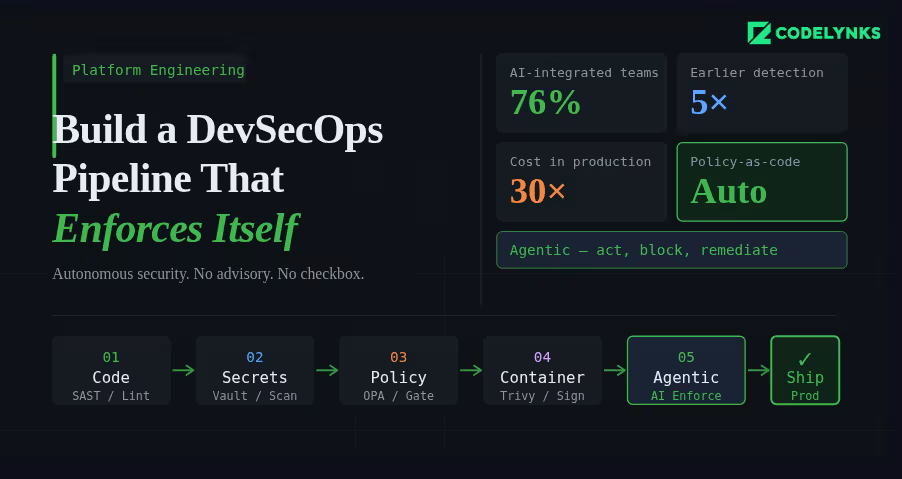
DevSecOps pipeline architecture with autonomous security enforcement

A security scan that runs after your build is not a DevSecOps pipeline. It is a security checkbox that runs after your build. The distinction matters because one approach catches vulnerabilities before they reach production, and the other hopes someone reads the report.

According to industry data from N-iX and DZone’s 2026 DevOps surveys, 76% of DevOps teams have already integrated AI into their CI/CD pipelines. The shift happening now is not just more tooling in the pipeline. It is tooling that can act, enforce, and remediate, not just report. This guide explains how to build a pipeline where security is a hard constraint, not an advisory. A modern DevSecOps pipeline integrates automated security checks into every CI/CD stage.

The Architecture of a Secure Pipeline

A DevSecOps pipeline has security controls at four stages: before the commit, during the build, before deployment, and in production. Each stage catches different classes of vulnerability. Skipping any stage creates a gap that will eventually be exploited.

Stage 1: Pre-Commit Hooks

Pre-commit hooks are the first line of defense. They run on the developer’s machine before code reaches the repository.

What to run at pre-commit:

  • Secrets scanning: Detect API keys, credentials, and tokens before they are committed. Tools: detect-secrets (Yelp), gitleaks, or truffleHog. Configure with a deny-list that matches your organisation’s credential patterns.
  • Linting and formatting: Enforce code style standards. Not strictly security, but a consistent codebase is easier to audit.
  • Infrastructure-as-code validation: If developers write Terraform or Kubernetes manifests, run a lightweight policy check (tflint, kubeval) to catch obvious misconfigurations before the commit reaches the pipeline.

Use the pre-commit framework (pre-commit.com) to manage hooks declaratively in a .pre-commit-config.yaml file, committed to the repository. This ensures every developer runs the same set of checks.

Stage 2: Build-Time Checks (Pull Request Gate)

Every pull request should trigger a suite of automated security checks that must pass before the branch can be merged. These are the pipeline gates.

  • Static Application Security Testing (SAST): Analyse source code for known vulnerability patterns without running the code. Tools: Semgrep (best open-source option), Checkmarx (enterprise), SonarQube with security rules. Configure severity thresholds: CRITICAL and HIGH findings block the merge, MEDIUM and LOW generate tickets.
  • Software Composition Analysis (SCA): Check every open-source dependency against known CVE databases. Tools: Snyk, OWASP Dependency-Check, GitHub Dependabot. Flag dependencies with CVE scores above your threshold. The biggest advantage of a DevSecOps pipeline is continuous security enforcement during development and deployment.
  • Infrastructure policy validation: Run Checkov or Terrascan against all Terraform and CloudFormation changes in the PR. Policy violations block the merge.
  • SBOM generation: Generate a Software Bill of Materials for the build artifact. Tools: Syft, CycloneDX. Store it as a build artifact. This is becoming a procurement requirement for enterprise and government customers.

Stage 3: Pre-Deployment Checks

Before any artifact reaches staging or production, validate the complete deployable unit, not just the source code.

  • Container image scanning: Scan the built container image, not just the application code. Base images carry their own vulnerabilities. Tools: Trivy (open source, fast), AWS ECR scanning, Google Artifact Analysis. Block deployment of images with HIGH or CRITICAL CVEs in base image packages.
  • Image signing and verification: Sign built images with cosign (Sigstore) and enforce signature verification at deployment time using a Kubernetes admission controller. This prevents tampering between build and deployment.
  • Kubernetes manifest validation: Validate deployment manifests against your security policies using Kyverno or OPA/Gatekeeper as an admission controller. Block pods running as root, containers without resource limits, and images from unauthorised registries.

Stage 4: Runtime Security Monitoring

Deployment is not the end of the security pipeline. Production has a different threat surface than the build environment.

  • Runtime threat detection: Tools like Falco (open source) or Sysdig detect anomalous behaviour in running containers: unexpected outbound connections, process executions that are not in the image, file system writes to unexpected locations. Alert on these immediately.
  • Periodic image rescanning: A CVE-free image today may be vulnerable tomorrow. Schedule weekly rescans of all images in your container registry. Automatically open tickets for newly discovered vulnerabilities in deployed images.
  • API anomaly detection: Unusual API call patterns, authentication failures above baseline, and privilege escalation attempts in production need automated detection and response. Define your baseline, set alerting thresholds, and create automated response playbooks for the highest-severity patterns.

Where Agentic AI Fits In

The 2026 evolution in DevSecOps is not just more tools. It is tools that can reason about context, suggest remediations, and act autonomously on low-risk findings.AI-powered monitoring is becoming a core capability in every enterprise DevSecOps pipeline.

AI-powered SAST tools can understand the data flow context of a vulnerability, not just its pattern signature. A SQL injection vulnerability in a function that only receives internally-validated input has a different risk profile than one receiving raw user input. Contextual analysis produces fewer false positives and more accurate severity ratings.

AI remediation suggestion at the pull request stage has demonstrated significantly higher fix rates than traditional vulnerability reporting. When a developer sees a suggested code change alongside the vulnerability finding, they fix it immediately. When they receive a ticket in Jira, it joins the queue.

Getting Started: The Minimum Viable DevSecOps Pipeline

If you are starting from zero, do not try to implement all four stages simultaneously. Build in this order:

  1. Add secrets scanning as a pre-commit hook and as a pipeline check. This is the highest-severity gap in most pipelines and takes less than a day to implement.
  2. Add SCA for dependency vulnerability scanning on every PR. Use Snyk or Dependabot. Configure automated PRs for patch-level updates.
  3. Add SAST with Semgrep. Start with the community rulesets, tune the false positive rate for your codebase over the first month.
  4. Add container image scanning with Trivy. Block deployment on CRITICAL CVEs, alert on HIGH.
  5. Add infrastructure policy checks with Checkov. Define your top-10 must-enforce policies first.
  6. Add runtime monitoring with Falco. Define alert rules for your most sensitive workloads first.

Steps 1-4 can be implemented within two weeks. Steps 5-6 require more planning but are achievable within a quarter.

Need Help With This?

Codelynks builds DevSecOps pipelines for engineering teams in regulated industries. If you need a security posture assessment or want to design a CI/CD pipeline with autonomous security enforcement, talk to our team at contact us

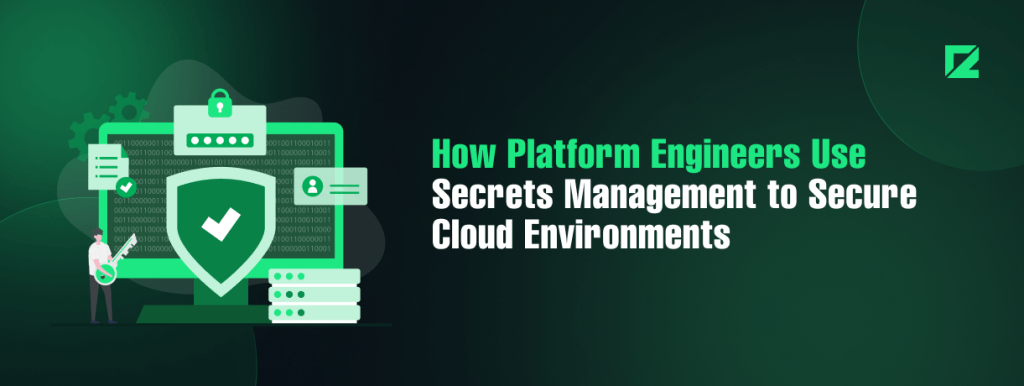
6 Essential Secrets Management in Platform Engineering to Secure Multi-Cloud Infrastructures

secrets management in platform engineering

Introduction

Secrets management in platform engineering: Platform engineers, though far from sight, are the backbone to a world of moving pieces – in the fast-changing landscape of cloud infrastructures, where an ever-changing setup continually creates needs for secure, scalable, and efficient cloud environments. One critical aspect of what they do includes managing secrets: securely managing sensitive information like passwords, API keys, or encryption keys. Because more and more organizations move their architectures into multi-cloud, robust secrets management tools have never been as critically necessary as now.

This blog discusses how engineers building platforms use secrets management in safeguarding cloud-based infrastructures and in adding speed to more agile development workflows.

Role of Secrets Management in Platform Engineering

Secrets management becomes a critical factor for platform engineers, who are responsible for the cloud infrastructure, without undermining the security posture but enabling teams to move fast. Problems arise when needing to balance the importance of giving developers access with the requirement for tight security.

Effective secrets management in platform engineering ensures developers can work safely without compromising cloud security.By implementing secrets management in platform engineering, organizations can secure multi-cloud infrastructures while enabling faster DevOps workflows.Secrets management is something an organization needs irrespective of where it stands in terms of cloud services. In the world of cloud-native infrastructure, this will likely be least based on dynamic credentials, API tokens, and keys that give a license to use any given service, database, or application. If such credentials aren’t managed properly, they can easily breach the security wall and cause data leaks or unauthorized access to critical systems.

Challenges in Multi-Cloud Secrets Management

As companies increasingly use multi-cloud strategies, it has become more complicated for managing secrets across cloud environments. Every cloud provider has their identity management protocols that create a disjointed approach to dealing with secrets.

Some of the common challenges are as follows:

Decentralized Secrets Storage: Secrets storage is distributed across multiple clouds, platforms, and tools, causing trouble in maintaining a centralized, consistent approach toward secrets management.

Dynamically Secrets: Modern cloud platforms rely heavily on dynamically secrets, which expire within a time window. Secrets must be automatically rotated without disrupting services.

Access Control: The right developers shall have access to the appropriate secrets and must not be granted privileges that supersede the requirement.

Secrets Management Tools Pulumi, HashiCorp Vault, and Beyond

Several solutions have emerged to make the job of handling secrets across multiple cloud environments easier for platform engineers. Two of the key solutions are Pulumi’s Environments, Secrets, and Configurations (ESC) and HashiCorp Vault.

Pulumi ESC: The Pulumi ESC provides platform engineers with a centralized tool for managing secrets and configurations across multiple environments in the cloud. It supports all popular programming languages, including Python, Go, and TypeScript, so engineers can code control for both secrets as well as environment configurations.

Key features of Pulumi ESC include:

Centralized Management: Simplifies management across the different environments and clouds.

Version Control: Tracks the change history for secrets and configurations, providing full traceability.

Integration with DevOps Tools: Supports automation workflows and integrates with CI/CD pipelines for seamless secrets rotation and updates.

HashiCorp Vault: The most commonly used secrets management tool is HashiCorp Vault.

Robust security features on:

Secret generation on demand: Vault can dynamically generate secrets on demand. Credentials are always valid for a short time.

Only needed access to specific users: With policy-driven access control, Vault lets engineers exactly who needs to see which secrets.

Vault automatically will rotate those secrets, minimizing exposure.

Both HashiCorp Vault and Pulumi ESC are must-haves for platform engineers with infrastructures that include lots of clouds and complex infrastructures.

Best Practices for Multi-Cloud Secrets Management

For the effective and secure management of secrets, platform engineers shall follow the best practice of:

Centralized Secrets Storage: Through Pulumi ESC or HashiCorp Vault, engineers can centrally store all the secrets, thereby easily tracking and rotating credentials while auditing their activities. A centralized approach reduces mistakes and lost credentials in various cloud settings.

Automatic Secrets Rotation: Secrets rotation should be automated to avoid risk. Most secrets management tools support automated rotation. Credentials will be updated as often as required without disrupting any services. c. Least Privilege Access

Least privilege should also be applied in secrets management. Each user or service must be provided with the least access to ensure that the sensitive data may not be accessed by any unauthorized persons. d. Monitor and Audit Secrets Usage

The platform engineers are supposed to monitor secret usage and send an alert for patterns that look abnormal. Auditing logs can be used to identify potential risks and ensure that company security policies are in place.

Secrets Management and DevOps: Integrating Security in Workflows

As DevOps brings faster development cycles and continuous integration into focus, the management of secrets must now be integrated into CI/CD pipelines to avoid bottlenecks in such workflows. The automation of provisioning and access control of secrets in these workflows ensures that platform engineers can make sure security doesn’t become an anchor for development.

Secrets can be injected automatically into applications at deploy time using tools such as Pulumi ESC and HashiCorp Vault, thus avoiding the sensitive data exposure to developers or build systems.

The future of secrets management in platform engineering

With cloud infrastructures getting increasingly complex, secrets management would play an even more important role. Future innovations in that space will probably revolve around

AI-driven automation would predict and prevent probable security breaches and mishandling of secrets.

Stronger Integration with DevSecOps- Secrets management tools would eventually have more roles in the full lifecycle of DevSecOps, by tightly controlling and auditing secrets across the cycle of development and operations.

Conclusion

Secrets management becomes a crucial component of platform engineering, providing an appropriate level of security for cloud infrastructure while speeding up development cycles. By centrally storing secrets, automating their rotation, and integrating secret management within DevOps workflows, the platform engineers thus protect their environment and enable developers to work more efficiently.

By implementing secrets management in platform engineering, organizations can secure multi-cloud infrastructures while enabling faster DevOps workflows.

More Blogs: Serverless Computing: Top 5 Scenarios and Effective Implementation Tips

  • Copyright © 2026 codelynks.com. All rights reserved.

  • Terms of Use | Privacy Policy