Migrating to the Cloud: A Comprehensive Guide for Businesses

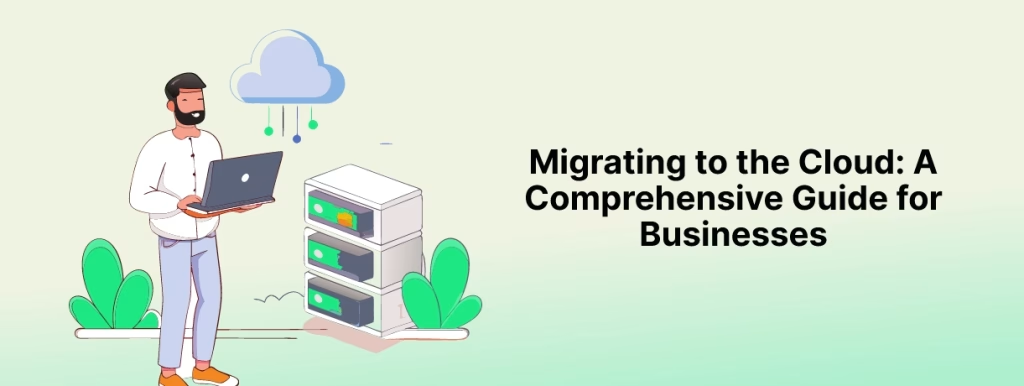
Cloud Migration process diagram showing key steps for businesses moving to the cloud

Introduction

The flexibility, scalability, and cost-efficiency of the cloud have made it more accessible to a variety of businesses as the digital landscape continues to evolve. No longer is it an option just for forward-thinking organizations; it has increasingly become a necessary step that businesses need to compete in the marketplace, though one requiring careful planning, execution, and constant management for success.

This comprehensive guide outlines the basic steps of cloud migration, key business considerations, and potential experiences from adopting a cloud-first approach.

What is Cloud Migration?

Cloud migration, in simple terms, means a business’s digital assets, services, databases, and applications are moved from on-premises infrastructure to cloud-based infrastructure. It could either be a one-time full migration or, on the other hand, a phased migration by moving certain services at any given time.

Cloud migration helps organizations provide them with flexibility, lowers their costs, and provides access to high technologies like AI and ML. However, it presents several challenges, including data security, migration downtime, and the requirement for proper cloud management.

Why Migrate to the Cloud?

Scalability: Scalability is one of the leading advantages of cloud computing. While on-premises infrastructure is prone to costly scaling and timely consuming, business organizations working with cloud platforms can adapt to their resources in relation to their dynamics quickly. The answer to rapid growth or even a temporary lull for businesses with cloud services is simple: scale up or scale down for operational efficiency and cost advantage.

Cost-Efficiency: It also alleviates upfront investments in hardware and infrastructure. For most businesses, cloud services are designed around the pay-as-you-go model, so costs are predictable, and capital outlays are reduced. These aside, cloud platforms have built-in usage tracking and resource optimization tools, meaning you only pay for what you actually use.

Enhanced Collaboration and Accessibility: Cloud systems enable employees to access necessary business applications and data from everywhere with an internet connection. Such accessibility supports telecommuting, teamwork, and geographical distribution. As more companies shift to hybrid or complete remote work models, cloud computing has become a critical component of productivity and continuity.

Disaster Recovery and Data Backup: Most cloud migration solutions offer strong disaster recovery for a firm. In case hardware fails, a natural disaster strikes, or cyberattack occurs, redundancy and backup in place within systems cloud-based allows data to be regained in the shortest time possible. This reduces losses due to data loss and, concurrently, downs the downtime.

Cloud migration provides access to advanced technology and services. With the cloud, AI, ML, big data analytics, and advanced automation tools are accessible, and innovation is possible. Agile capabilities help businesses experiment with ideas, deploy new applications quickly, and stay competitive in this rapidly changing market.

Key Considerations for a Successful Cloud Migration

Assess Your Current Infrastructure: A thorough exploration of one’s current infrastructure before embarking on a cloud migration journey will provide an indispensable approach. In fact, insights about running applications, databases, and services are the only ones that will help determine the best fit for cloud solutions in a business environment. Compatibility with the new cloud environment as well as limitations in the existing architecture are very crucial.

The Right Cloud Model: Among these, many cloud deployment models exist, ranging from public, private, to hybrid. Public clouds include third-party providers’ owned clouds such as AWS, Microsoft Azure, Google Cloud, among others. Most firms have adopted public clouds because they are cost-friendly. Private clouds have much more control and security, but they need to invest in the management overhead. Hybrids, therefore, will come with the best from both worlds: they will allow businesses to retain critical data on-premises while using the cloud for additional capacity.

Data Security and Compliance: While data security is considered one of the top concerns in cloud adoption, it is also as important to select a provider that provides robust security measures to maintain encryption, manage identities, and detect threats. For business organizations operating in regulated industries such as healthcare or finance, industry-specific regulated compliance cloud solutions should be sought to adhere to regulatory compliances such as GDPR, HIPAA, or PCI-DSS.

Develop a Migration Strategy: This will bring comprehensive strategy formulation. You would need to consider which applications and services go first in this migration, as well as whether you must or could use a phased or all-at-once approach. Creating the timeline, identifying key stakeholders, and setting clear objectives are critical to ensuring a disruption-free and smooth transition.

Training and Support: Actually, moving to the cloud is not only a technical challenge but also calls for organizational change. Employees need to be trained to use cloud-based tools, and IT teams should be readied to handle the new cloud environment. Continuous support and resources for your team will ensure that, in the long run, your migration efforts to the cloud prove successful.

Steps in the Migration to the Cloud

Plan and Assess: To start off, carry out an in-depth assessment of your current IT infrastructure. List which workloads and applications should be moved to the cloud and develop a full migration plan that includes timelines, key stakeholders, and goals.

Select a Cloud Provider: Finding the right cloud provider is critical to the success of your migration. The major providers of cloud services are AWS, Google Cloud, and Microsoft Azure. These are important for pricing services, security, and customer support. Your choice is tied to your business goals and technical requirements.

Prepare Your Data: But migration does require thorough preparation. Your data have to be prepared with proper formatting, cleaning, and organization. You may even need to utilize data migration tools or services in order to ensure smooth massive moving.

Migrate and Test: After developing the migration plan, initiate the migration process for workloads. Introduce less-critical applications first and test the migration process by identifying any errors that may arise. Increasingly move the most critical workloads as performance, security, as well as compatibility are tested in the process.

Monitor and Optimize: After the migration, monitoring and optimization for the running of your cloud environment as the key are important to monitor further performance, cost, and security in your cloud environment. You can take advantage of cloud-native tools to monitor performance, costs, and security. You must review your cloud usage regularly to ascertain the proper usage of resources and identify the chances of cost saving opportunities.

Conclusion

Business benefits of the cloud migration include increased scalability and cost-efficiency, easier collaboration, and access to state-of-the-art technologies, but it remains critically dependent on careful planning, a concrete strategy, and constant management to be successful. Understanding the points of importance and procedures involved will help businesses feel more confident while taking the leap into cloud migration and place them well on their way toward success in the digital world.

More Blog: Boost Forecast Accuracy: 7 Essential AI-Powered Business Analytics Tools

Cloud Computing vs. On-Premises: Which is Right for Your Business?

Cloud Computing vs On-Premises comparison illustration

Introduction

History of computing says that different companies relied on traditional infrastructure to operate their businesses. However, cloud computing has changed the game altogether and today, you have a hard crossroads when it comes to managing your IT infrastructure: cloud or on-premises. The choice of these two can go about being quite transformative for your business and large-scale decision, whether it is on the issue of scalability, cost, security, and more into efficiency. Throughout the years, the usage of the cloud has been going on the rise, and different companies that once relied on quite traditional infrastructure are now moving away from it-but is this what’s best for your business?

In this blog, you will find the seven key differences between cloud computing vs. on-premises solutions and know what to choose for your organization.

Cloud vs On-Premises: Understanding the Key Differences

Cost Structure: Cloud Computing Vs. On-Premises: Perhaps one of the most telling factors between cloud computing and on-premises is the cost structure. Usually, cloud computing follows a pay-as-you-go model, and companies only pay for what they use. This flexible pricing scheme, thereby, makes it a lot easier for a business to manage its IT budget and avoid huge capital expenses in hardware.

It requires upfront investment in hardware, servers, and data centers. Business expenditures also need to incur maintenance, upgrades, and energy consumption. The cost of on-premises seems, from a predictability point of view, but it can foster overprovisioning-you’re essentially paying for resources that go unused.

At the end, cloud computing is much cheaper to businesses that would like to have flexibility and scalability without large up-front expenses of on-premise systems.

Scalability and Flexibility: One of the significant differences between cloud computing and on-premises is scalability. A cloud solution offers businesses the capability to scale their resources up or down with respect to the demand needed. Whether you experience spikes in traffic seasonally or suddenly grow your business, having cloud services means you can always expand capacity without having to go through the hassle of extra hardware and long setup procedures.

On the other hand, in-premise systems offer this flexibility. Scaling an on-premises infrastructure requires business to buy more hardware, configure servers, and potentially scale up data centre capacity. It is both time-consuming and expensive for businesses to adapt promptly to change needs.

Cloud computing provides a more agile and scalable solution for businesses that would be subject to growth or changing demand.

Security and Compliance: One of the most critical aspects of debate about cloud computing vs. on-premises is the security provided to the sensitive business data by the organization. The cloud providers invest heavily in their security protocol, such as encryption, multi-factor authentication, and regular updates regarding security. The leading cloud platforms such as AWS, Microsoft Azure, and Google Cloud are strict regarding security standards and compliance regulations like GDPR, HIPAA, and PCI-DSS.

However, highly sensitive industries will prefer on-premises infrastructure. Businesses can implement detailed, industry-specific security measures and follow specific regulations because they have complete control over their hardware, software, and network security. Such sectors include finance, healthcare, and government, where regulatory compliance is a must.

While cloud computing does provide advanced security, on-premises infrastructures may be much more satisfactory for business organizations in terms of having complete control over data.

Maintenance and Management: Cloud Computing vs. On-Premises: The greatest advantage of cloud computing would therefore be reduced dependency on IT staff for keeping up and running the infrastructure. Server maintenance, software updates, security patches, as well as providing backups, are all taken care of by cloud service providers, thereby leaving businesses free to focus on their core operations and away from risks from downtime due to failures in hardware or software.

Conversely, on-premises infrastructure has an assigned IT team that can take responsibility for maintenance on the hardware, updates, and even security of the system, which may consume a lot of time and resources since businesses have to pay money for personnel and tools to keep the systems up and running.

Based on this perspective, cloud computing presents a great opportunity for businesses looking to minimize management burden in terms of operational efficiency.

Accessibility and Remote Work: Accessibility is the other key factor in comparing cloud computing vs. on-premises, especially as workforces become more remote day by day. Cloud-based systems enable users to access applications, data, and systems from virtually anywhere using an Internet connection. Accessibility supports flexible work arrangements, remote teams, and business continuity in face of sudden disruption events.

On premises, on the other hand, typically only offers office-based access unless companies spend money on more complicated remote access solutions. This doesn’t exactly prepare businesses for transitioning into a hybrid or fully remote work model.

Cloud computing, on the other hand, is more readily accessible and agile for modern businesses with the rise of remote work.

Customization and Control: As for customization and control, on-premises infrastructure takes the lead because some business needs require unique or particular configurations of their IT, which cannot be managed with the standard ready-to-use systems. On-premises systems are also completely controlled in terms of sophisticated systems of software customizations and network setups, which are vital for special industries that need special solutions or industries that demand tighter compliance.

Although cloud computing is very flexible, in some cases, especially for public clouds, it limits the customization abilities. Businesses will have to work within the configurations provided by their cloud provider, whereas they may not always suit their needs.

For organizations that have customization and control as a priority, on-premises solutions may be a better fit.

Disaster Recovery and Business Continuity: Cloud computing excels very well with disaster recovery and business continuity. This is because cloud providers offer built-in disaster recovery in the form of data backup, failover systems, and redundancy across many geographic locations, thus providing businesses with fast restoration of operations when disasters strike and minimizing downtime.

Disasters are significantly more critical for on-premises infrastructure. Hardware failures, natural catastrophes, or cyberattacks can cause critical data loss and down time if disaster recovery protocols are not implemented in place. It is cost-intensive and highly complex to establish and maintain a successful disaster recovery environment on premises.

Disaster Recovery using cloud infrastructure Disaster recovery through the cloud infrastructure is more reliable and efficient for organizations that bother to be really resilient and have a high up time.

Conclusion: What’s Best for Your Business?

There is no one-size-fits-all answer in choosing between cloud computing and on-premises. Decisions will always depend on the specific business need, goal, or industry requirement. Cloud computing suits businesses that wish to scale and be flexible with cost efficiency, especially in a situation where businesses have a large remote workforce or expect to grow rapidly. On-premises solutions offer more control, customization, and potentially more fitting within sectors that are highly regulated.

Another hybrid approach that considers using both a cloud solution and an on-premises solution should be considered, too. Businesses who would like to grasp the best of both worlds should not be dismissed of such options.

Now that you weigh down each side, maybe clear decisions will come out that will sustain your business success in the long run.

More Blog: Serverless Computing: Advantages and Challenges for Developers and Enterprises

Cloud Technologies for Business Continuity and Future-Proofing

Cloud Technologies for Business

Introduction

Agility, innovation, and effectiveness in scalability are what any business could place above the curve in a dynamic business environment. Today, technology in the cloud is the cornerstone on which businesses base their future-proofing operations, making it possible for them to stay resilient, scalable, and adaptive in the market today and in the future. Through using cloud-based solutions, companies guard their growth, they go ahead to streamline operations, and so they prepare themselves for the long-term.

In this blog, we are going to explore how cloud technologies shape the future of business and what strategies organizations can use for full realization of its potential.

How Cloud Technologies Improve Scalability & Resilience

Cloud Scalability: Growing at Your Own Pace: One of the biggest benefits that cloud technologies inevitably have is their inherent scalability. The traditional on-premise infrastructure requires an enormous investment in hardware – sometimes, to put it very bluntly, from yesterday; sometimes, indeed, the assets may already be obsolete by the time they are installed and there’s often not enough to go around. The business has the flexibility to scale up or down as workloads fluctuate through the use of a cloud solution.

Example: A retail business might feel the surge in traffic during holiday sales. With cloud platforms such as AWS or Microsoft Azure, the company automatically scales its infrastructure to handle increased traffic without overinvesting in unused servers.

The elasticity offers businesses the ability to realize optimal performance without the cost and the messy complications of managing infrastructure themselves. It is through cloud scalability that future-proofing becomes possible as businesses can adapt at their pace and ensure that resources get used with optimal efficiency.

Business Continuity and Disaster Recovery Improvement: Unexpected interruptions resulting from cyberattacks, natural disasters, or system failures can severely disable business operations. Businesses require business continuity and disaster recovery solutions, which are now integral components of any future-proofing approach. Cloud-based technologies provide robust solutions both for business continuity and for disaster recovery.

They offer comprehensive disaster recovery services whereby data is automatically backed up and put back in place quickly in case there is an outage or data loss. In such a situation, businesses can easily recover their critical systems and data within minutes, thereby suffering minimal downtime.

Example: A company with cloud-based DRaaS (Disaster Recovery as a Service) can make emergency recovery of critical customer data following a cyberattack within hours and thus avoid significant downtime and possible reputation damage.

Business continuity will be the beneficiary, since organizations would no longer face the possibility of operational downtime, and sensitive information will be safe in these extremely redundant cloud environments.

Supporting Digital Transformation Initiatives: Indeed, digital transformation is no buzzword and serves as an imperative that companies should operate competitively in today’s modern marketplace, since cloud technologies form the core of the elemental building blocks and will shape efforts toward actualizing digital transformation, not to mention enabling companies to leverage high-end tools like AI, ML, and big data analytics.

That is the greatest advantage of a cloud platform, as businesses can easily adopt new technologies and services without the overhead of legacy infrastructure. Emerging technologies can be brought into existing workflows with ease, accelerating the speeds of innovation and decision-making.

Example: A service provider in the health-care domain, with cloud-based AI, as well as machine learning tools to analyze patient data in a better way, can give out personalized treatment recommendations, as well as improve patients’ outcomes. This kind of innovation would be impossible in a network without cloud computing agility.

Digital transformation is speeded up through the usage of cloud technology since it allows businesses to innovate quickly and be in the best position in a fast-evolving digital world.

Cost Efficiency and Reduced IT Overhead: It also reduces the overhead costs of the business on IT: Traditional data centers are expensive and require a huge investment in physical infrastructure, hardware maintenance, and IT personnel. Cloud services work on the pay-as-you-go mode and will only charge for using the desired amount of resources.

This cost-efficient model allows businesses to focus their resources in places where they are most needed – growth initiatives rather than maintaining costly IT infrastructure.

Start ups can scale its operation across the globe by using Google’s Cloud Platform to host applications, hence reducing the amount of initial capital invested in its own servers and maintenance. The same amount of resources were used to increase the product line, customer base, and new features.

Cloud technologies can be involved in freeing companies’ financial resources to pour them into innovation and growth, rather than into maintaining old infrastructure.

More collaboration and remote work opportunities: With the increasing popularity of remote work and distributed teams around the world, such tools become more necessary: secure, efficient, and flexible with collaboration. Google Workspace and Microsoft 365 have managed to provide businesses with an actual possibility to collaborate real-time from anywhere in the world.

With cloud-based solutions, important documents, applications, and data are accessible from any device, hence increasing productivity and business continuity even in a remote environment.

Example: in this age of full remote work, companies, with the help of Microsoft Teams and Azure provide, secure communication channels and collaboration capabilities across its employee base, thus maintaining high productivity levels despite the migration to work-from-home setups for all its employees.

This gives way for businesses to transform their working nature according to the modern environment by leveraging the use of cloud technologies to achieve distant collaborations and overall business agility.

Conclusion

Future-proofing a business is no longer an indulgence but a necessity in the highly competitive and dynamic marketplace of today. By embracing cloud technologies, businesses can obtain scale, flexibility, and security to stay ahead of industry change. From disaster recovery to new collaboration, cloud solutions provide the tools and infrastructure necessary to ensure business resilience, optimize costs, and drive digital transformation.

As cloud technology continues to evolve, investment by businesses in such solutions will be best suited for long-term growth and innovation.

More Blog: The Ultimate 7 Transformative Advantages of Multi-Cloud Strategies Empowering Modern Enterprises

5 Powerful Benefits of AI in Cloud Computing for Smarter Cloud Operations

AI in Cloud Computing optimizing cloud performance

Introduction

Cloud computing has transformed the way companies manage their data, deliver services, and scale operations. The greater the requirement for the application of cloud services, the more imperative the adoption of technologies that aid efficiency, performance, and automation will be. AI and ML happened to be the key enablers behind this transformation and came up with advanced solutions that optimize cloud infrastructure to enhance decision-making while driving innovation.

We shall research how AI and machine learning can impact cloud computing, outlining how such technologies alter cloud environments to add unmatched business value.

Smarter Cloud: How AI in Cloud Computing Improves Performance

This creates an amount of data and operations in a cloud environment that is overwhelmed. The problem can be solved through performance optimization by automation by AI and its associated algorithm known as machine learning. In analyzing data patterns and usage of resources, AI-driven tools optimize cloud infrastructure real-time, yielding resource allocations and therefore increased efficiency.

AI-Driven Optimization: The AI-based system also monitors the performance of cloud usage. It finds the bottlenecks and expects future requirements, thus automatically scaling up resources. Therefore, self-optimization improves performance and less downtime, thereby making sure that applications are run smoothly and efficiently.

Example: Google Cloud was able to optimize its energy efficiency in data centers using machine learning algorithms. The analysis of AI-enabled efficiency by Google could reduce their consumption of energy while high levels of performance were maintained.

Dynamic Resource Management: AI is dynamic scaling of cloud resources whereby the ability to provision on compute power, storage, and bandwidth is changed in real-time depending on varying demands. Thus, operational costs are reduced because of elasticity, as businesses don’t over-provision themselves during spikes in traffic.

Example: AWS Auto Scaling uses machine learning to predict exactly when more instances are needed so that required resources can scale as demand needs without manned intervention.

Improving Data Management and Security

The management of many data sets in a cloud environment can be very challenging. But AI and machine learning provide strong solutions for better management of data, insight derivation, and automation of complex processes. AI also enhances cloud security by being faster and more effective in detection and response against threats than traditional security systems.

Data Processing and Analytics: AI-driven analytics tools can process huge volumes of data at phenomenal speeds, detect patterns and trends that are impossible for humans to find, and thus can be used to analyze deeper insights from business data for better decision-making and operational efficiency.

Example: Microsoft Azure integrates the functionality of machine learning models to provide analytical solutions for businesses to analyze colossal amounts of data in real-time and discover actionable insights.

AI-Powered Cloud Security: AI and machine learning enhance cloud security with automated threat detection and response. Machine learning models analyze not only network traffic, but also user behavior, thus raising real-time flags on suspected security threats.

Example: IBM Cloud, using AI-driven security tools, detects patterns of abnormal network traffic and prevents breaches in the data. Hence, with such a strategy, risks related to cyberattacks are minimized, and sensitive data in the cloud remain protected.

Automation of Cloud Operations and DevOps

This means that automation of mundane tasks is one of the prime impacts of AI and machine learning within cloud computing. Using AI, enterprises are actually embedding it into cloud management as well as DevOps workflows and thus enable automation success without having manual intervention at all; operations will be streamlined, and the dev cycle can speed up.

AI-Powered Automation in DevOps: Third, in DevOps, speed and agility are retained only through automation. AI and ML allow DevOps teams to automate infrastructure provisioning, software testing, as well as deployment. This improves the CI/CD process, hence offering faster releases and reducing the chances of errors.

Example: The AWS CodeDeploy uses machine learning algorithms to optimize deploy processes. Therefore, code is released with minimal downtime and does not interfere with live services.

Infrastructure as Code (IaC): Machine learning enables IaC by making inferences of what kind of infrastructure is required and automates resource allocations as per the requirement of the application. This automation helps guarantee that, to keep up with the demand of the applications, the infrastructure formed by the cloud engineers will match the current demands made to deliver performance and availability.

Example: Terraform uses machine learning models to offer predictive scaling so that any fluctuation in demand does not require manual intervention on the cloud infrastructure.

Improve AI and ML Models in the Cloud End

AI and ML are transformed not only by cloud operations but also are powered by the power of the cloud. In addition to this, scalability and computing powers much required for training complex AI and ML models bring cloud computing to that level where it accelerates development and deployment of those models.

Cloud-Based AI Development: Building and training machine learning models require significant amounts of computational resources. Cloud platforms are providing the infrastructure needed to support these workloads. Businesses now have access to powerful GPU and TPU resources based on demand.

Example: Google Cloud AI offers a suite of tools for building and deploying at scale to develop machine learning models. In doing so, businesses will be able to reduce the time needed to train using cloud-computational power and bring their AI models into production much more quickly.

Quicker Deployment of AI Model: Through cloud-based platforms, organizations can deploy AI and machine learning models across distributed environments such that applications can process data seamlessly while producing insights in real-time. The scalability of the cloud will enable businesses to roll out AI models across multiple regions which will ensure consistency and availability.

Example: Amazon SageMaker provides businesses with the ability to develop, train, and deploy AI models in the cloud that enables predictions and business decisions in real-time for applications across industries.

AI and Machine Learning in Cloud-Powered Applications

AI and machine learning fundamentally support the next-generation applications that are unfolding in the cloud-from highly personalized and localized customer experiences to advanced automation. It can build applications that use the full capabilities of AI in a cloud environment, fully leveraging the power of AI in the cloud to enable smarter and more responsive applications that energize customer engagement and operational efficiency.

Personalized Customer Experiences: AI-based cloud applications can do much more about real-time user data and behavior analysis so that every experience is tailor-made.

AI and machine learning further enable companies to provide differentiated personal experiences that raise customer satisfaction. For example, Netflix uses AI-driven algorithms on AWS that deliver the best shows and movies based on user preferences while ensuring a personalized experience for millions of users.

AI in SaaS Solutions: SaaS platforms these days are integrating more sophisticated features such as automation, predictive analytics, and intelligent decision-making by the introduction of AI and machine learning. SaaS vendors can ensure that the built solution is scalable, available, and easier to update by running those AI-based features on the cloud.

Example: Salesforce Einstein offers AI-based intelligent insights, automation, and enhancement of capabilities for CRM- customer relationship management. With a cloud-based infrastructure, Salesforce ensures that businesses can derive the benefits of AI without incurring additional infrastructure costs.

Conclusion

The Future of Cloud Computing with AI and Machine Learning: As cloud computing continues being adopted across businesses worldwide, AI and machine learning will increasingly play a more central role in efficiency, security, and innovation for the future. From automating cloud operations to building intelligent applications, these technologies carry tremendous transformative potential in any cloud environment.

More Blogs : Mastering DevOps Monitoring and Logging: Proven Strategies for 2024

Top Trends in Cloud Computing for 2026

Top trends in cloud computing for 2025 showing AI integration, edge computing, and multi-cloud adoption

Introduction

The cloud platforms landscape is evolving rapidly, and 2024 promises to bring exciting advancements that will reshape how businesses operate. As more organizations migrate to the cloud, understanding emerging trends has never been more crucial. From enhanced security protocols to innovative deployment strategies, these developments are set to redefine efficiency and scalability in ways we can’t yet imagine.

In this dynamic environment, cost optimization stands out as a key factor for success. Organizations must learn not only how to leverage cloud technologies but also how to manage their expenses effectively. Join us as we explore the top trends in cloud solutions for 2024, highlighting the importance of strategic cost management and the essential role of skilled cloud engineers in navigating this transformative journey.

As we move into 2024,cloud infrastructure continues to evolve rapidly. The rise of hybrid and multi-cloud strategies is reshaping how businesses deploy their resources. Companies are increasingly looking for flexibility, allowing them to leverage the strengths of various cloud platforms.

Another significant trend is the growing emphasis on AI and machine learning within cloud services. These technologies enhance data analysis and automate tasks, improving efficiency and decision-making processes. This combination creates a more intelligent ecosystem that drives innovation across industries while streamlining operations significantly.

Importance of Cloud Cost Optimization in 2024

As businesses increasingly rely on cloud services, managing costs becomes crucial. Inefficient cloud deployments can lead to overspending and wasted resources. Organizations need to understand their usage patterns to optimize expenses effectively.

Cloud cost optimization ensures that companies only pay for what they use, resulting in better budget management. It also enhances operational efficiency by reallocating funds towards innovation and growth initiatives rather than unnecessary expenditures. By prioritizing cost optimization, businesses can maximize the benefits of cloud engineering while maintaining a sustainable financial model.

Strategies for Effective Cloud Computing Cost Management

Cloud engineers play a crucial role in managing costs associated with cloud deployment. They strategize resource allocation, ensuring that organizations only pay for what they need. By utilizing their expertise, these professionals can identify inefficiencies and recommend cost-effective solutions.

Additionally, cloud engineers implement monitoring tools to track usage and expenditures in real-time. This proactive approach allows companies to respond quickly to any anomalies or unexpected costs. Their technical skills enable businesses to optimize their cloud environments efficiently while maintaining performance and reliability.

Strategies and Best Practices for Cloud Cost Optimization

Effective cloud cost optimization begins with proper resource management. Regularly review your cloud usage to identify underutilized or idle resources. Rightsizing instances and adopting reserved instances can lead to significant savings.

Implementing automation tools is another best practice. These tools help schedule workloads efficiently, ensuring resources are only active when needed. Additionally, establishing budgets and alerts promotes accountability among teams, helping maintain control over costs while maximizing performance in your cloud deployment strategy.

Case Studies and Success Stories

Several organizations have successfully harnessed cloud computing to optimize costs and enhance efficiency. For instance, a mid-sized retail company migrated its infrastructure to the cloud, resulting in a 30% reduction in operational expenses. This transformation not only improved scalability but also streamlined their inventory management system.

Another compelling example is a financial services firm that adopted multi-cloud deployment strategies. By leveraging various platforms, they identified cost-saving opportunities that ultimately led to an impressive 40% decrease in their IT spending while maintaining high availability and security standards across applications.

Tools and Technologies for Cloud Cost Optimization

Various tools and technologies are emerging to streamline cloud cost optimization. Solutions like CloudHealth, AWS Cost Explorer, and Azure Cost Management provide insights into spending patterns. These platforms help organizations visualize costs, monitor usage metrics, and identify inefficiencies.

Moreover, automation tools such as Terraform or Kubernetes assist in managing resource allocation dynamically. By leveraging these technologies, businesses can implement more effective budgeting strategies and optimize their cloud deployment processes while minimizing unnecessary expenditures. As the landscape evolves, adopting the right tools will be crucial for staying ahead in cloud engineering practices.

Future of Cloud Cost Management

The future of cloud cost management is poised for significant transformation. As organizations increasingly adopt multi-cloud and hybrid environments, the need for intelligent cost optimization tools will grow. Machine learning and artificial intelligence are set to play crucial roles in predicting usage patterns and automating resource allocation.

Additionally, real-time analytics will empower businesses to make data-driven decisions about their cloud deployments. This shift towards proactive management can mitigate unexpected expenses while maximizing efficiency. Embracing these advancements will enable companies to navigate the complexities of cloud costs more effectively, ensuring sustainable growth in a competitive landscape.

Conclusion

As we look ahead to 2024, the landscape of cloud computing continues to evolve. The trends shaping this industry are more than just technological advancements; they highlight a shift towards efficiency and cost-effectiveness in cloud engineering and deployment. Organizations that prioritize cloud cost optimization will not only enhance their financial health but also improve operational agility.

Cloud engineers play a critical role in navigating these changes, ensuring that businesses can harness the full potential of their cloud investments. By adopting effective strategies for managing costs, organizations can unlock substantial savings while maintaining high levels of service.

With innovative tools and technologies emerging, the future of cloud cost management appears promising. Companies must stay informed and adapt to remain competitive in this rapidly changing environment. Embracing these developments will serve as a cornerstone for success in the evolving world of cloud computing.

More Blogs: 7 Essential Steps for Migrating to Microservices: Ensure a Smooth DevOps Transition

  • Copyright © 2026 codelynks.com. All rights reserved.

  • Terms of Use | Privacy Policy